
How to set an automatic sales open and close date or close ticket sales manually
You can set a sales opening and closing date on all sale campaigns. Where the setting lives depends on the campaign type: for events, raffles, and custom forms it is in the date section of the form editor, and for online stores and memberships it is in the advanced settings. You can also close sales manually at any time from your dashboard.
Set automatic sales dates on events, raffles, and custom forms
For events, raffles, and custom forms, the sales open and close dates are in the section called "Date" (not "Date and time"). On event forms, the section appears as "Event date" under the heading "Set date(s) for your event".
Go to "Campaigns" in your dashboard.
Click "Edit" to the right of the form in question.
Open the "Date" section.
Enter the "Sales opening date" and/or the "Sales closing date".
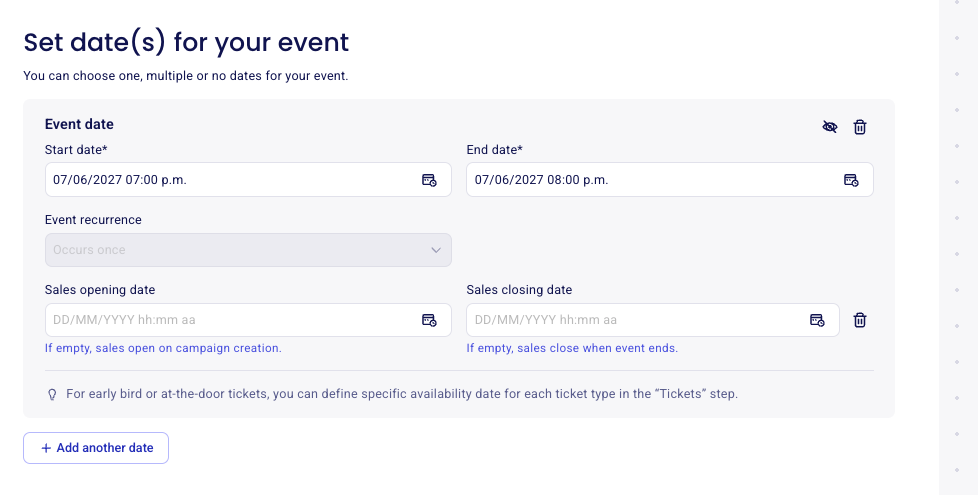
If the sales opening date is left empty, sales open on campaign creation. On events, if the sales closing date is left empty, sales close when the event ends.
For early bird or at-the-door tickets, you can define a specific availability date for each ticket type in the "Tickets" step instead. See Schedule ticket availability or add a waitlist to an event.
Set automatic sales dates on online stores and memberships
For online stores and memberships, the sales open and close dates are in the advanced settings of the campaign setup, under "Campaign display options".
Go to "Campaigns" in your dashboard.
Click "Edit" to the right of the form in question.
Open the advanced settings.
Turn on "Add a sales open and/or close date".
Enter the "Sales opening date" and/or the "Sales closing date".
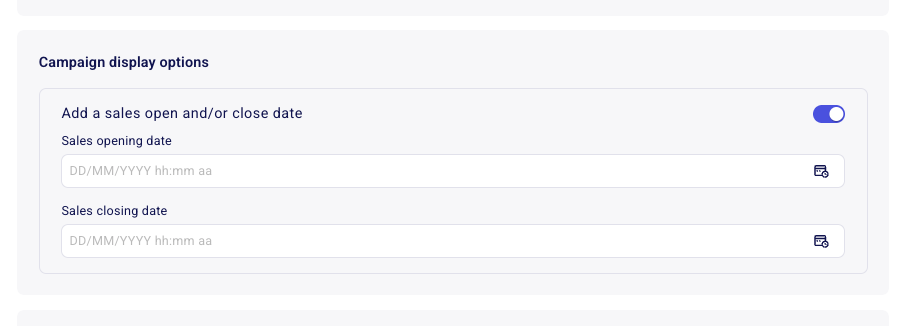
You can set one of the two dates or both: the toggle covers an open date, a close date, or both together.
Manually close sales
If you don't have a set date and time on which you want your sales to close, you can manually close your sales from your dashboard.
Go to Campaigns in your dashboard.
Click on the three dots to the right of the form in question.
Click on the option "Close sales."
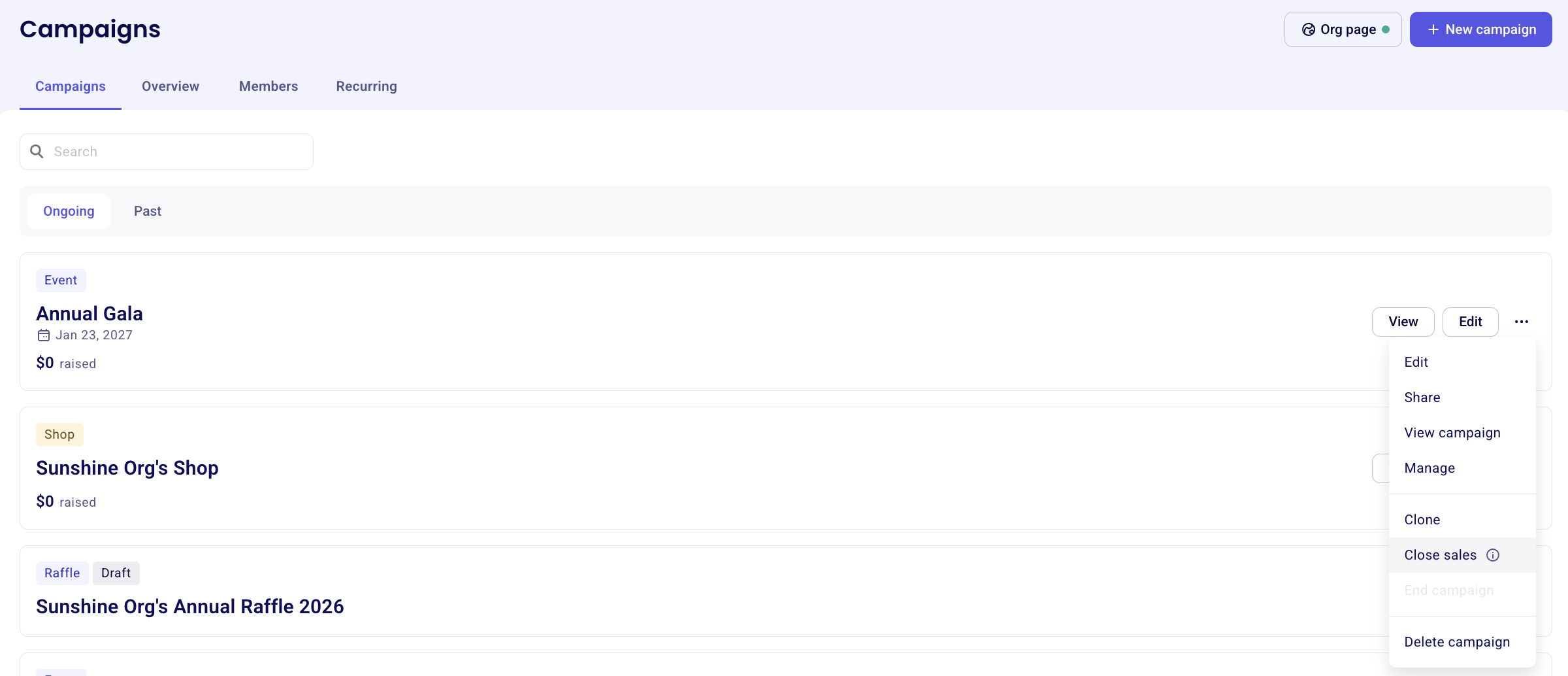
Additional donations can still be made on closed campaigns. To prevent additional donations from being made on a closed campaign, click "Edit" next to your campaign and navigate to the "Additional donation" section to toggle the option off.
End a donation / peer-to-peer campaign
On donation or peer-to-peer campaigns, the closing of your campaign happens manually only. To close out your campaign, head to "campaigns" in your dashboard and click on the three dots to the right of your campaign. Then, click on "end campaign"
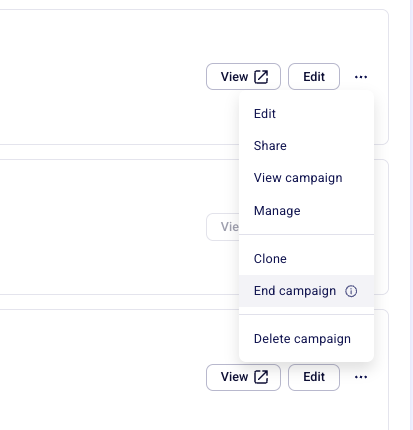
When selecting "End campaign" on a campaign with recurring payments (e.g. membership or donation), all recurring payments will be stopped. These payments cannot be re-started automatically. Donors and members will have to initiate a new recurring payment.
You can reactivate a campaign at any time:
Go to Campaigns and navigate to the "Past" tab.
Click the three dots next to the campaign to view the option to "Reactivate campaign".