
Create group tickets or ticket bundles
When a buyer purchases a group ticket or ticket bundle, they will be sent a PDF with the number of e-tickets indicated. Each ticket will be individually and sequentially numbered, and answers to per ticket questions will appear on each individual ticket.
Group tickets
Log-in to your account
Go to to Campaigns and click on "Edit" to the right of your event form.
Go to the step named "Tickets."
There, you will be able to see a list of your tickets. Click on "options" below a specific type.
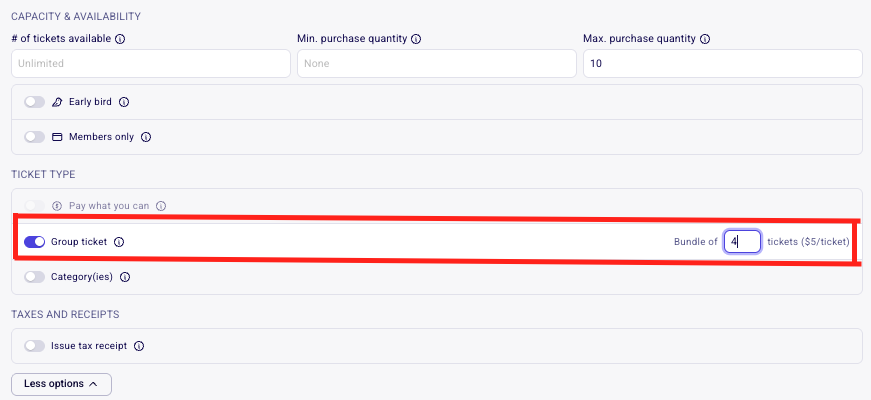
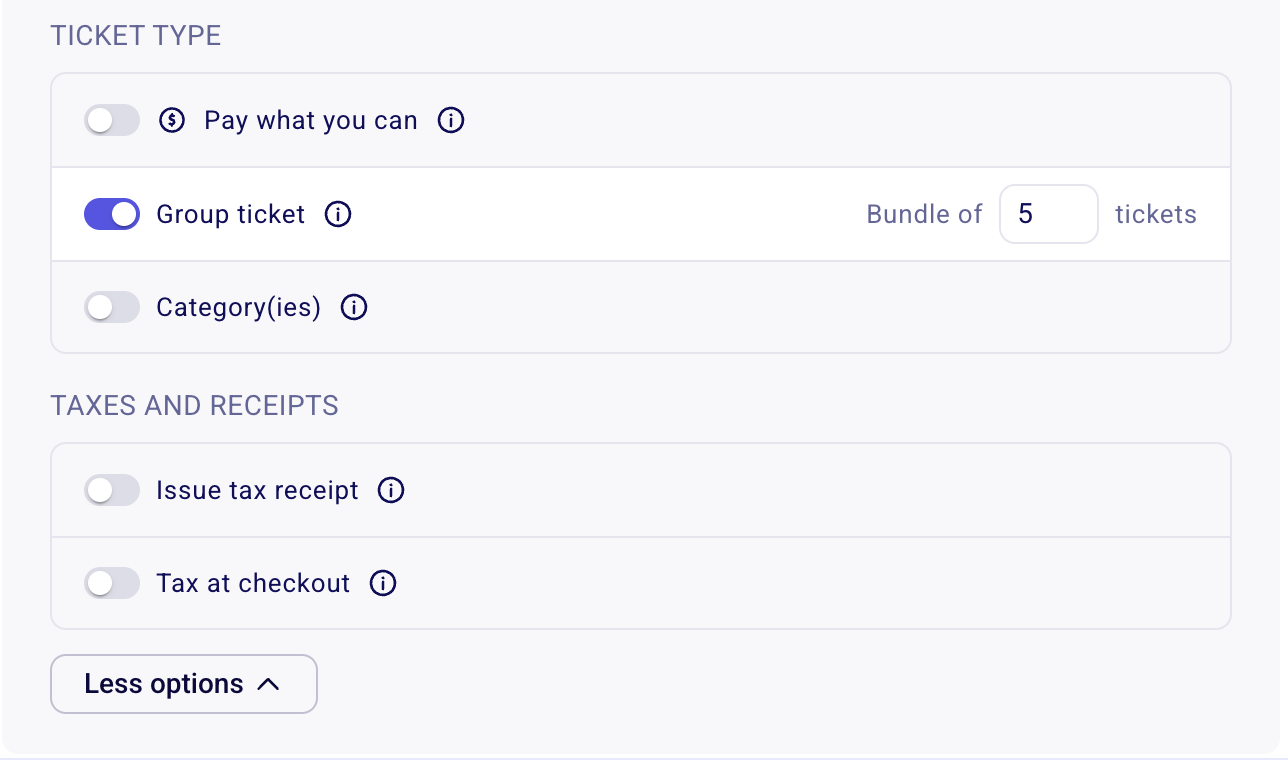
Check the option "This is a group ticket." You will be able to specify the number of tickets included in this bundle.
How to limit group tickets
When setting a limit for a group ticket, you should specify the number ofgroups, not the number of individuals. For example, if each group ticket admits 4 people and you want 20 people to attend via group tickets, you would enter 5 as the limit (5 groups × 4 people = 20 individuals).
This is different from the total number of tickets available on the form. The total ticket limit is across all ticket types is the overall number of individual tickets that can be sold through the form. If you're offering both individual tickets and group tickets, this total should reflect the total number of people attending — not the number of ticket entries.
So, if you offer:
10 individual tickets
5 group tickets (with 4 people per group = 20 individuals)
Then your total ticket limit should be 30 (10 individual + 20 from group tickets) and the group ticket limit should be 5.
If you need to collect information for each ticket holder in the ticket group, make sure to add custom questions to your form. ➡️ How can I add custom questions to my forms?
It is not possible to split the payment of a group ticket between multiple cards. It is also not possible to automatically issue tax receipts to each person included on the order. Only one tax receipt will be issued for the purchaser.
If buyers already purchased a ticket that was named like a bundle but only received one e-ticket, see Buyers only received one e-ticket for a multi-ticket purchase.
How to allocate group tickets across multiple event dates
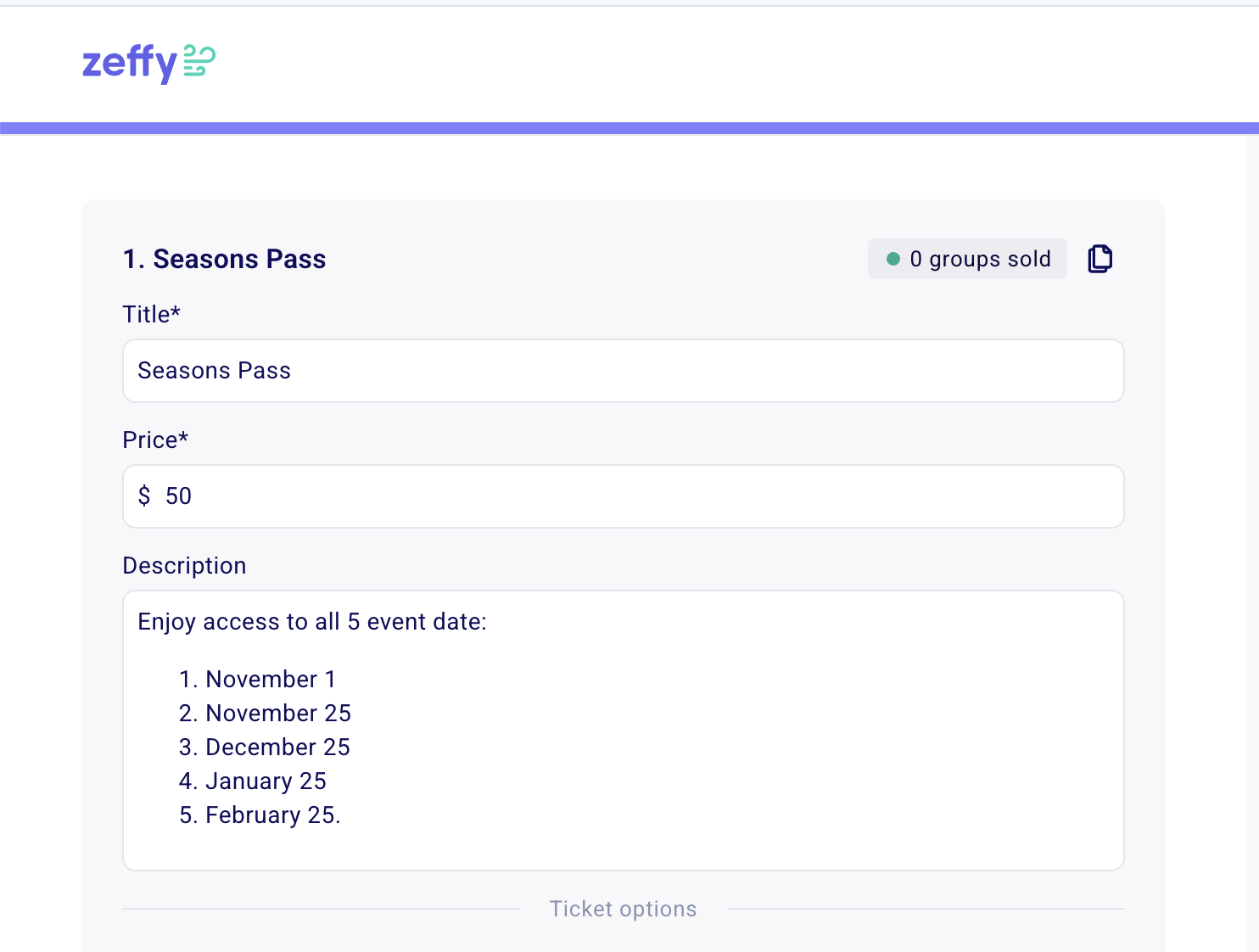
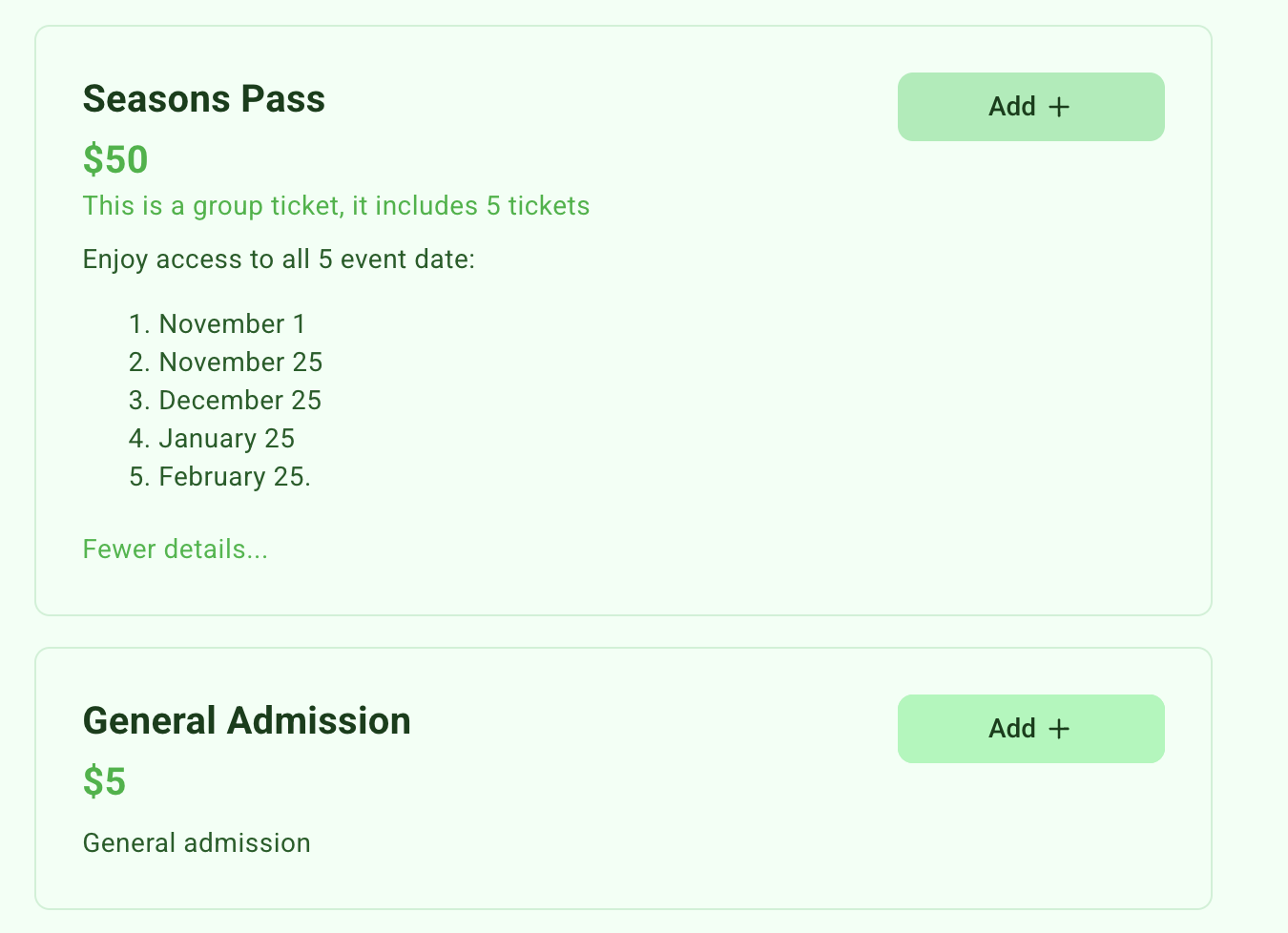
Use a group ticket when you want buyers to purchase one ticket that applies to all event dates, such as a season's pass or an art class that happens multiple times. Set the ticket up as a group ticket using the steps above: this creates one transaction containing a bundle of multiple tickets, and each ticket in the bundle can be used or QR code scanned for a different event date.
How discount codes work for ticket bundles
Discount codes can be set up as a percentage or an amount, and the "Apply discount" setting decides how the discount hits a bundle. The four combinations work as follows.
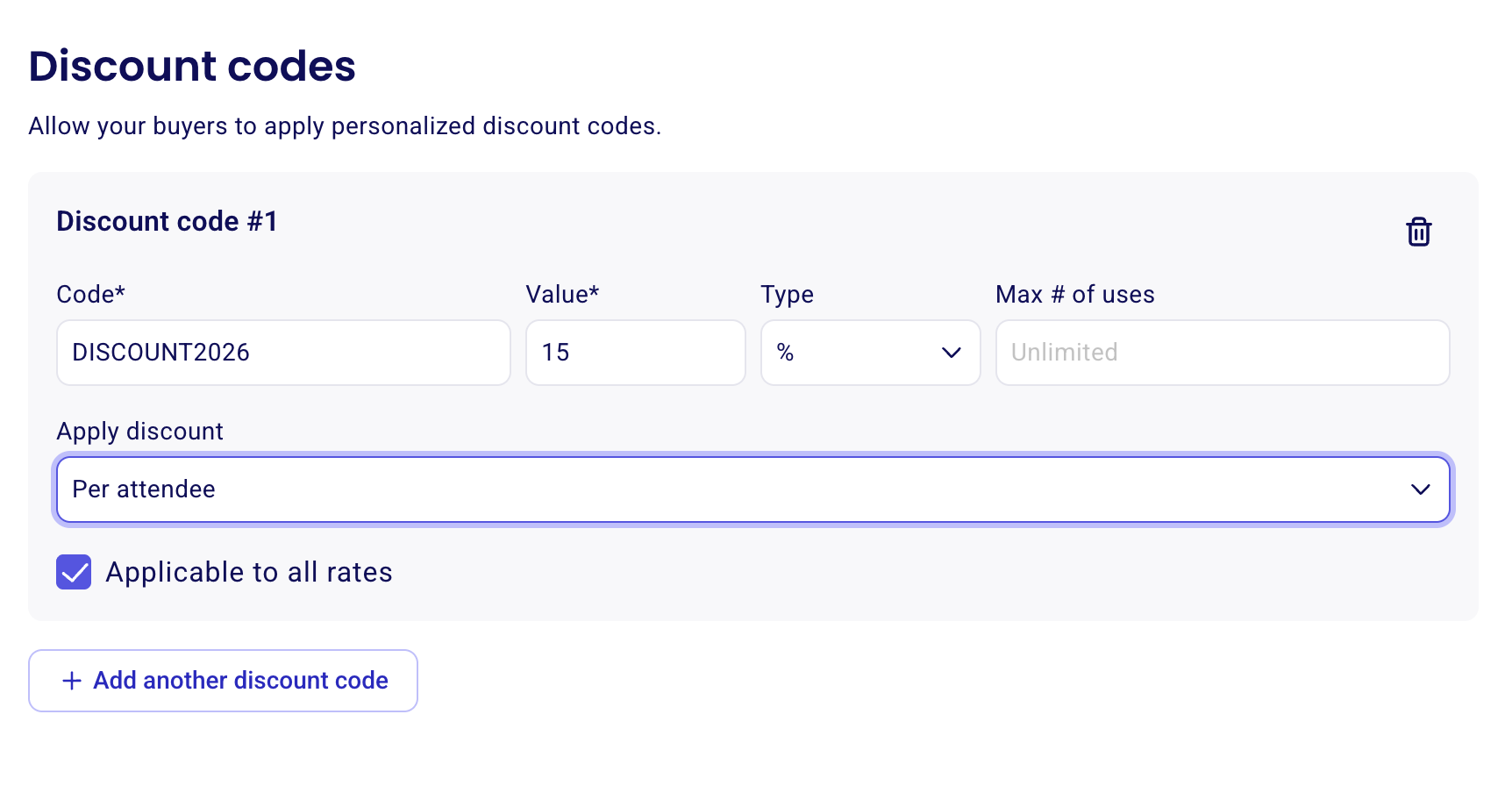
Percentage, Per attendee
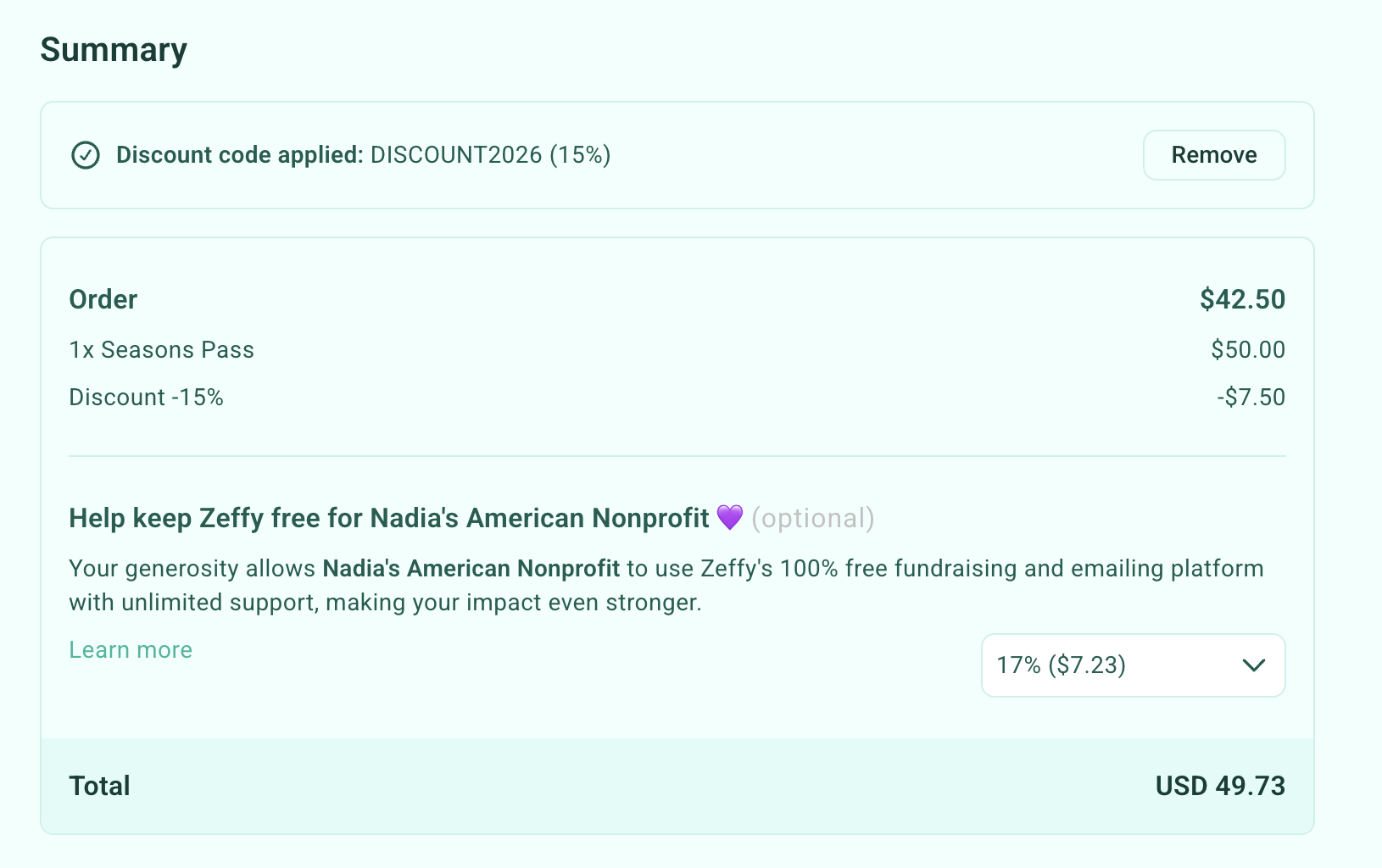
Applies a percentage discount to each individual ticket in a bundle. Example: a season pass costs $50 and includes 5 tickets at $10 each. A 15% discount reduces each $10 ticket by $1.50, for a total discount of $7.50, reducing the bundle price from $50 to $42.50 (a 15% discount on the entire bundle).
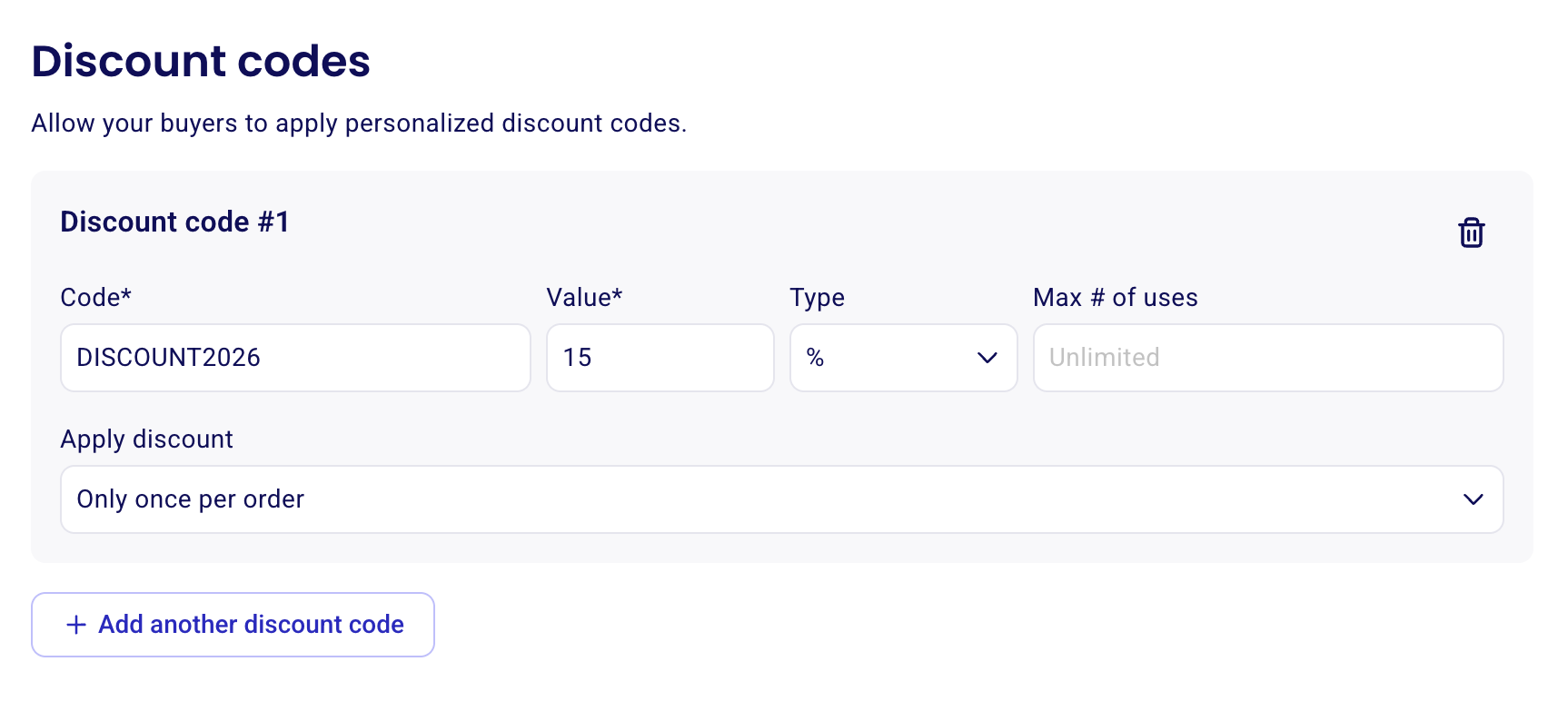
Percentage, Only once per order
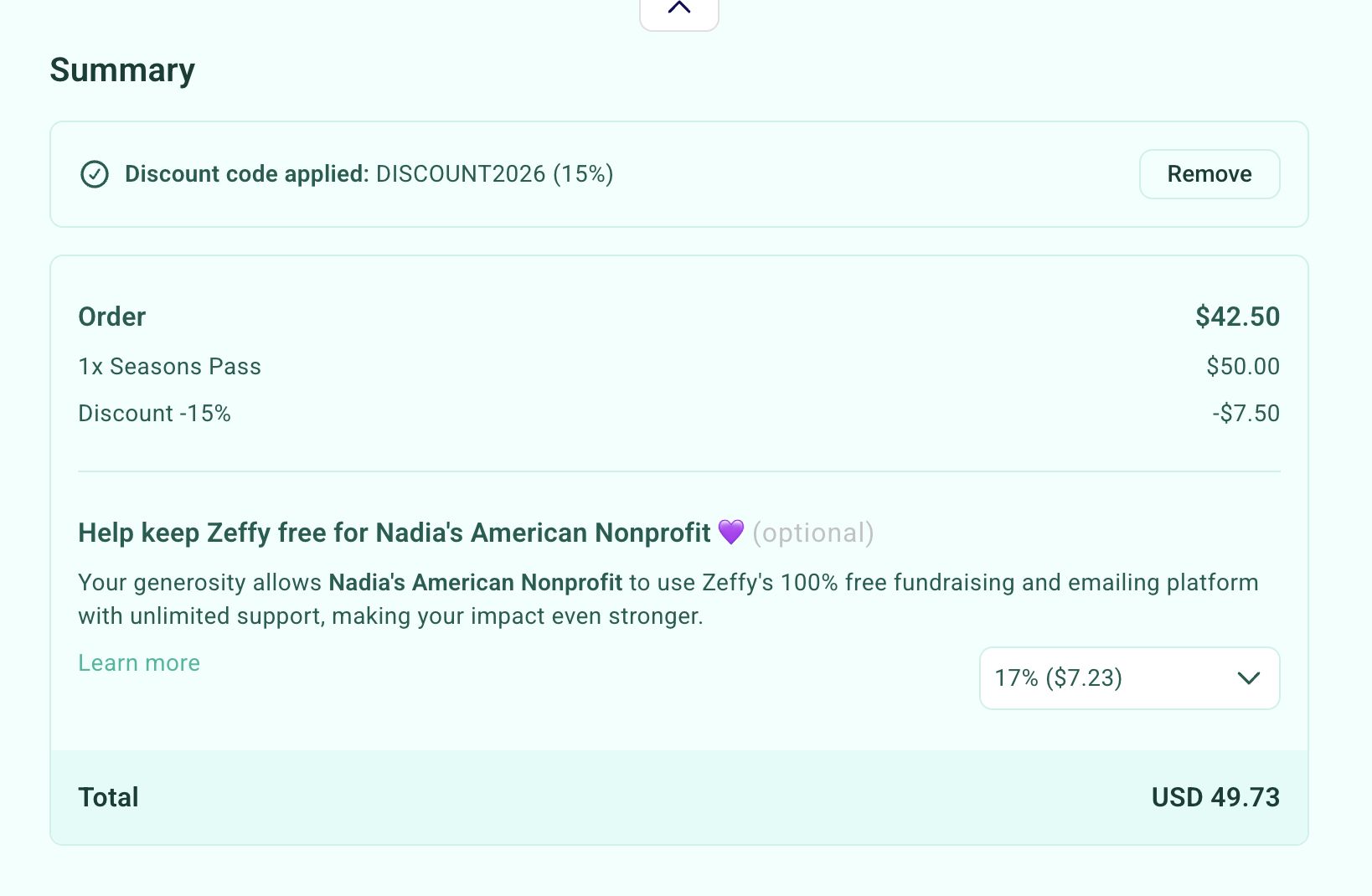
Applies a percentage discount to the total order amount rather than to each individual ticket. Example: a $50 bundle receives a 15% discount, reducing the price by $7.50 to $42.50. For a bundle with equally priced tickets, the result is the same as Per attendee. The difference becomes relevant when the same discount code is used on orders that include non-bundle tickets or tickets with different prices, as the discount is calculated differently.
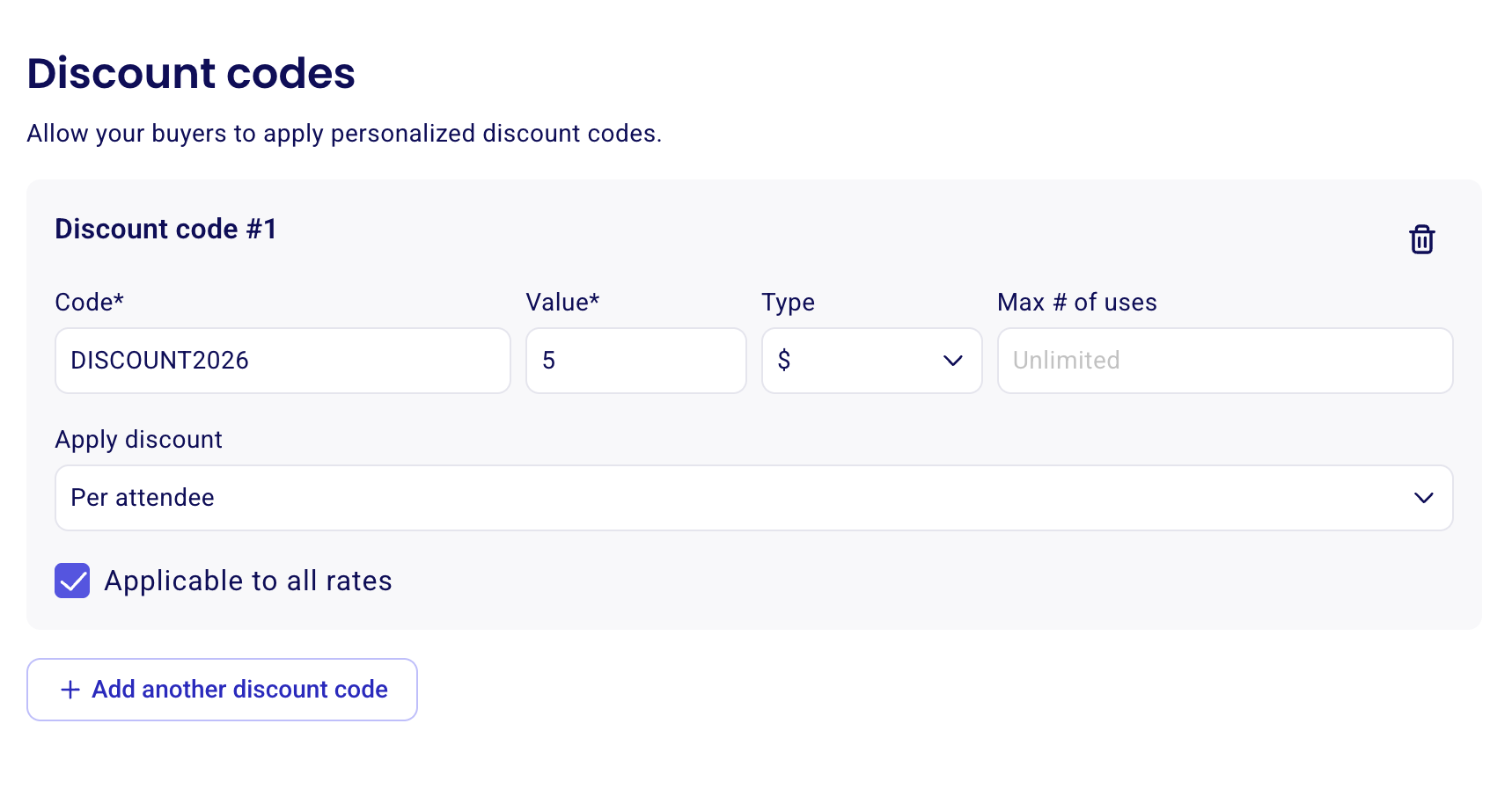
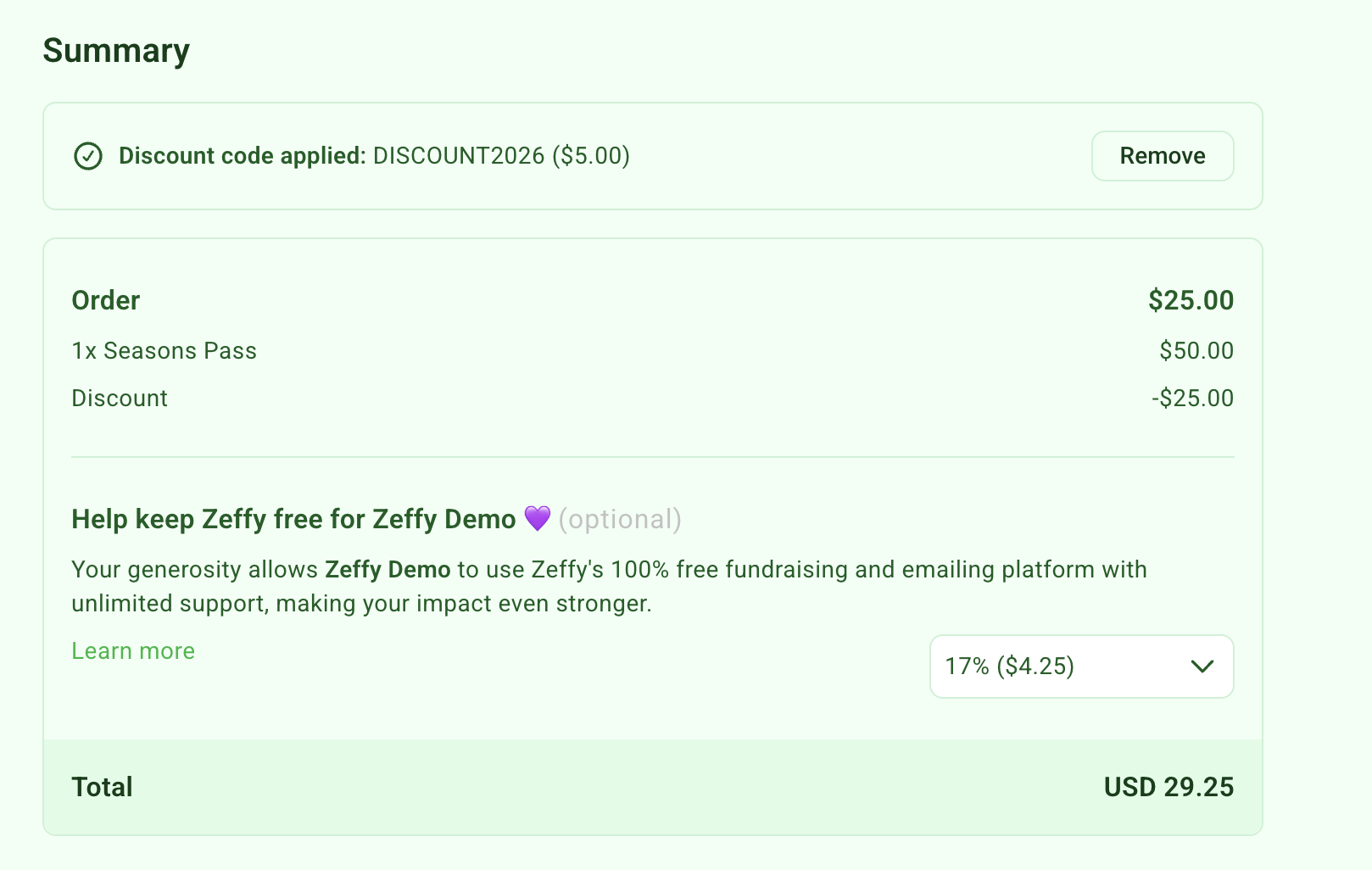
Amount, Per attendee
Applies a fixed-dollar discount to each individual ticket in a bundle. For example, with a $5-off discount code, the discount is applied to each ticket. Example: a bundle contains 5 tickets. With a $5 discount per ticket, the total discount is $5 × 5 = $25 off the bundle.
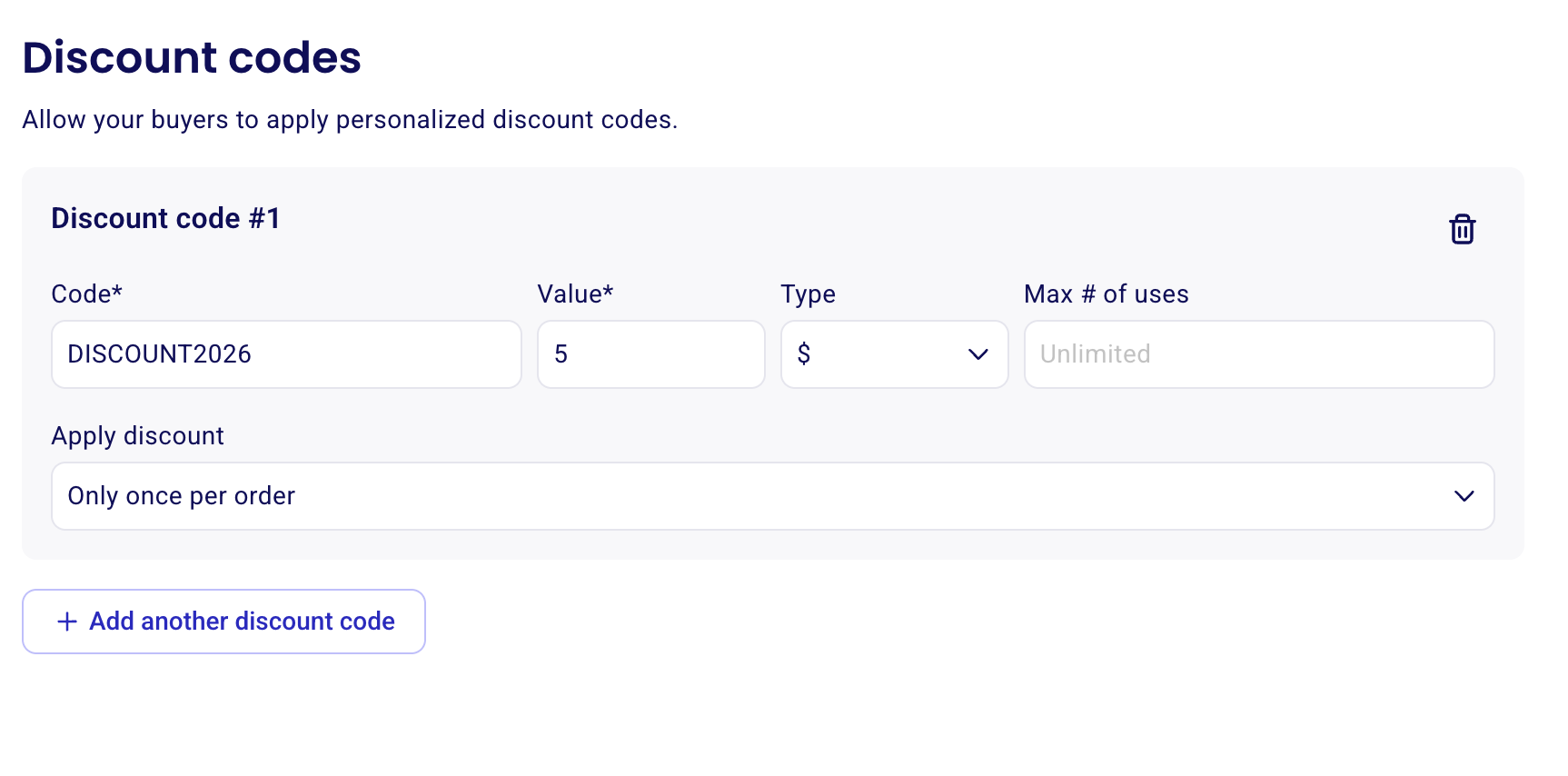
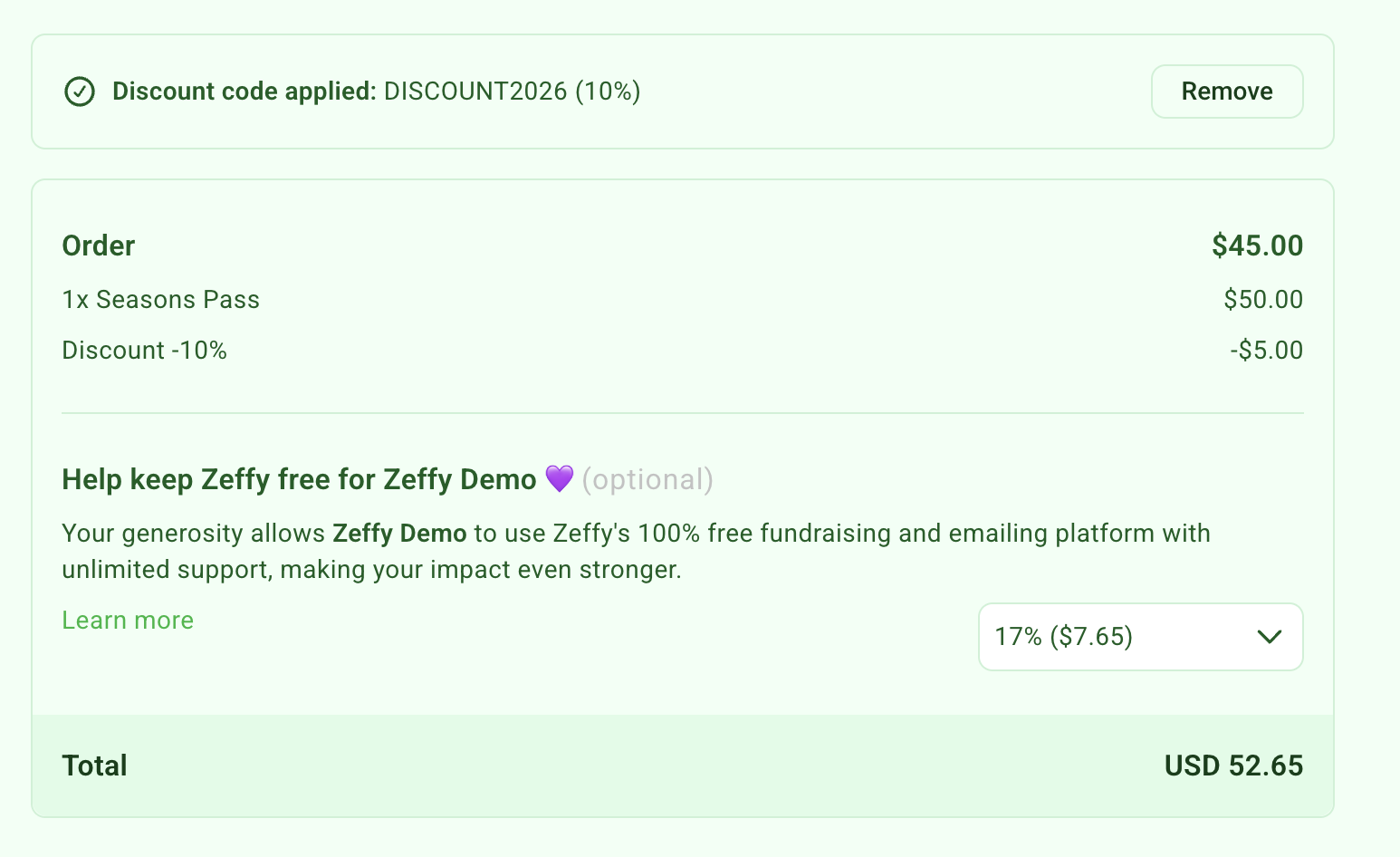
Amount, Only once per order
Applies a fixed-dollar discount only once to the entire order, regardless of how many tickets are included in the bundle. Example: a $50 bundle receives a $5 discount, reducing the total price to $45.
For all discount types, you can choose whether the discount code applies to all ticket rates or only specific rates. For example, you could make the discount code applicable only to season passes if you want to offer a discount specifically on those.
How ticket bundles work for a raffle
Each ticket in a raffle bundle counts as one chance in the raffle.