
Generating membership cards
Turning on membership cards for your campaign
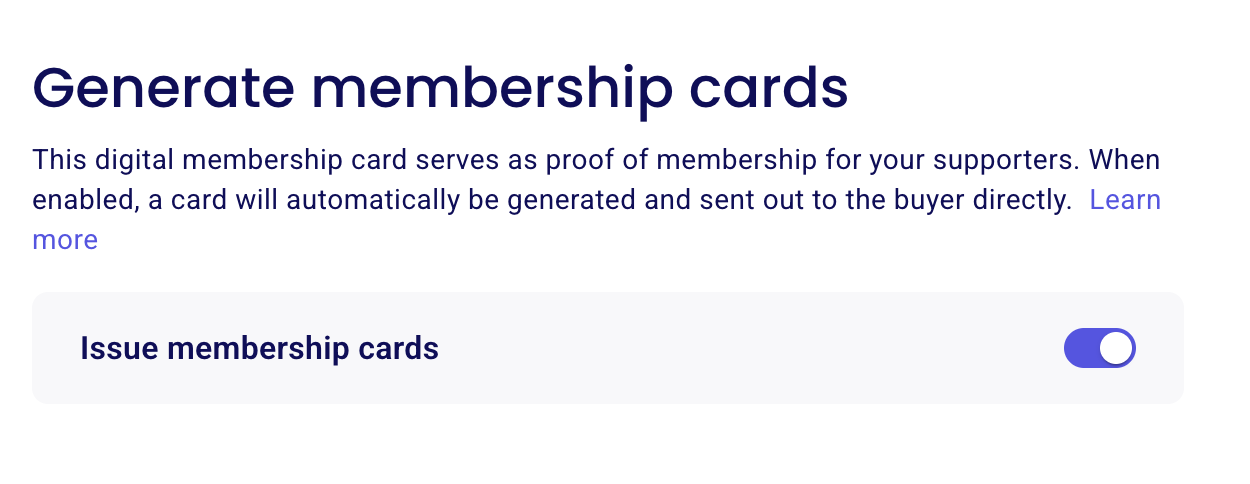
Membership cards are generated automatically once you enable the Generate membership cards toggle in your campaign settings. You can turn it on when you create your campaign, or later on an existing campaign.
Create your campaign, or go to your campaign and open Edit. (For the full steps, see How to Edit or Update Your Campaign.)
Open the "Membership Card" tab.
Turn on the Generate membership cards toggle.
Once the toggle is on, a membership card is automatically generated and sent directly to the buyer.
What do your membership cards look like?
Here is an example of a membership card issued in Zeffy :
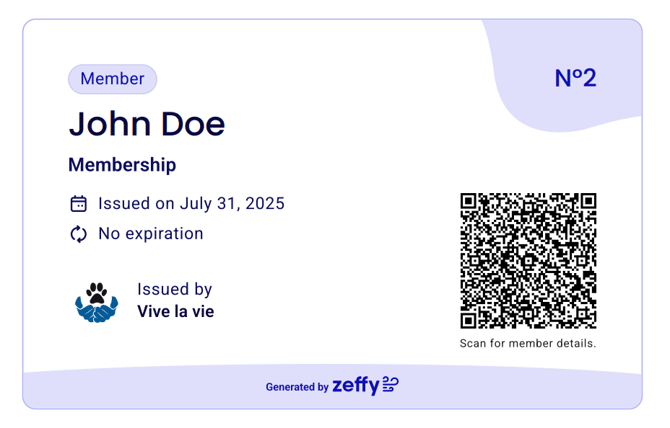
A membership card will typically display :
Your member's name
The expiry date of their membership
The issue date of their membership
Answers to custom questions will also appear on the membership card
Your member's chosen membership type
Your organization's name
A QR code which they can scan to obtain the details of their membership
Scanning the QR code on the membership card
To scan the QR codes on the membership card, you can use any smartphone camera or QR-code scanning app (there is no special app or device that you need to scan our QR codes)
Open your camera or scanner and hold it over the QR code.
Click on the Zeffy link that the QR code redirects to.
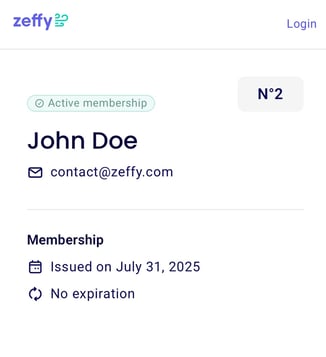
Your member will then be brought to a page which indicates:
Their membership number (Memberships numbers will automatically start at number one, and increase by one per membership purchased on your form)
The status of their membership (active or expired)
Their name and email address
The date the membership started/was issued on
The expiration date, or for a non expiring membership as pictured above, it will simply say 'no expiration'.
Can I customize my membership cards?
It is not currently possible to customize what information appears on a membership card. There is an official feature request open for this idea, we invite you to upvote and comment this idea here to help our team prioritize your suggestion!
Which membership shows after a declined renewal
The card page shows the newest membership the member still holds, so a declined renewal no longer hides the active membership. It used to pick the newest membership record, which after a declined renewal was the canceled duplicate: the page showed "Canceled membership" even though the line below said the membership would renew. The card now picks the newest membership that is still active or checked in, and falls back to the newest record only when none is held.