
Will memberships with auto-renew stop if I archive the membership form?
How to Archive a Membership Form
Archive a membership form by ending its campaign from the Campaigns view in your Zeffy dashboard. Ending a campaign closes all sales and moves it to your past campaigns. If additional donations are enabled, buyers will still be able to donate through the campaign; you can turn this off anytime by editing your campaign.
From your Zeffy dashboard, open the Campaigns view.
Click the three dots on the right side of the campaign.
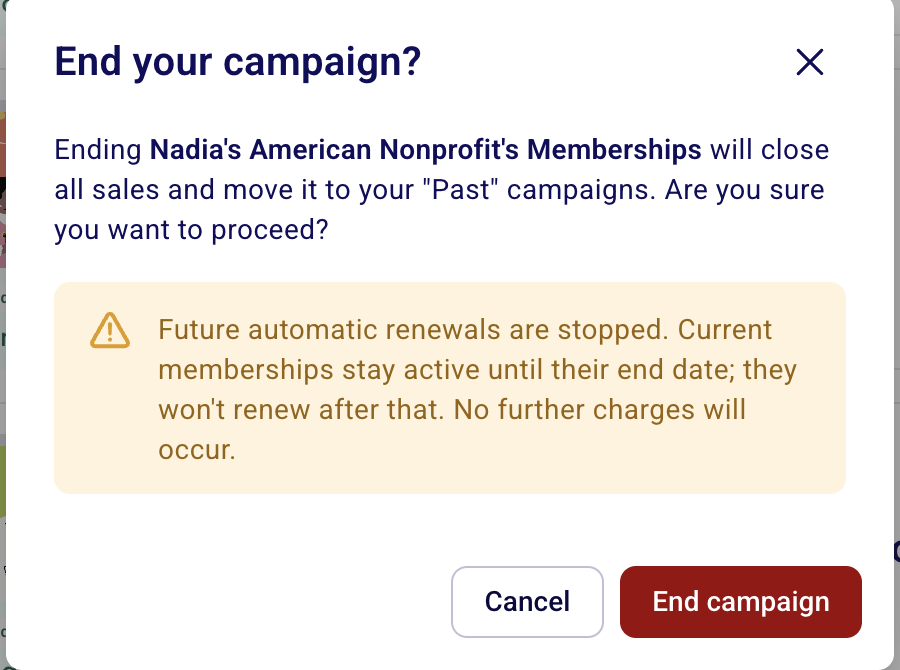
Click End Campaign.
The "End your membership campaign?" dialog asks what should happen to upcoming renewals: cancel them all, or move them to a new membership campaign. See Replace an old membership campaign with a new one for the full details.
How to Access or Reactivate an Archived Membership Campaign
From your Zeffy dashboard, switch from Ongoing to Past Campaigns.
Your archived campaign appears in the list.
Click the three dots on the right side of the campaign box.
Click Reactivate Campaign.
Do Auto-Renew Payments Stop When You Archive?
Any payment that has auto-renewal activated will continue to process on the scheduled renewal date, even if the original membership form is no longer active.
Important Notes:
Auto-renewal payments will continue to process for existing members regardless of the form's status (archived or active)
If you need to stop automatic renewals for your members, you'll need to cancel them directly through the platform
Simply archiving the form does not affect existing auto-renewal settings
How to Stop Auto-Renewal Payments
If you need to stop automatic renewals for your members, you'll need to follow the specific steps for canceling memberships or stopping automatic renewals. Please refer to our guide: Cancelling a membership or stopping its automatic renewal for detailed instructions.
Your donor can also edit or cancel their recurring payment by following the instructions here: How can I update my credit card or edit/cancel my monthly donation?