
Set up membership renewal reminder emails
Manage the automated renewal reminders for your membership campaign from Campaigns > edit (pencil icon) > Set up automated communications. Two reminder emails are available: one for members whose membership will not renew automatically, and one for members with automatic renewal. You can turn each one on or off, edit the message, and change how many days before expiration it is sent.
Open the automated communications settings
Log into your Zeffy dashboard and go to Campaigns in the menu on the left.
Click the edit (pencil) icon to the right of your membership form.
Open Set up automated communications.
This page lists the communications Zeffy sends automatically to your supporters: the Thank you email following a purchase, the Yearly membership expiration reminder, and the Yearly membership auto-renew reminder. Toggle each one on or off. Click the dropdown arrow on a communication to open its editor.
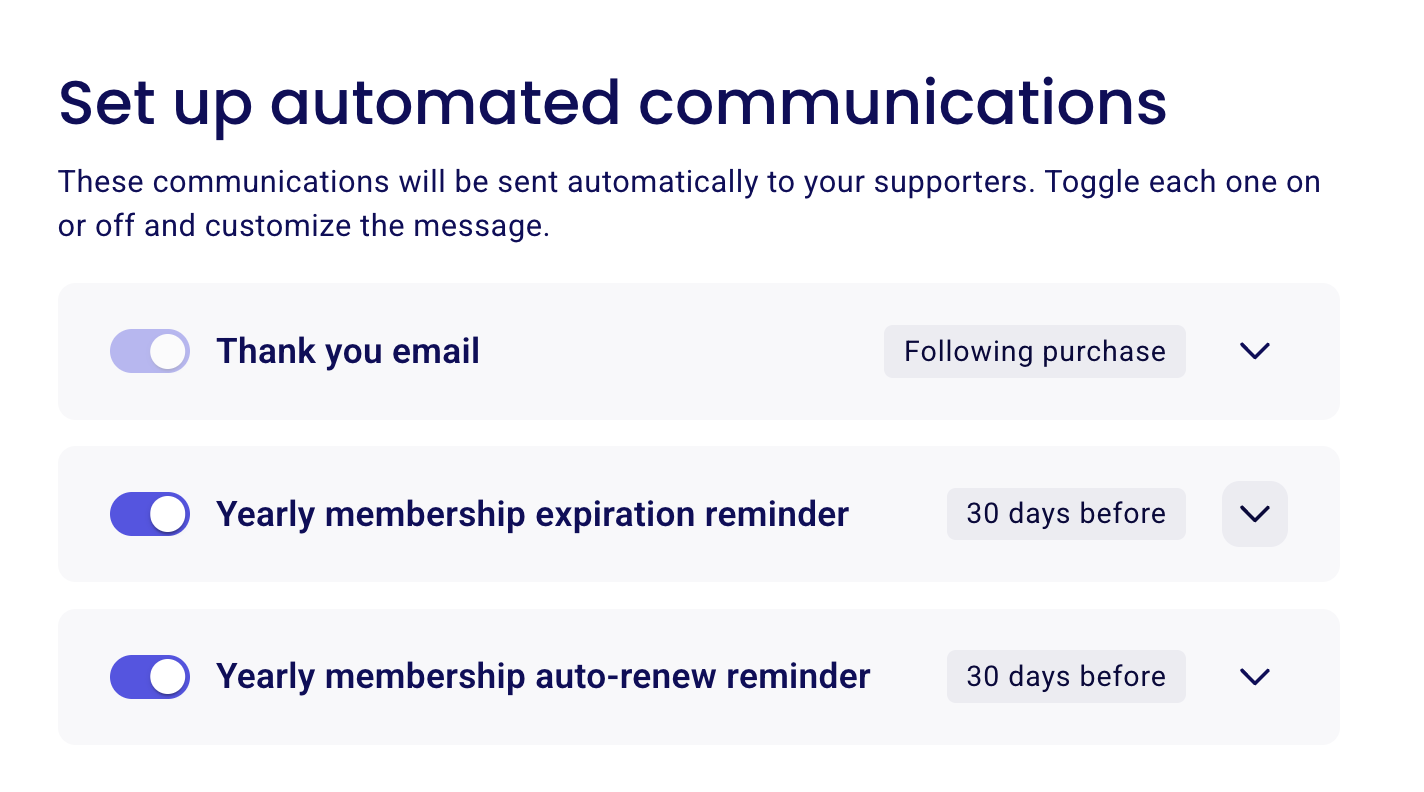
The two renewal reminder emails
Both reminders go out before the membership expires. Which one a member receives depends on whether their membership renews automatically.
Yearly membership expiration reminder: for members without automatic renewal. It informs them that their membership is expiring so they can purchase a new one. You can include a link to renew using the Button inserter in the email editor.
Yearly membership auto-renew reminder: for members with automatic renewal. It confirms that their payment method will be charged for the renewal.
Edit the message and the timing
Each reminder has a customizable subject line and message body, plus a setting for the number of days before expiration the email is sent.
Expand the reminder you want to change by clicking its dropdown arrow.
Edit the Email subject and the message body.
Change the number of days before expiration when the reminder is sent.
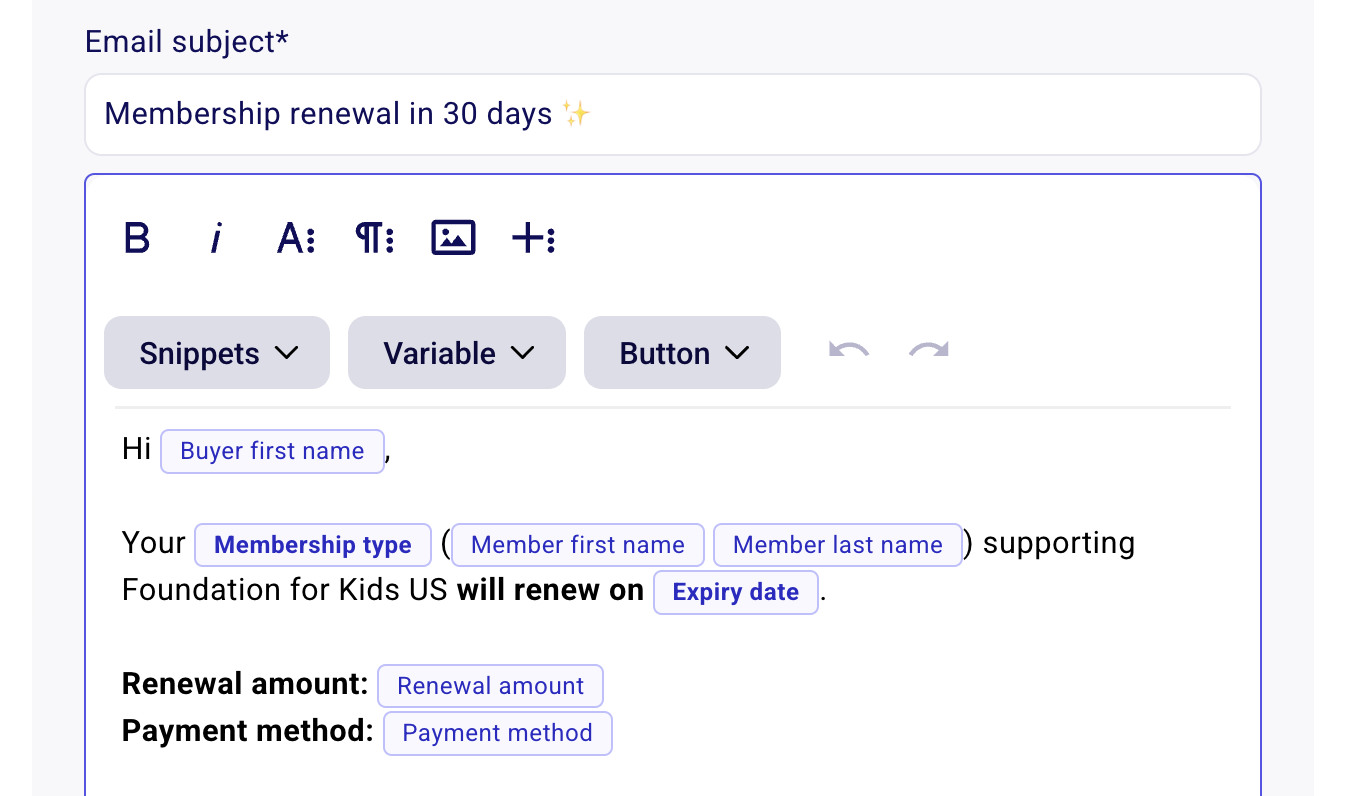
Personalize the email
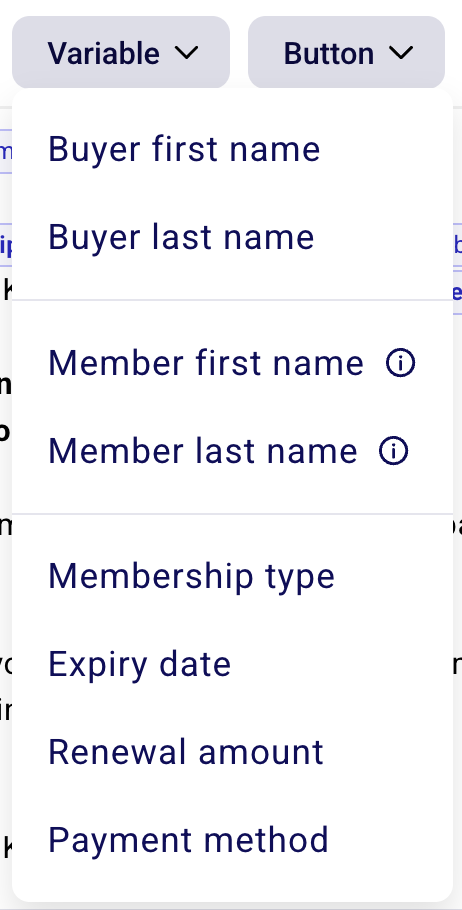
Use the Snippets, Variable, and Button inserters in the editor to build your message. Variables pull each member's real details into the email:
Buyer first name
Buyer last name
Member first name
Member last name
Membership type
Expiry date
Renewal amount
Payment method
The Button inserter adds a clickable button to your email, which is how you include a renew link in the expiration reminder for members without automatic renewal.
Good to know
Reminders are sent 30 days before expiration by default.
Members you added manually also receive the expiration notice.
Memberships with no expiration date do not receive expiration notices or reminders.
The Thank you email goes out following a purchase and is also sent when a renewal payment goes through.
For how renewal schedules work, monthly and yearly options, and what members see at checkout, see Everything there is to know about monthly or yearly membership renewals.