
Cancelling a membership or stopping its automatic renewal
If a donor signed up for a membership, here's how you can cancel it.
You cancel a membership from its payment record in the campaign's Payments tab, using the Actions menu.
From the campaigns view, find the relevant campaign.
Click on the Payments tab.
Click on the payment record of the membership purchase.
Click on Actions, next to the 3 dots in the top right corner.
Select Cancel/and or refund tickets.
Toggle the membership to cancel.
Choose how to confirm:
Cancel ticket only cancels the membership. If you do not want to refund, keep the refund amount at 0 and use this button.
To add a refund, enter the amount under Refund Amount. The maximum is the membership cost, and refunds can take 5 to 10 days. Then confirm with Cancel & Refund.
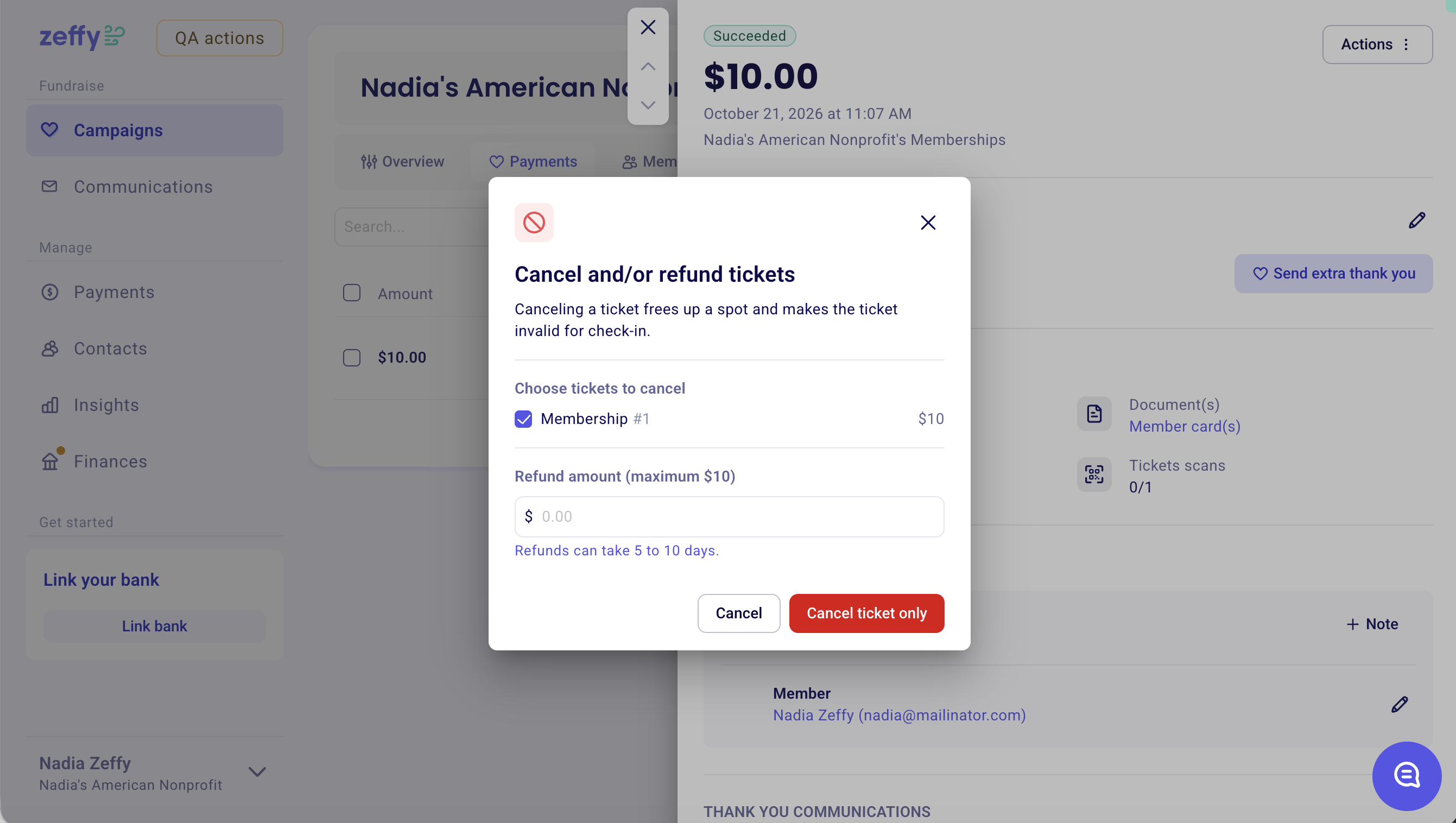
Cancelling a membership frees up the spot and makes it invalid for check-in.
What automatic renewals are and where to find them
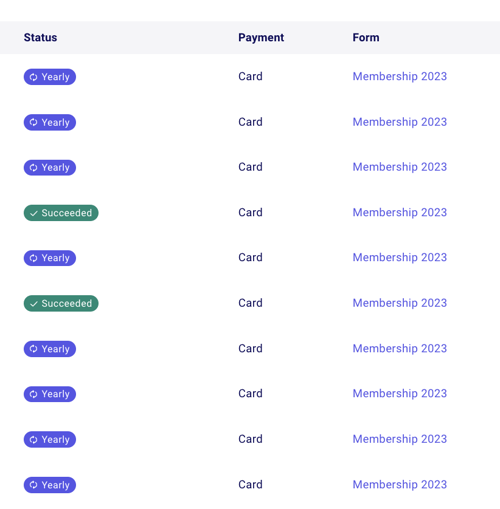
An automatic renewal renews the membership on its own at the end of each period, monthly or yearly, and the card is charged again. You can identify memberships with automatic renewals as follows: their "Yearly" or "Monthly" status is listed in purple with a spinning icon, indicating that this is a renewing payment that is currently active. If the transaction states "Succeeded," the membership does not have automatic renewal.
How to stop an automatic renewal
Stopping the automatic renewal keeps the membership valid until its expiry date, but it will not be renewed and the card will not be charged again.
In the Payments tab of the campaign, click on the payment record of the membership purchase.
Click on Actions, next to the 3 dots in the top right corner.
Select Stop auto renewal.
Click the red Turn off button to confirm.
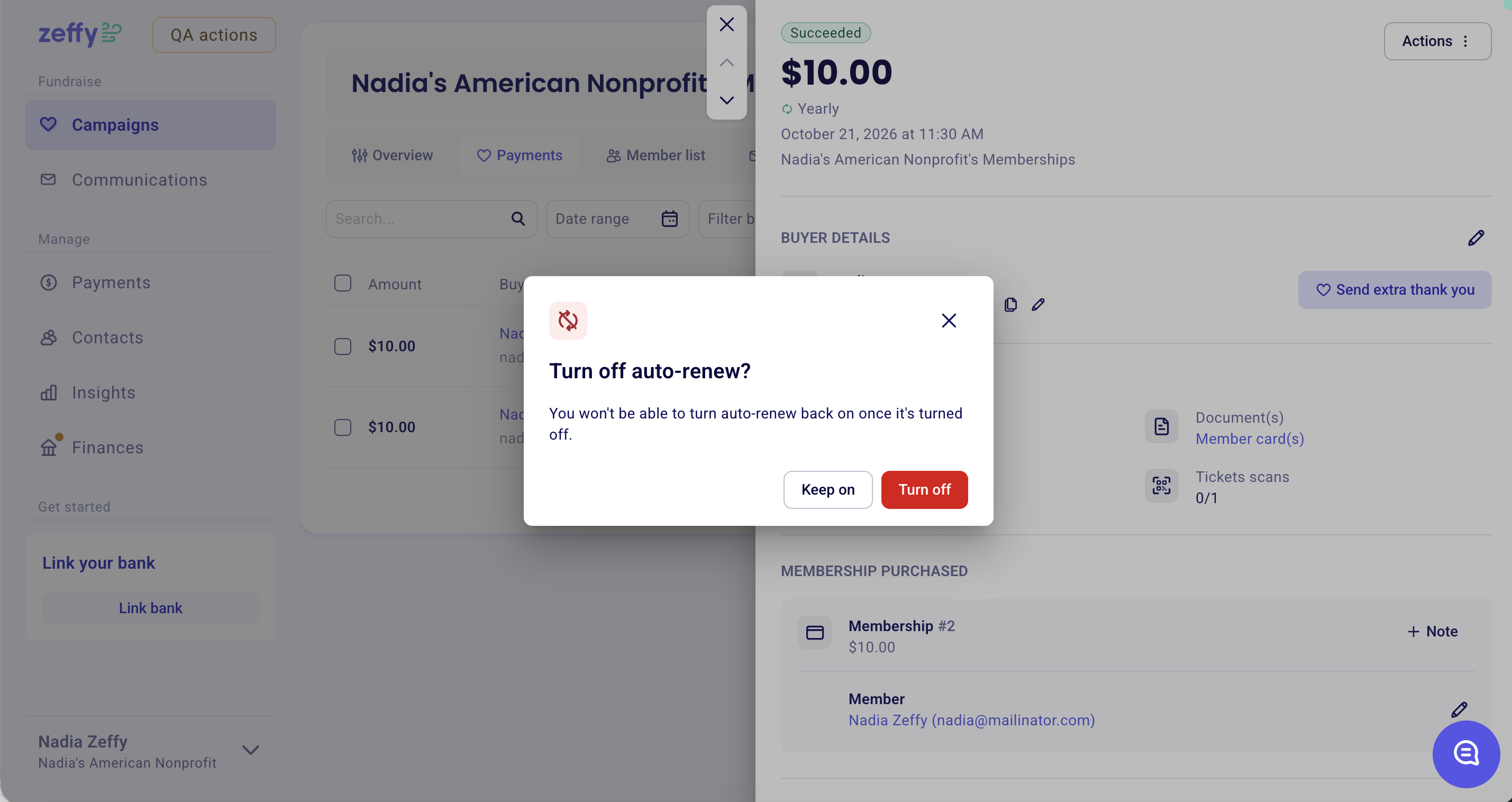
Auto-renew cannot be turned back on once it is turned off.
How to cancel all automatic renewals at once
To cancel all automatically renewing payments at once on a membership form:
Go to Campaigns.
Click the 3 dots next to your membership campaign.
Select the option to End campaign.
A pop-up screen will ask you to confirm that you wish to end the campaign and terminate all recurring payments. Confirm that you wish to cancel all and end the campaign.