Where are my confirmation email, tax receipt, or e-ticket?
After making a donation, purchasing a ticket, or participating in a fundraiser through Zeffy, you should receive an automatic confirmation email. This article covers what to expect in your confirmation email, common reasons you might not have received it yet, and what to do if you need to correct your contact information.
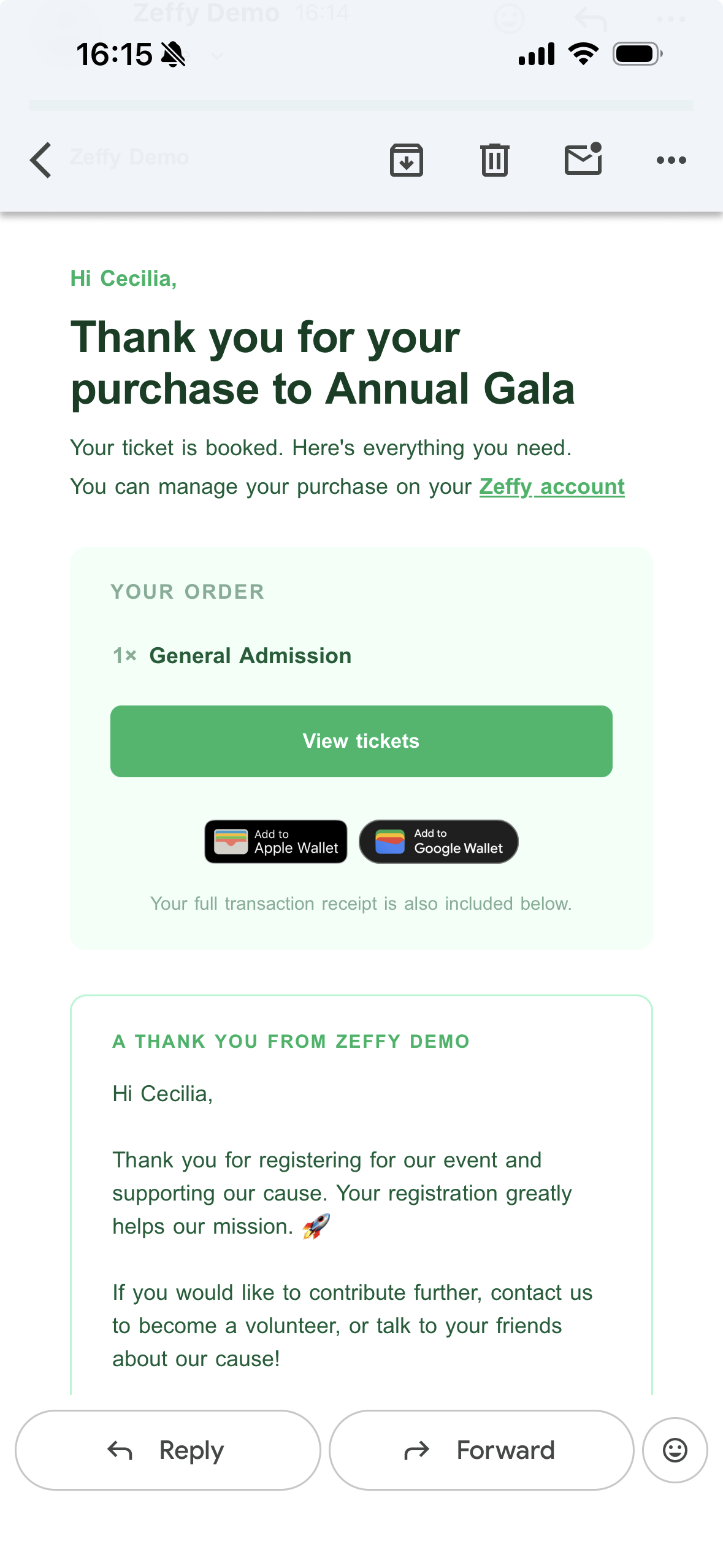
What's included in your confirmation email
Your confirmation email typically contains:
A link to your electronic ticket (if applicable)
Your membership card (if applicable)
Your tax receipt (if applicable)
A personalized message from the organization with additional information about their fundraiser
A transaction receipt at the bottom of the email
Note: The transaction receipt at the bottom of the email is the only type of transaction receipt Zeffy provides. If you need more detailed payment information, please contact the organization directly.
I received my confirmation email but don't see a document attached
If you received your confirmation email but it doesn't include an e-ticket, tax receipt, or other document, this means the nonprofit did not issue one. There are several reasons this may happen:
Some nonprofits are not registered charities and cannot issue tax receipts
Some organizations choose not to generate e-tickets or receipts automatically
Receipts may be sent at a later date, particularly for tax receipts issued at year-end
If you were expecting a document and didn't receive one, please reach out directly to the nonprofit you supported.
I haven't received my confirmation email yet
There can be a slight delay between when you make your purchase and when you receive your confirmation email. If you don't receive your email within 4 hours of your purchase, here are a few things to verify:
If you paid by pre-authorized debit (PAD or ACH Direct Debit), note that payments made by pre-authorized debit can take up to 10 business days to process. You will first receive an email confirming that your payment is being processed. Once the payment clears, you'll receive another confirmation email with your receipt, tax receipt, or e-ticket (if applicable).
You may see the charge on your bank account before the payment clears on Zeffy's end. This is normal—the confirmation email will be sent once the transaction fully processes.
If you paid using Apple Pay or Google Pay, your contact information is pulled directly from your payment method account. Check the email address associated with your Apple Pay or Google Pay account on your device – it may be different from the email address you typically use.
If you no longer have access to the email address associated with your Apple Pay or Google Pay account, contact the organization you made the payment to. They can resend the confirmation email to a different address.
If neither of those apply, we recommend checking your spam or junk folder as the email might have ended up there.
If that still doesn't allow you to locate the email, please contact the organization you contributed to for assistance. They can resend your confirmation to you.
I entered the wrong email address or made a typo
If you made a mistake in your email address or other contact information at the time of payment, you'll need to contact the nonprofit directly to correct it. The organization can update your contact information and resend your confirmation email to the correct address.
Most nonprofits have a contact email address listed on their website. Reach out to them with your corrected email address and they can resend your confirmation email.
Accessing your receipts and tickets through your donor account
You can also access your tax receipts and tickets by activating your Zeffy donor account using the email address you used for your payment.
After logging in, you'll see a "Transactions" section with a list of all your transactions. Click "see more" on any transaction to view its associated receipt or ticket (if one was issued).
Year-end tax receipts
Zeffy automatically resends all tax receipts to donors at the beginning of each new year, so you'll have them ready for tax season. If you made donations throughout the year, watch for this email in January.
Can I add my e-ticket or membership card to my digital wallet?
E-tickets and membership cards can be added to your Apple Wallet or Google Wallet. The option to do this will appear in the the ticket below the option to view the ticket(s).