
Can I cancel/delete a bid?
Yes, you can cancel a bid on an auction item directly from your Zeffy dashboard. When you cancel a bid, the next highest bid automatically becomes the new top bid, and that bidder is notified.
How to cancel a bid
Go to Fundraising → Campaigns
Click on your auction campaign to open it
Go to the Bids page
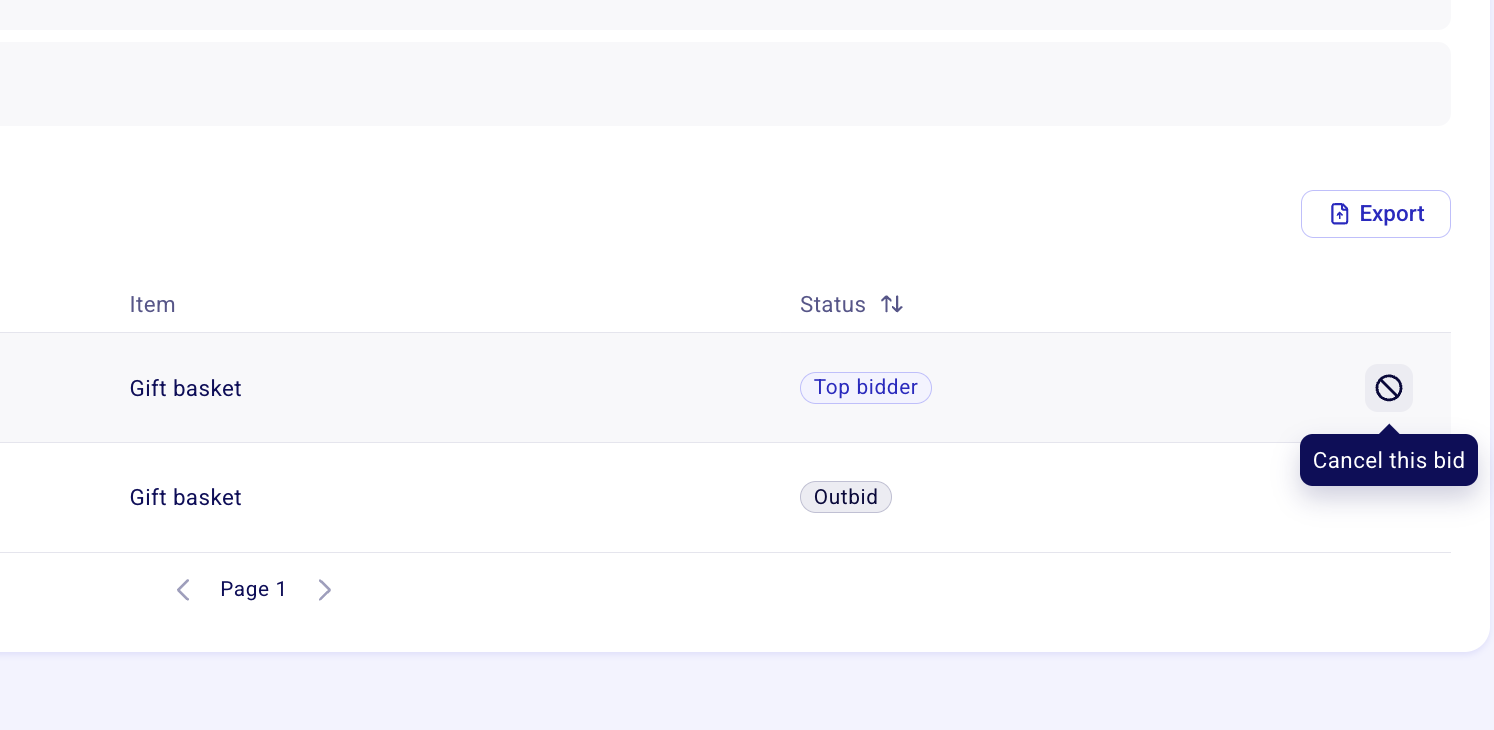
Find the bid you want to cancel and hover over the right side of the bid row
A cancel icon (circle with an X) will appear—click it
Confirm the cancellation
What happens after you cancel a bid
Once a bid is cancelled:
The next highest bid automatically becomes the new top bid
The new top bidder receives a notification that they are again the highest bidder
Example: If you cancel the highest bid of $105 and the next bid was $100, the $100 bidder becomes the new highest bidder and is notified of their status.
Want to cancel the item altogether?
Deleting an auction item fully cancels all bids on that item, and no winner is charged. Delete the item in the "Item" section of your auction form editor when you want to remove the item entirely rather than just its highest bid.
Can a bidder cancel their own bid?
No. Bidders cannot cancel their own bids once placed. If a supporter contacts you asking to withdraw their bid, you can cancel it from your dashboard using the steps above.
For more information about how bids work, see Managing your auction bids and payment method.