
View how many tickets you have sold so far and how many are remaining
Accessing your event overview
Login to your Zeffy account and click on fundraising > campaigns in the left hand menu.
Click on the event form for which you'd like to see your tickets remaining – you should land on your event overview.
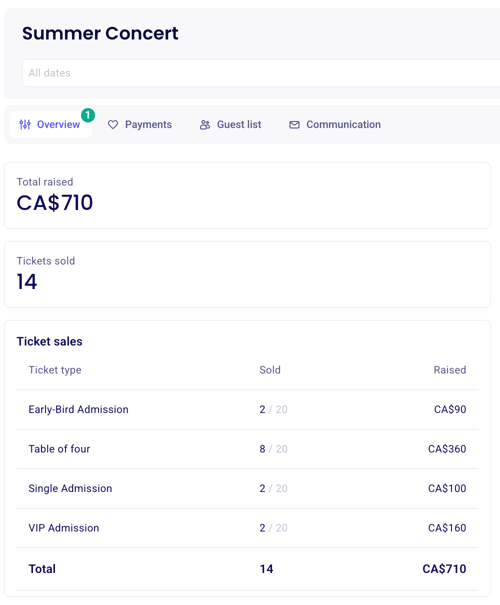
Under "overview" you'll be able to view how many tickets have been sold overall and how many tickets have been sold for each available rate
Multi-date events
For multi-date events, you might want to see how many tickets have been sold for a specific event occurence. To do this, you'll have to add a second filter at the top of the page for the date in question.
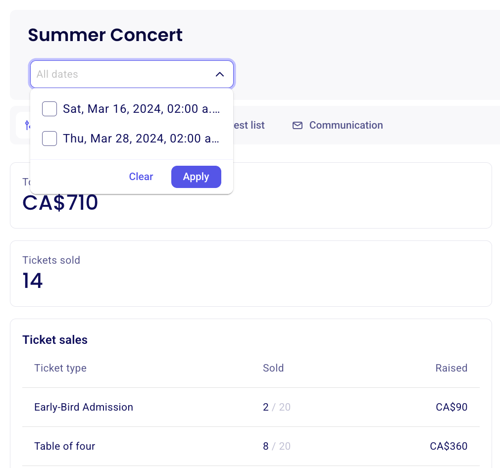
Under "ticket sales," you'll be able to view how many tickets have been sold and how many tickets have been sold for each available rate for that specific date.
Was this helpful?
Was this helpful?