
How to Create and Host a Sweepstakes on Zeffy
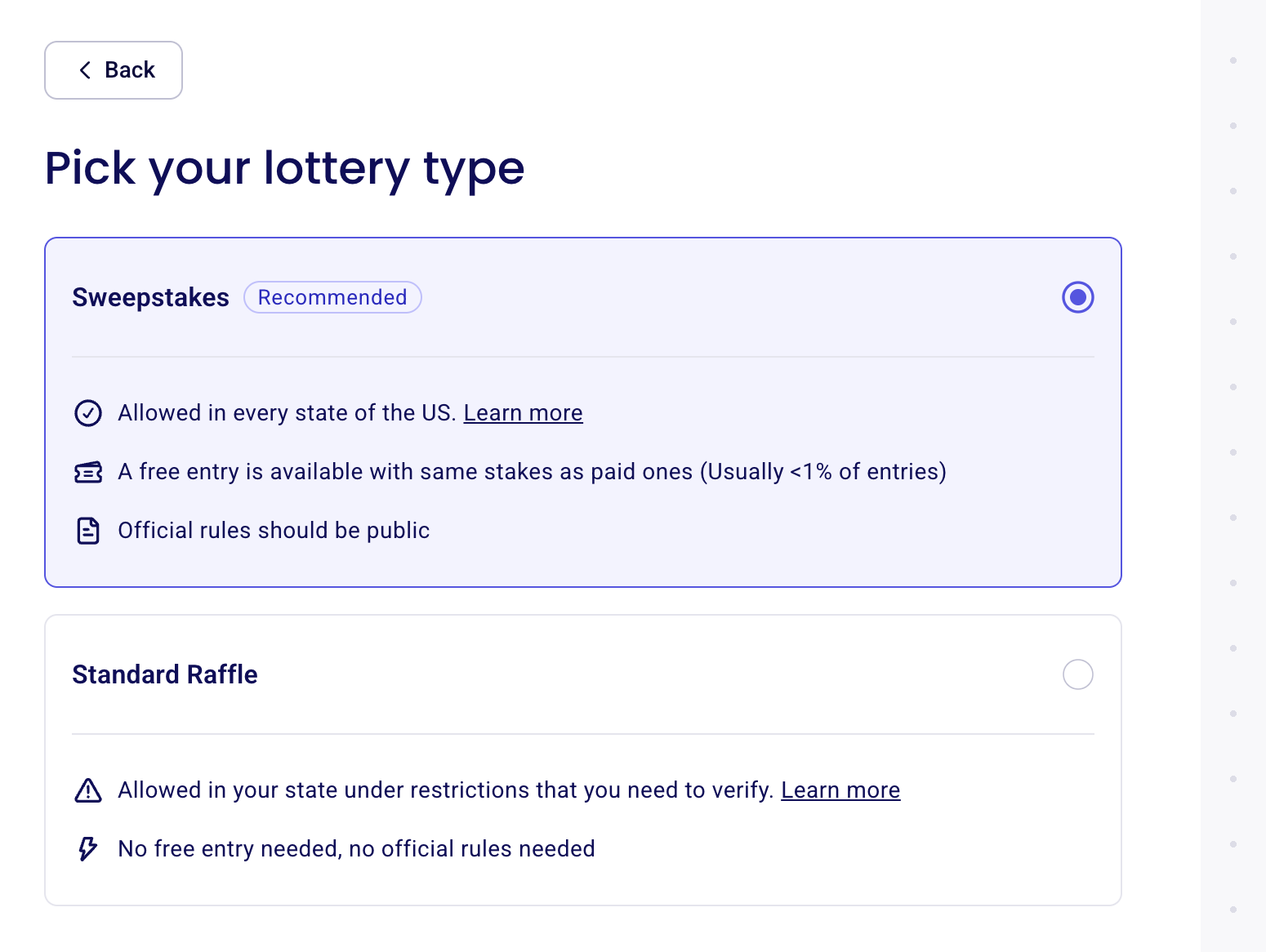
Create a sweepstakes by starting a Raffle / Sweepstakes campaign and keeping Sweepstakes selected as the lottery type. We offer Sweepstakes to organizations in the US and UK. Sweepstakes is the default option, marked "Recommended". A raffle requires participants to pay to enter; a sweepstakes must offer a genuinely free way to enter, with the same odds and prizes as paid entries. In Zeffy, participants can enter for free, and free and paid entries have equal odds of winning.
Availability. Organizations across the US and UK can create Sweepstakes campaigns. In Alabama, California, Connecticut, Delaware, Georgia, Hawaii, and Utah, Sweepstakes is the only lottery option Zeffy offers. Availability in Zeffy is a product setting, not a statement that your promotion is legal in your location.
Free entry. Zeffy automatically includes a free entry method, limited to one free entry per email address per day. You don't need to add it manually, and you can't remove it. A free entry issues your smallest bundle: if your smallest bundle is 5 entries, a free entry gives the participant 5 entries. A suggested donation can't be required to enter. Zeffy charges your organization no platform, transaction, or card-processing fees: the optional contribution at checkout goes to Zeffy, not out of your funds. Every entrant, whether they use a free or paid entry, is added to your donor CRM automatically.
Official Rules. Official rules should be public: Zeffy generates them from your campaign details and makes them available to participants. The campaign displays a "No donation necessary to enter" notice that links to the official rules.
Sweepstakes requirements vary by location: some situations require registration or bonding, and your organization is responsible for checking the rules that apply to its promotion. Using Zeffy does not make a sweepstakes legal or compliant. Prizes may be taxable, and your organization may have reporting responsibilities: confirm with the IRS or a tax professional.
For how Sweepstakes compares to Standard Raffle, see Hosting a raffle or sweepstakes on Zeffy.
Step-by-step setup
As you build your form, you can preview how it will look to your supporters on mobile using the preview panel on the right side of the screen. Click Save & exit at any time to come back and finish later.
1) Create your sweepstakes campaign
From your Zeffy dashboard, click New campaign.
Select Raffle / Sweepstakes as the campaign type, then click Create campaign.
On the Pick your lottery type screen, keep Sweepstakes selected. The screen shows the compliance information for the option you choose. Click Create sweepstakes campaign.
2) Name your sweepstakes
Enter your sweepstakes name and choose a font style for it: Classic, Bubbly, Elegant, Slab serif, Futuristic, or Handwritten.
The word "raffle" is blocked in the title, so keep the wording to Sweepstakes terms.
3) Set draw date(s) for your sweepstakes
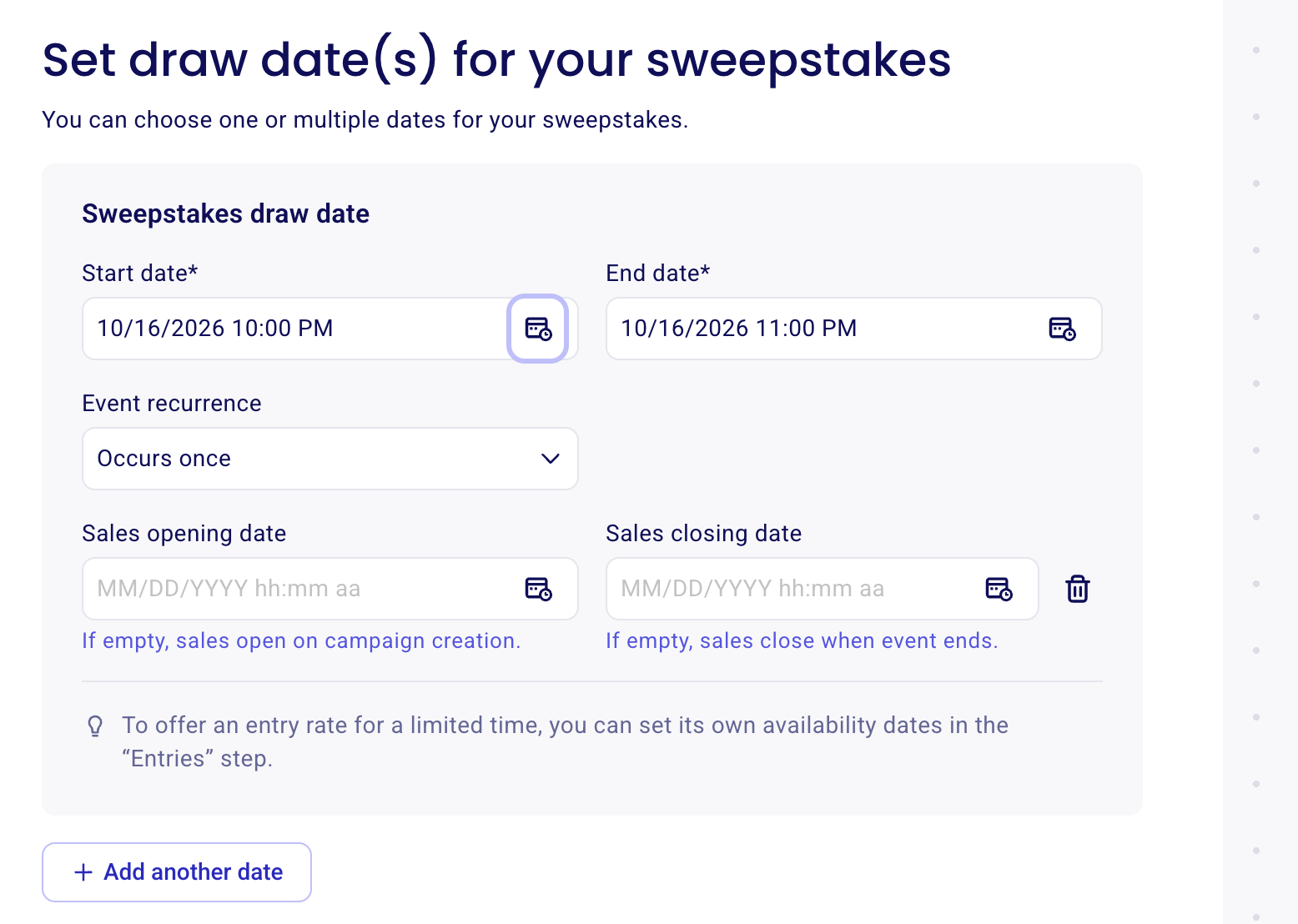
Set a Start date and End date for your sweepstakes draw, and an Event recurrence if it occurs more than once (by default it occurs once).
Optionally set a Sales opening date and a Sales closing date. If empty, sales open on campaign creation and close when the event ends.
To offer an entry rate for a limited time, set its own availability dates in the "Entries" step.
Click + Add another date if your sweepstakes has multiple draws.
4) Highlight your prizes
Showcase your prizes to encourage participation: prizes added here are pushed to the front page of your campaign. In a sweepstakes, every entry gives the participant a chance at all of the prizes.
Click + Add another prize and fill in each prize card: upload a photo with Upload image, then enter the Prize title (required), the Value, and a Description.
Use the icons on each card to preview, duplicate, delete, or collapse it.
For more on running a campaign with several prizes, see Create a raffle with more than one prize/ basket.
5) Tell us more about your sweepstakes
Write your campaign description in the rich text editor. Inspire supporters to enter by sharing the official rules and how their support helps your mission.
6) Style your campaign page
Select a color, a mode (Light Mode or Dark Mode), and a background style (Simple, Animated, or Static shapes).
Add your banner: the main image at the top of your campaign page.
7) Set entry rates
Add all the entry rates for your sweepstakes here.
Global sweepstakes capacity: set the total number of entries for your sweepstakes and the base entry rate (both required).
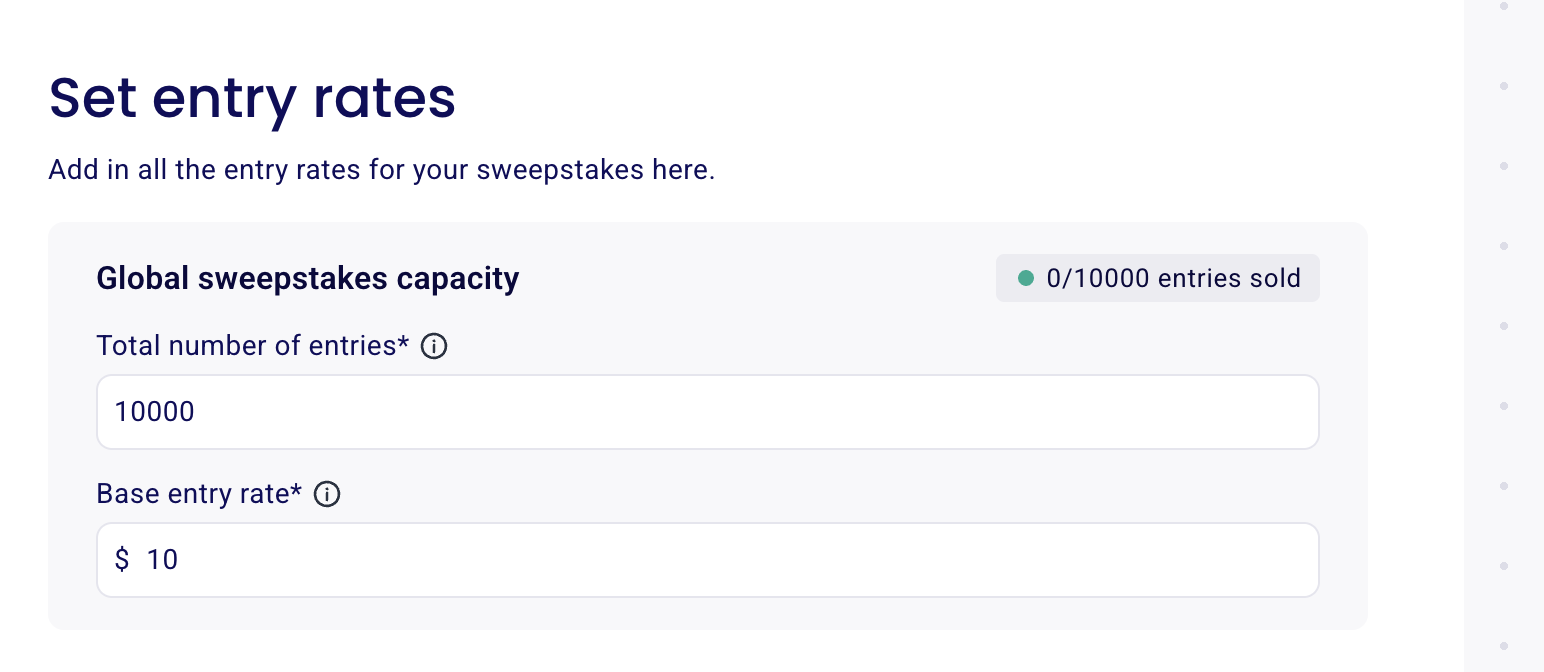
Then, add each entry rate with:
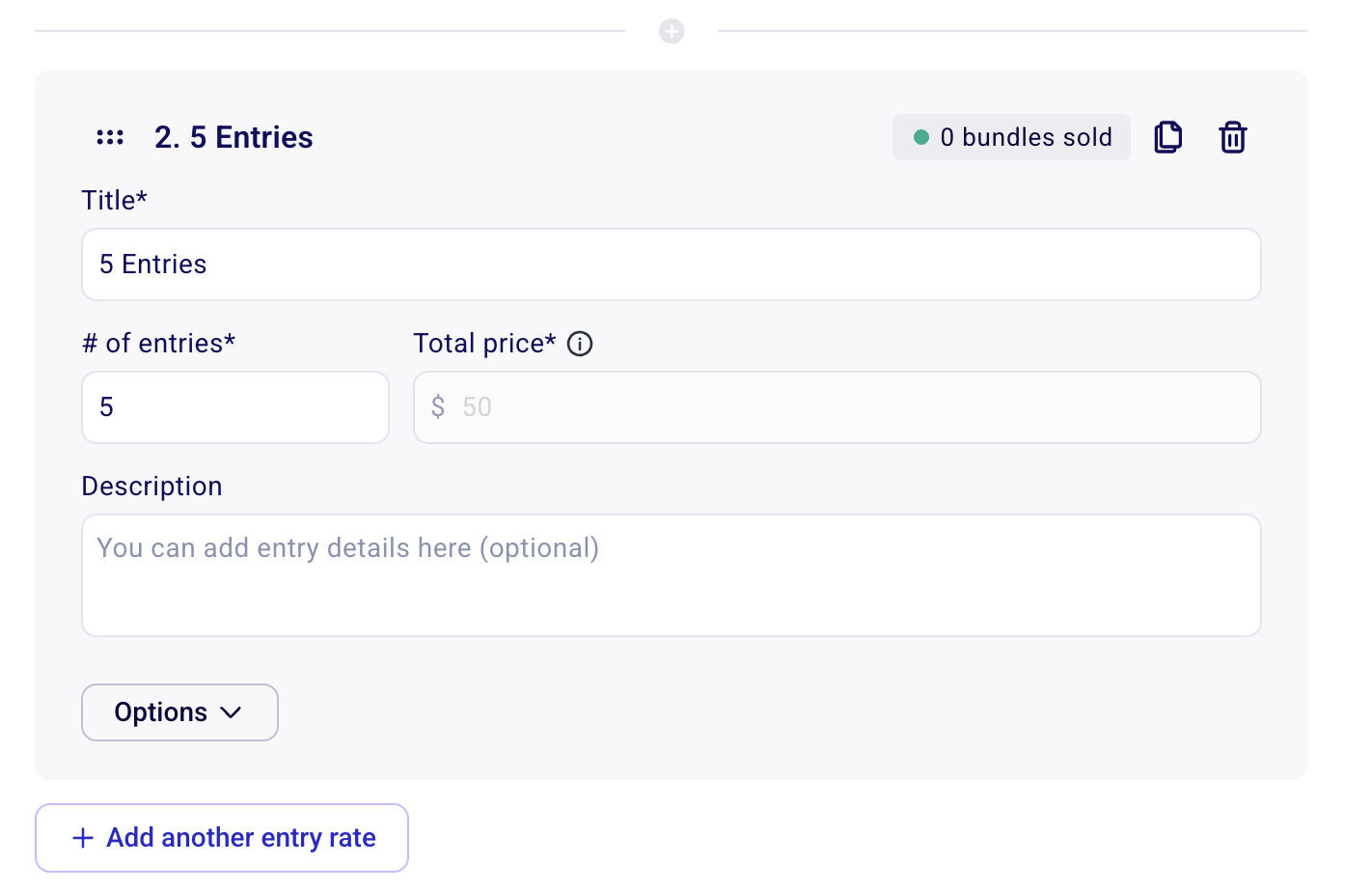
Title (e.g. "One chance of winning", "5 Entries")
# of entries: how many entries the buyer gets
Description: entry details (optional)
Click + Add another entry rate to add more bundles with their own entry counts.
The free entry method issues your smallest bundle. If your smallest bundle is 5 entries, a participant who enters for free receives 5 entries.
Organizations that aren't 501(c)(3)s can't offer discounted entry bundles: each entry must cost the same base rate. Prizes can't depend on how much a participant paid.
8) Collect additional info
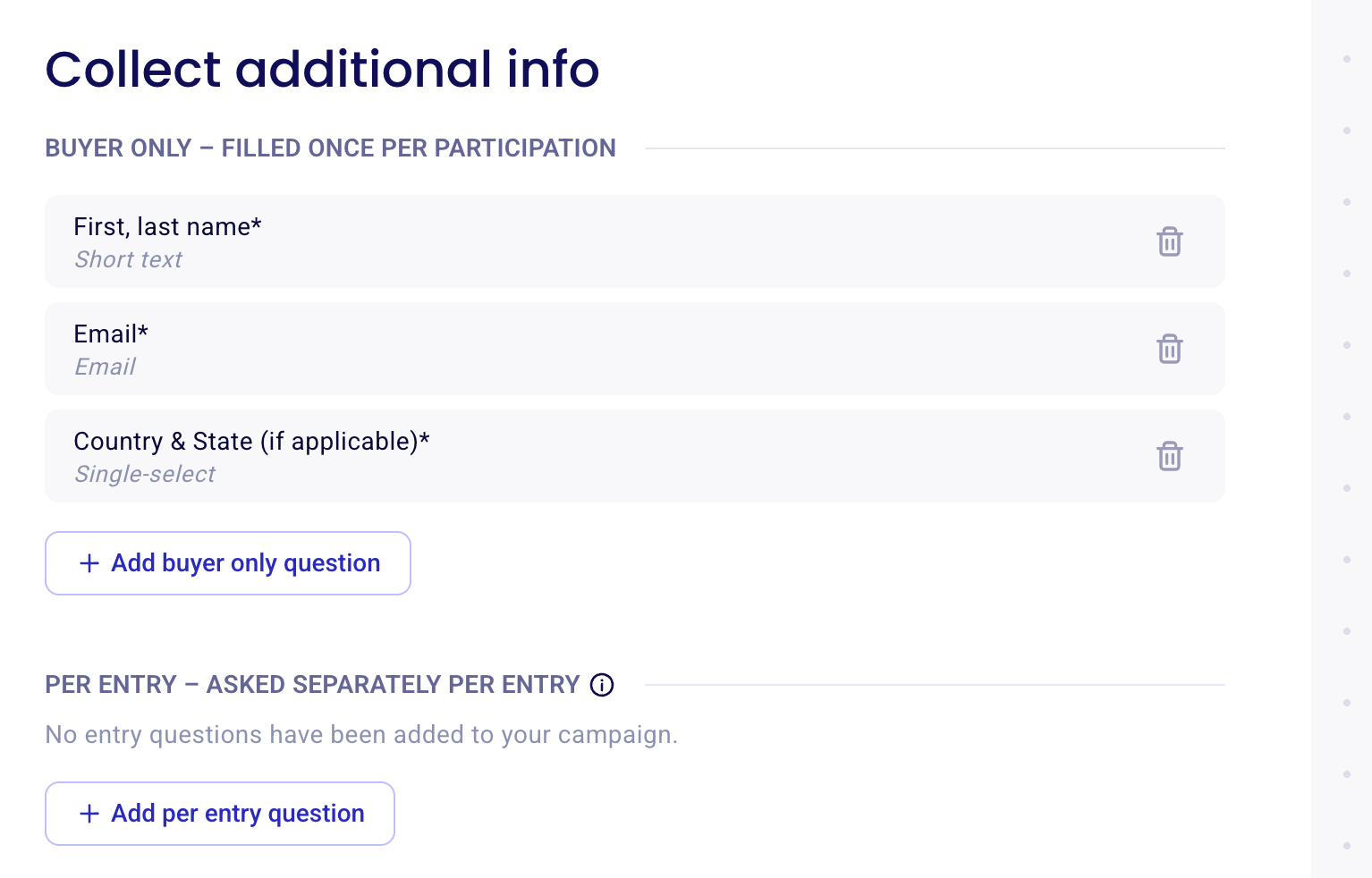
Buyer only questions are filled once per participation. First and last name, Email, and Country & State (if applicable) are collected by default.
Click + Add buyer only question to add your own, or pick a preset question such as full address or phone number.
Click + Add per entry question to ask a question separately for each entry.
9) Collect additional donations
Turn on the option that lets participants add a donation to your organization on top of their entry, and set whether the donation is eligible for a tax receipt (if your organization is eligible to issue tax receipts in the US or Canada).
10) Set up your entry confirmations
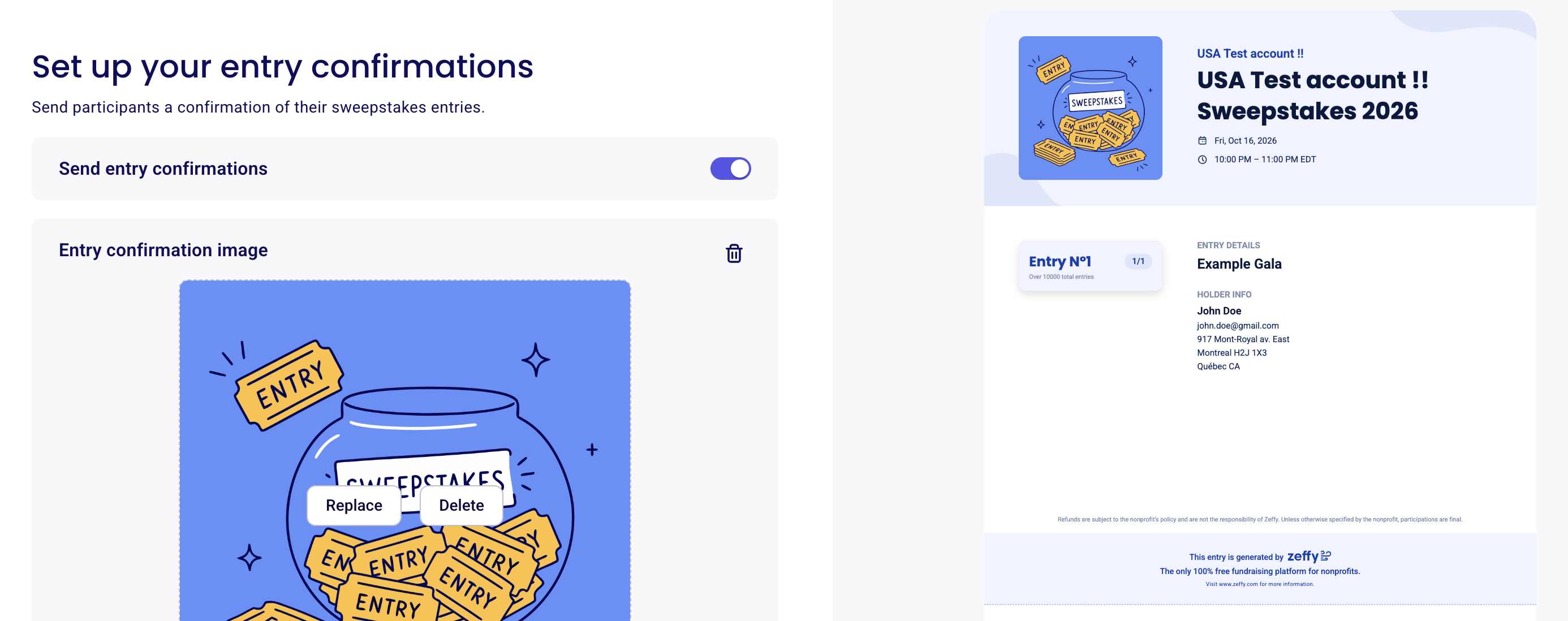
Send participants a confirmation of their sweepstakes entries.
Keep the Send entry confirmations toggle on and customize the confirmation email participants receive.
Add an Entry confirmation image and check the preview. Each confirmation includes the participant's entry number and holder information, and entries can be downloaded from the email.
11) Set up automated communications
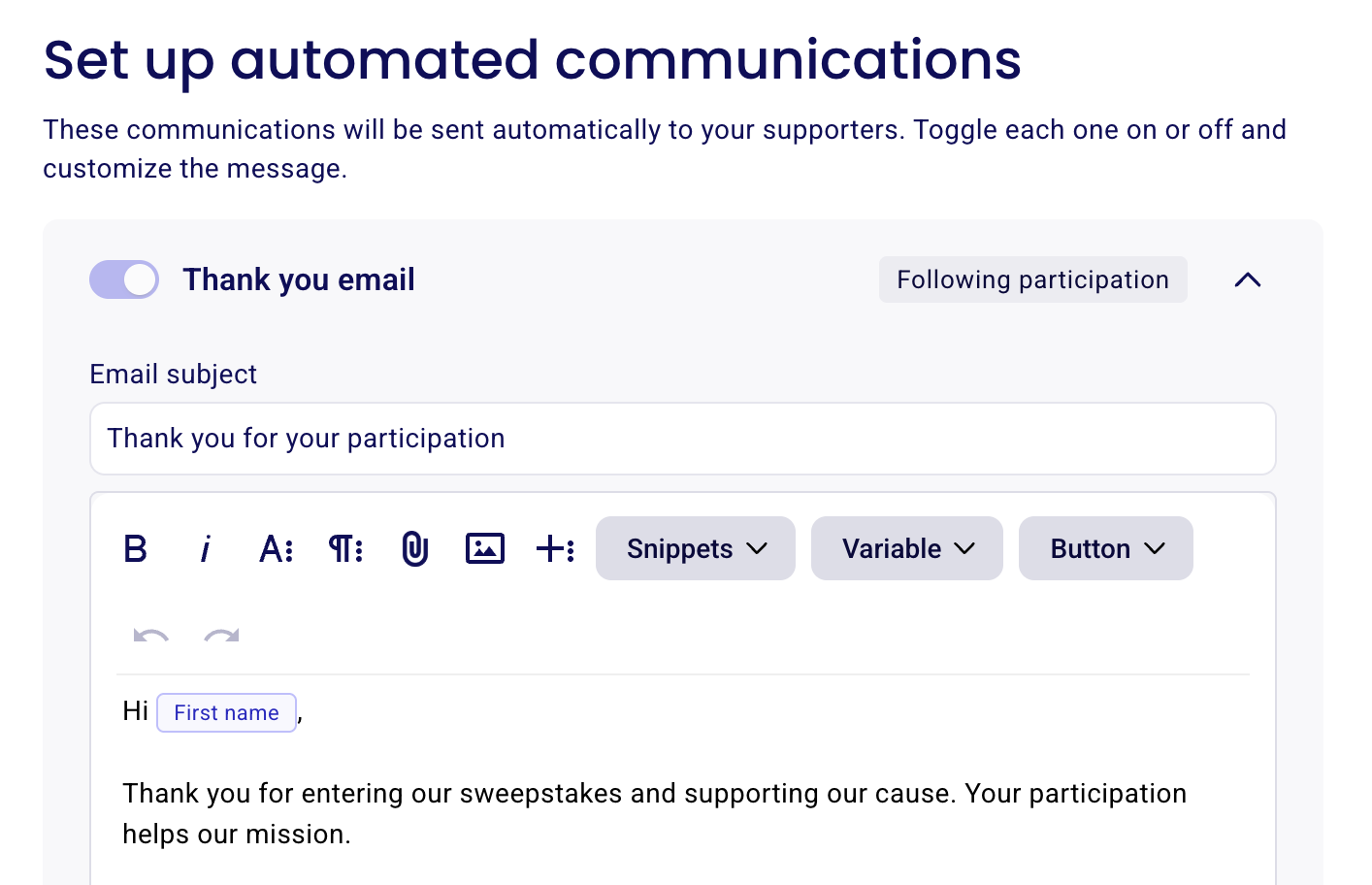
These communications are sent automatically to your supporters.
The Thank you email is sent following participation. Customize the subject line and message in the rich text editor, using snippets, variables such as [First name], and buttons. See Ask additional custom questions to donors and buyers if you need more information from participants later.
12) Advanced settings and Official Rules
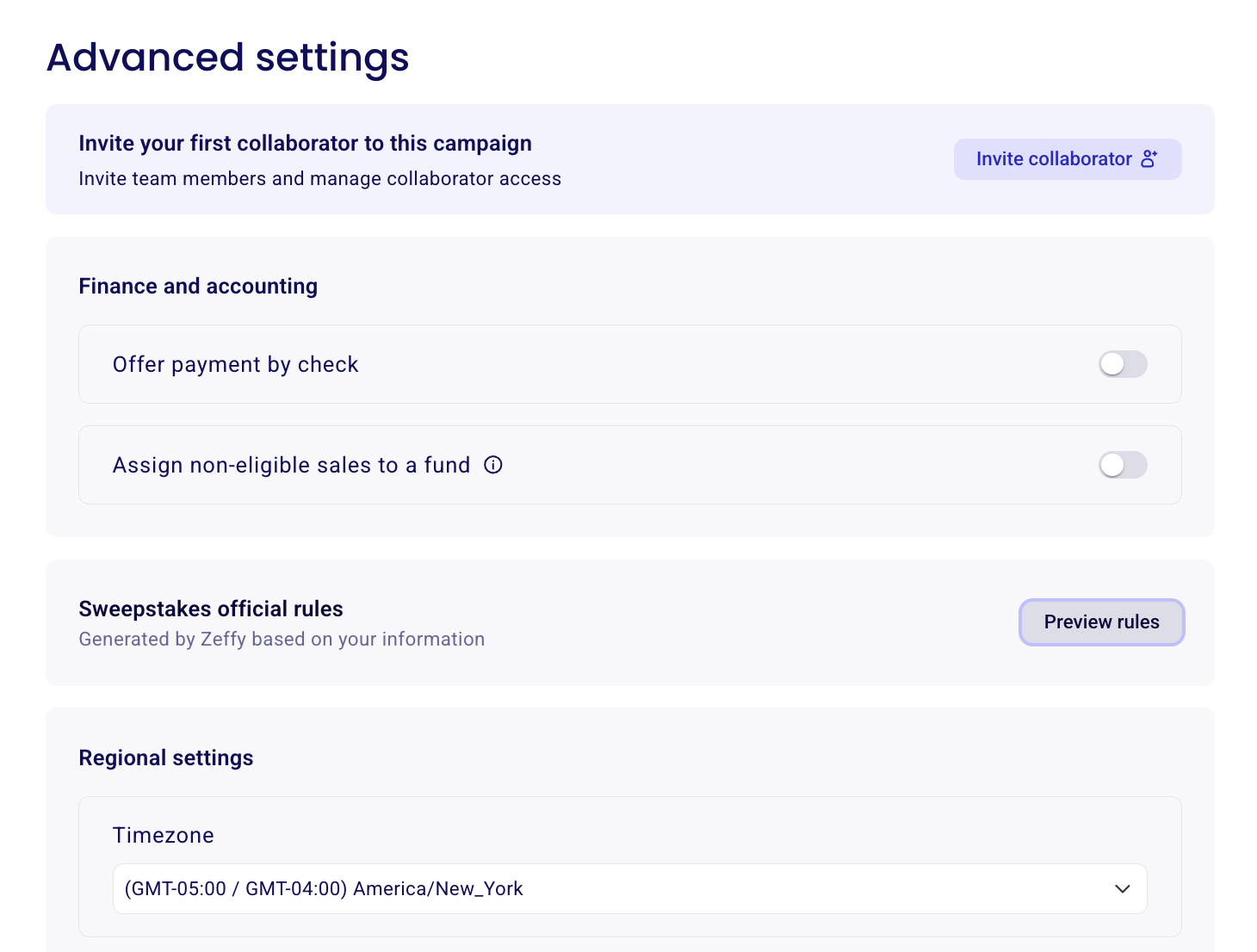
Collaborators: invite team members and manage collaborator access to this campaign. See User Roles, Permissions, and Account Ownership Transfers.
Finance and accounting: offer payment by check & assign non-eligible sales to a fund. See Check payments: Enabling check as a payment method for how to log and track them.
Sweepstakes official rules: the rules are generated by Zeffy based on your information. Click Preview rules to review them, including the sponsor details, entry levels and pricing, eligibility, dates, and prizes. Your campaign rules prevail over the generated provisions where they address the same point.
Regional settings: set your timezone and form language.
13) Publish and share your sweepstakes
When setup is complete, click View my campaign or Share my campaign. On the public campaign page, participants see your prize list and entry options, the "No donation necessary to enter" notice that links to the full Official Rules, and the rules covering the sweepstakes period, eligibility, and entry methods.
Participants who don't want to pay use the Alternative method of entry form linked in your official rules: they fill in their contact details and receive a free entry worth the number of entries in your smallest bundle, limited to one free entry per email per day.
🏆 Drawing a winner
Zeffy doesn't have an automatic winner drawing tool: the draw is done outside of the platform. Your organization conducts the drawing, selects the winner, and contacts them. For the steps, see Drawing a winner for your raffle.