
Check payments: Enabling check as a payment method
Enabling Check Payments at Checkout
If you would like to accept payments by cheque, you can suggest it as a payment method on your any of your forms! This function allows you to prompt your donors to pay by cheque & provide them instructions on how to do so. Cheque payments are available for any donation amount: in the advanced settings of your form, you can enable cheque payments and set the amount threshold above which the option to pay by cheque appears.
In order to enable payment by cheque on your form log into your Zeffy dashboard and follow these steps:
1. Go to the "Fundraising" tab, then go to "Campaigns"
2. Find the form's card and click the “Edit” button on the card, next to “View”. You can also open the card's menu and choose “Edit” (on mobile, use the menu).
3. Toggle to the advanced settings, where you can enable cheque payments and set the amount after which the option to pay by cheque appears on your form
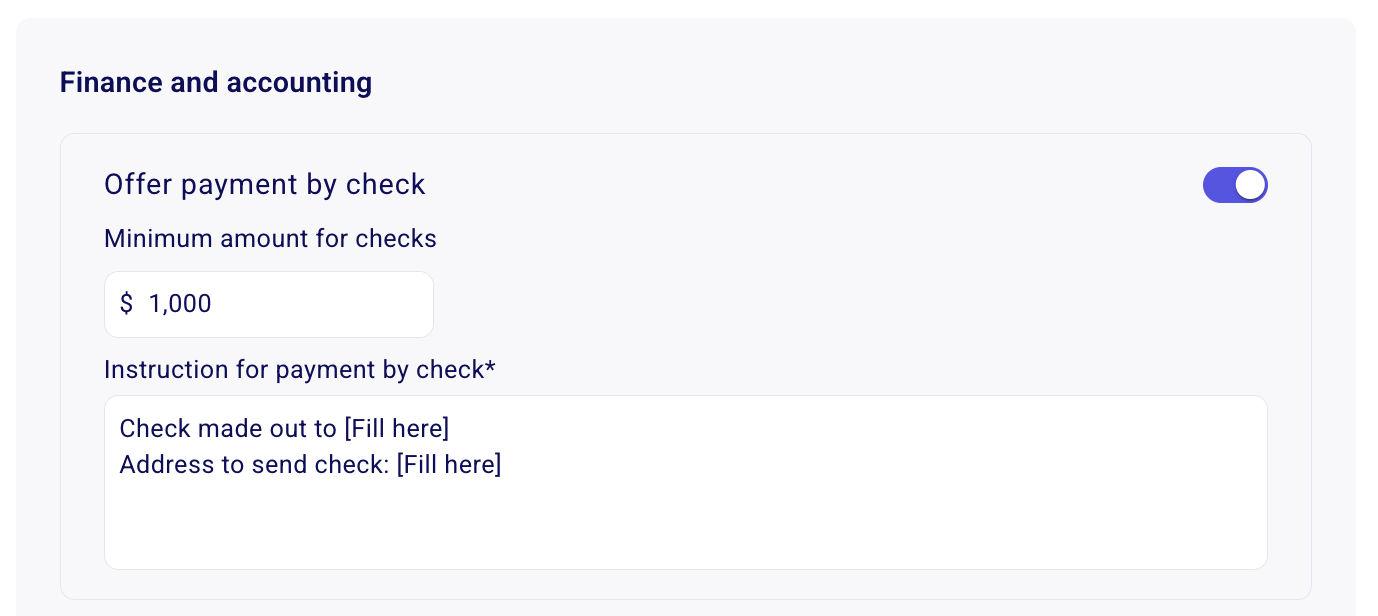
When a donor chooses to pay by cheque, they receive a confirmation email with your cheque instructions and a note that a receipt will follow. The transaction receipt is emailed only after you mark the cheque as received, and only if the form issues receipts. See how to customize your thank you email here
Payment management
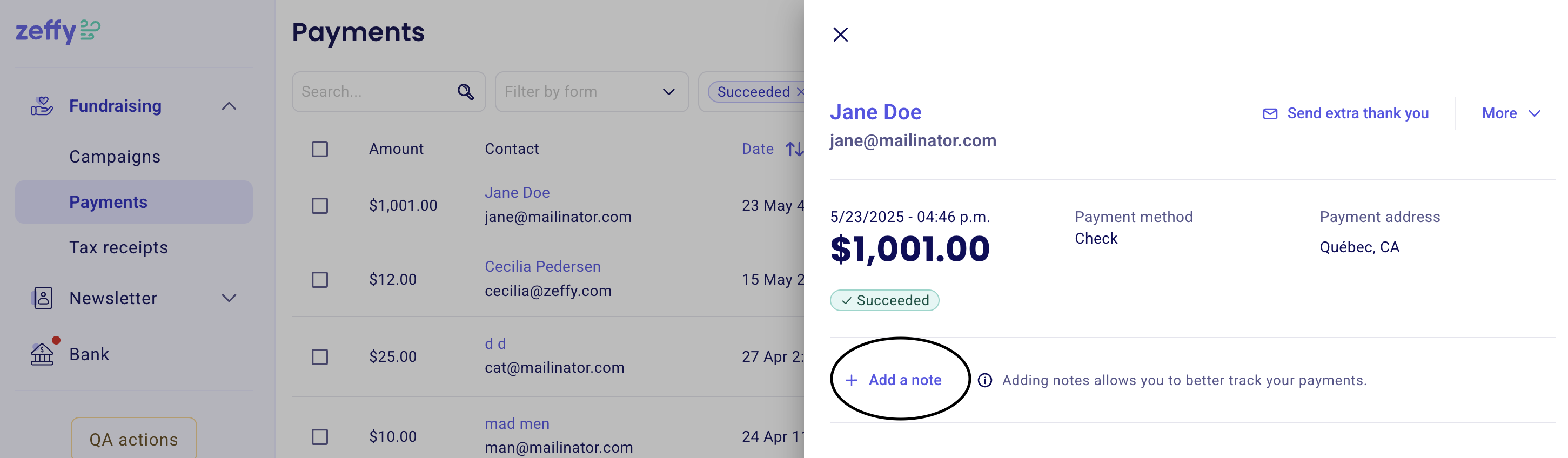
To view the payments your donors have made by check you can navigate the the payments tab where the transaction will be labelled as a ‘check’ payment, as seen below.

You also have the option to include any pertinent notes in each payment record. This feature proves to be quite beneficial when there are specific details that need to be recorded for accounting purposes, etc.
To do so, simply select the payment in question, and at the bottom of the left-hand pane that opens, click the ‘ + Add a note ’ as shown below to enter all the details necessary.
In the case that a cheque wasn’t received or a similar case, it is not currently possible to delete a transaction.
If you would like to see this offered please vote on the feature request here to help our team prioritize your suggestion, and you'll be informed via email with any updates on its implementation!
You can also add ‘Cancelled’ in the note section of your payment to help you keep track!
Cheque donations don't get a tax receipt when the donor submits the form. Once you mark the cheque as received, Zeffy generates the tax receipt automatically and emails it to the donor. This applies if receipts are enabled on the form and your organization is eligible to issue them. If no receipt was generated, you can add one manually. For guidance on generating a manual tax receipt for your donors, you can refer to this article.