
Add a button to a website to share your campaign
Adding a button to your website is an easy way to direct visitors to your Zeffy campaign. When clicked, the button opens your campaign page where supporters can donate, register, purchase tickets, buy memberships, or complete any other action you've set up.
This is a great option if you'd like to keep your website's existing design while promoting your campaign. Simply create a button and link it to your Zeffy campaign URL.
Step 1: Retrieve your campaign link from Zeffy
You can get the shareable link for any open campaign from your Zeffy dashboard.
Log in to your Zeffy account.
Navigate to Campaigns.
Find the campaign you would like to share.
Click the three dots (⋯) to the right of the campaign.
Select Share.
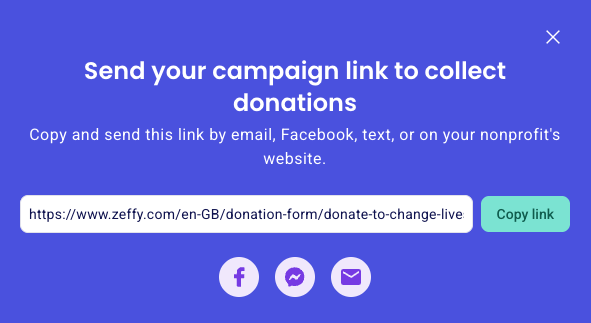
In the sharing pop-up, click Copy link. The campaign URL is now copied to your clipboard.
Step 2: Add the link to a button on your website
Open your website builder and add a button to the page where you want visitors to find it. Paste the copied Zeffy campaign link into the button’s Link, URL, or Web Address field.
The exact menu name and location varies by provider, so follow the guide for your platform:
Don’t see your website provider listed above?
Most website builders support adding a button and linking it to an external URL. In that case:
Consult your website provider’s documentation for adding a button or call-to-action element.
Add a button to your page and set the text (for example, "Donate Now" or "Register Today").
Paste your Zeffy campaign link into the button’s link, URL, or web address field.
Save and publish your website.
Button vs. embed
A button sends visitors to your full Zeffy campaign page, which displays your campaign description, images, logo, and nonprofit name. If you prefer to keep visitors on your website without leaving the page, you can embed your campaign directly on your website instead.