
Display live donations with the live thermometer page
The live thermometer page shows donations arriving on your campaign in real time. Display it on a screen at your event and supporters watch every gift land as it happens.
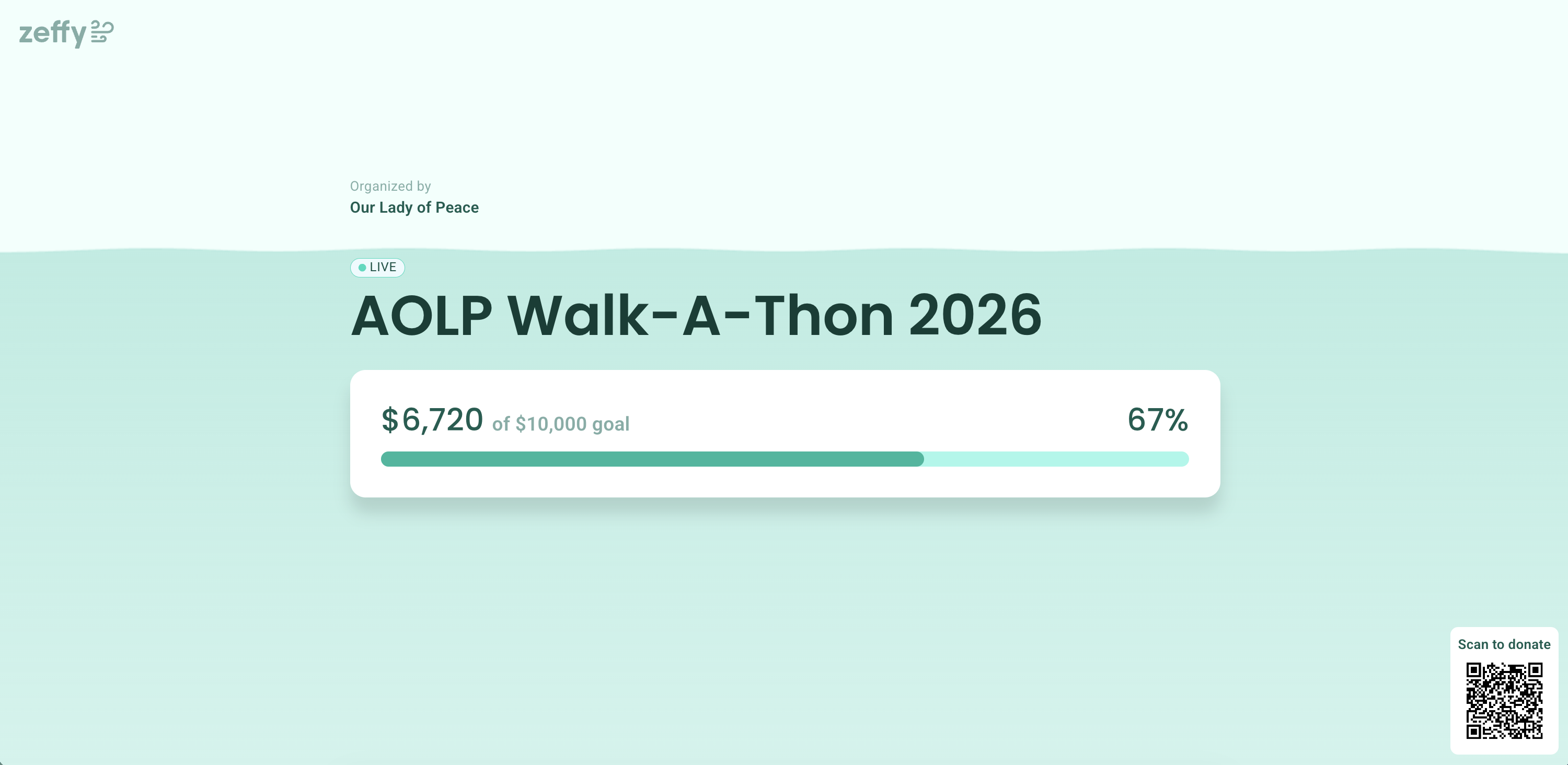
What the live thermometer page shows
Your campaign title with a LIVE badge and your organization's name
The amount raised so far, your campaign goal, and the progress percentage
A Scan to donate QR code supporters can scan to give on the spot
Animated hearts that fall down the screen each time a donation arrives while the page is open
Open your live thermometer page
Log in to your Zeffy account.
Navigate to Campaigns.
Find the campaign and click the three dots (⋯) to the right of it.
Select Live thermometer (note this is currently only available for donation / peer-to-peer campaigns)
The live thermometer page opens, showing your campaign's donation activity in real time.
Display the page at your fundraising event
Open the page on a screen or projector at your venue during your fundraiser. Donations appear live and hearts fall down the screen as they come in, and attendees can scan the QR code on the page to donate from their phone.
The page has its own public link (for example, zeffy.com/en-US/live/thermometer/your-campaign-name), so you can share it with supporters before the event as well.