
What is the contribution made towards Zeffy? Why was I charged extra?
Unlike other fundraising platforms that charge service and transaction fees to nonprofits, Zeffy ensures that 100% of your donation goes directly to the organization you choose to support.
We provide our fundraising technology completely free of charge to nonprofits so that more of every donation can go toward their mission instead of platform fees.
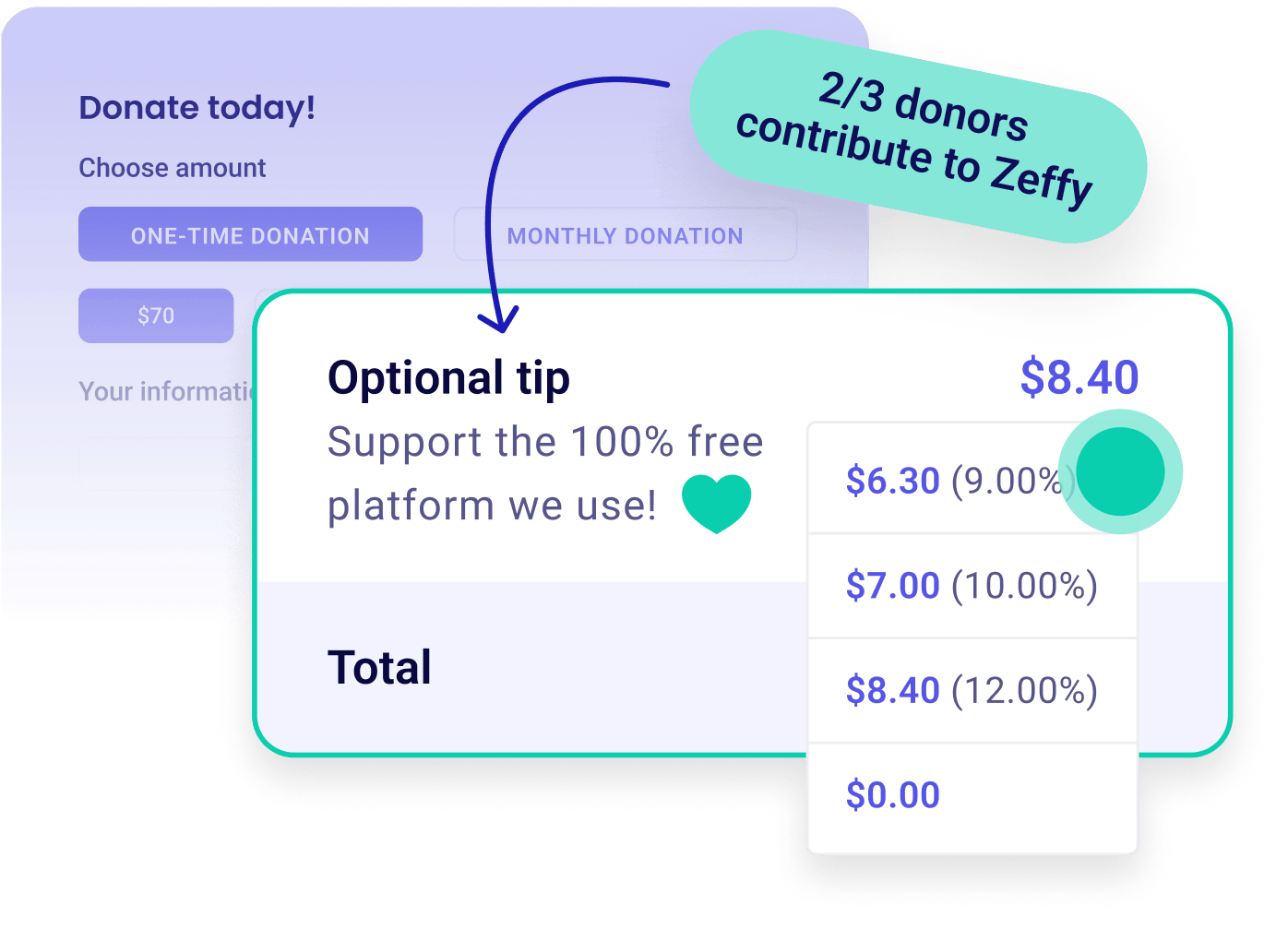
Why does Zeffy ask for a voluntary contribution?
Instead of charging nonprofits mandatory fees, Zeffy is funded entirely through optional contributions from donors. This voluntary contribution is our only source of revenue and allows us to:
Cover credit card and payment processing fees on behalf of nonprofits
Maintain and secure the platform
Develop new tools and features for nonprofits
Continue offering Zeffy 100% free to organizations
Thanks to donors like you, nonprofits using Zeffy never lose a portion of their donations to fundraising platform fees.
How is this different from other platforms?
On most fundraising platforms, fees are automatically deducted from donations or passed along to nonprofits. For example, on a $100 donation, part of the payment may go toward processing fees, platform fees, or subscription costs, meaning the organization ultimately receives less than $100.
With Zeffy, the organization receives the full intended donation amount. The voluntary contribution is shown separately so donors have full transparency over:
The amount being donated to the nonprofit
The optional amount supporting Zeffy
Is the contribution mandatory?
No. The contribution to Zeffy is completely optional.
Before completing your payment, you can adjust the contribution amount using the dropdown menu displayed during checkout, including setting it to a lower amount or to $0.
To give nothing, select Other in the contribution dropdown and enter 0.
The contribution is also clearly displayed separately from your donation total throughout the payment process and in your confirmation email.
Why was I charged more than the organization received?
The total charged to your card includes your payment to the organization plus any voluntary contribution to Zeffy. The organization only sees the amount meant for them, so the payment in their account can be lower than the charge on your statement.
To see the breakdown between your payment and your contribution to Zeffy:
Open your payment confirmation email. The receipt lists both amounts separately.
Or open your donor dashboard and click the payment.
I accidentally contributed to Zeffy. Can I get a refund?
Absolutely. If you accidentally added a voluntary contribution to Zeffy or did not intend to contribute, our team is happy to help.
To request a refund of the Zeffy contribution:
Head to the transaction receipt portion of your confirmation email and click on "learn more" to the right of your contribution.
From there, you can reduce or remove your contribution. Your payment to the organization is not affected. You can also contact our team and we will refund the contribution for you.
Once the refund is processed, you receive a confirmation email with an adjusted receipt. The refund appears on your original payment method within 5 to 10 business days.
Please note that refunds for any other portion of your payment (other than the contribution to Zeffy) must be requested directly from the nonprofit organization you donated to, as the donation funds are sent directly to them.
The organization refunded me. Why wasn't the full amount returned?
Your contribution to Zeffy is separate from your payment to the organization, so it is not refunded automatically when the organization refunds you or cancels an event. The card processing fees we covered on that payment are still paid.
If you would also like your contribution refunded, click Learn more next to your contribution in your confirmation email, or contact our team.
How do I change the contribution on a recurring payment?
Select Adjust tip on your recurring payment to lower or remove your contribution. Your next payments use the new amount. For the full steps, see How can I edit or cancel my recurring payment (donation or membership)?