
How can I edit or cancel my recurring payment (donation or membership)?
To manage your recurring donation or membership, log in to your donor account at zeffy.com/login with the email associated with your recurring payment.
If you've never accessed your account, the login page will take you through activating it by sending a password reset email, then you can log in.
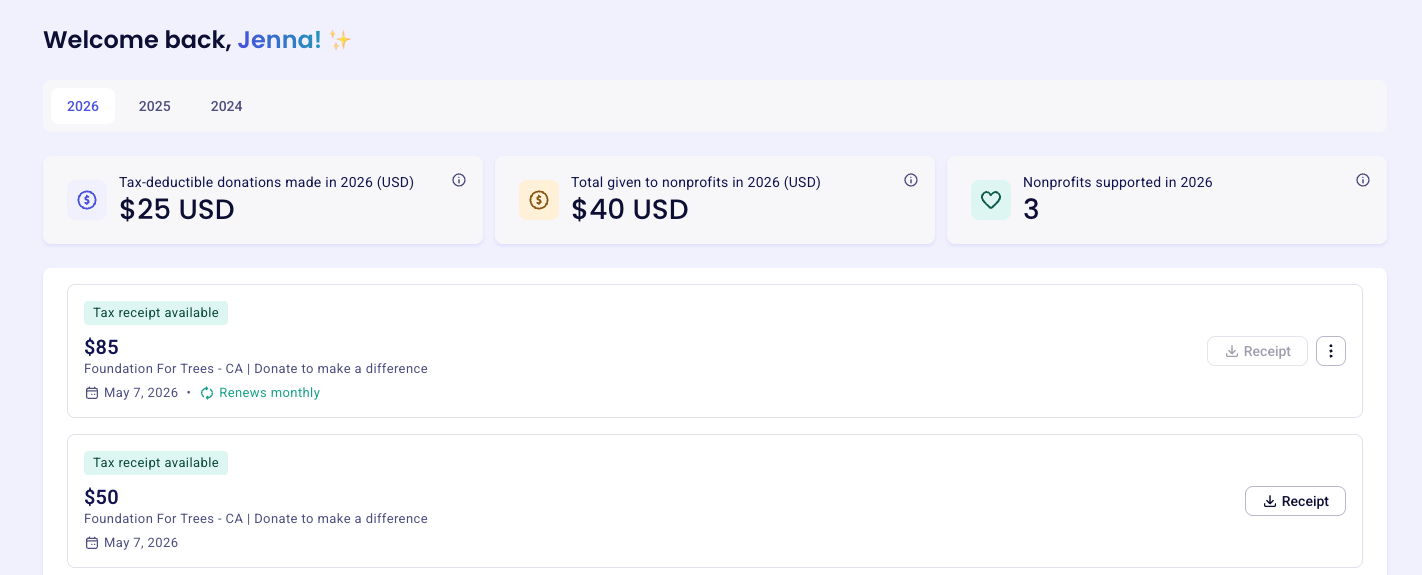
Once in your account, all your transactions are listed under the My transactions tab. To manage a specific payment, click anywhere inside the relevant payment box — this opens a details panel on the right.
From there, you can manage your recurring payment. The process is the same for weekly, bi-weekly, monthly, quarterly, and yearly donations and for monthly and yearly memberships, except where noted below.
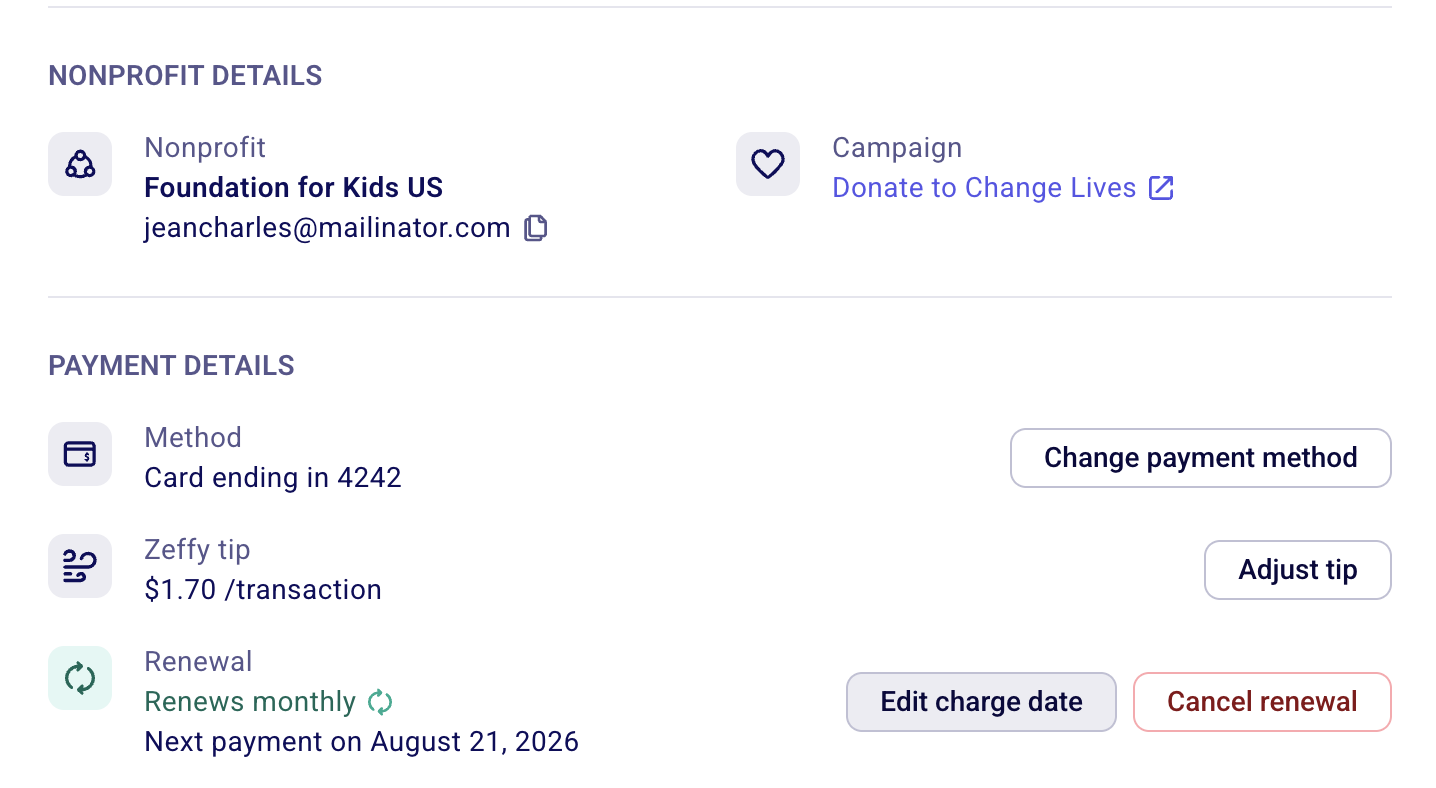
Managing your recurring payment
Edit your recurring payment amount
For donations, you can edit the donation amount if you want to adjust what you give each period. Select Change amount to increase or decrease your recurring contribution.
This change is not retroactive — it applies to your next scheduled payment, not the current one. You will receive a confirmation email.
Edit your charge date
For donations, select Edit charge date in the payment details panel to change the day on which your recurring payment is charged.
This is available for recurring donations (monthly, quarterly, and yearly). It is not available for memberships — membership renewal dates are determined by the expiration date set by the nonprofit.
This change applies to future charges only.
Cancel your recurring payment
Select Cancel Renewal to stop the recurring payment. Your card will no longer be charged going forward.
This does not refund payments that have already been processed. Once canceled, the status on all past transactions linked to that recurring payment updates to Stopped — this means the recurrence has ended, not that previous donations were reversed.
Update your payment method
Select Update payment method and enter your new card number, expiry date, CVC, cardholder name, and ZIP/postal code. All future charges will be applied to the new card.
If your payment is past due or a payment attempt failed, the payment is automatically retried once your payment method is updated.
If you're paying via bank transfer, it isn't currently possible to change from one bank account to another. If you click Update on a bank account payment, you can only switch to a credit card. To switch from one bank account to another, cancel and start a new payment.
Adjust your optional contribution to Zeffy
Select Adjust tip to adjust the optional contribution to Zeffy that was added when you first donated.
What happens if my payment fails?
If a recurring payment fails (expired card, insufficient funds, bank decline), Zeffy's payment processor automatically retries the charge up to 4–5 times, spaced roughly 4 days apart.
If a retry succeeds, your donation continues as normal
If all retries fail, your recurring donation is automatically canceled
To avoid cancellation, update your payment method as soon as you receive a failed payment notification. If your donation was already canceled after repeated failures, you can start a new recurring donation directly from the organization's donation page.
Can I choose which day of the month I'm charged?
Yes, for recurring donations. Open the payment in My transactions and select Edit charge date. You can change the charge date on monthly, quarterly, and yearly donations.
Memberships cannot have their charge date edited this way. Membership renewal dates are determined by the expiration date set by the nonprofit.