I want my donation to show anonymously, with my name, or under a different name
Before you donate, you choose yourself whether your name shows on the campaign's public donor list. After you donate, the organization you donated to can change it for you.
I haven't donated yet
You can hide your name from the public donor list when you pay.
Choose your donation amount and continue to the payment step.
Under Summary, uncheck Display my name publicly on the campaign page. It is checked by default.
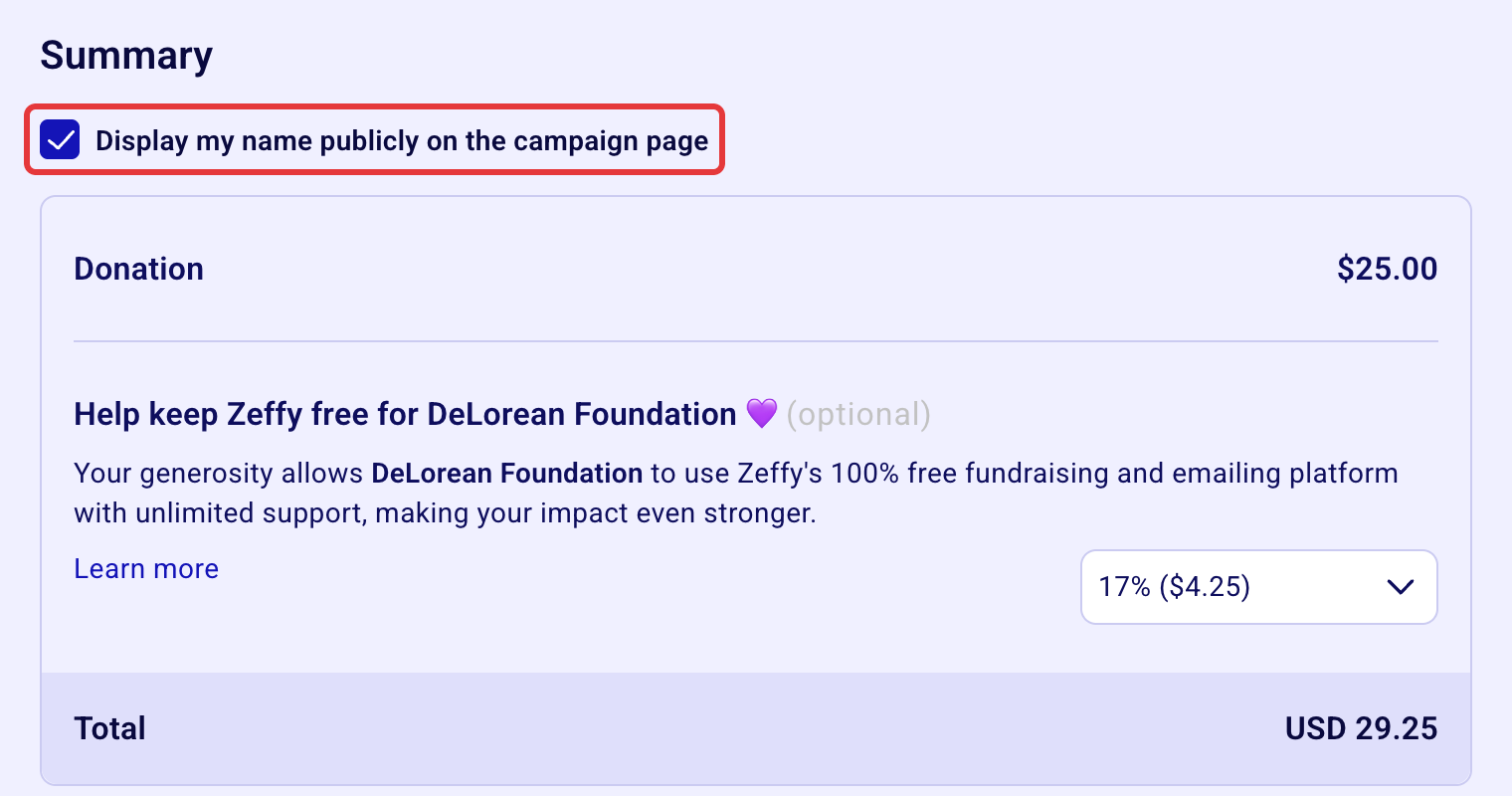
Your donation then shows as "Anonymous" on the donor list.
If you don't see this checkbox, the campaign has no public donor list, so your name won't be shown publicly on the campaign.
Your donation is anonymous to the public, not to the organization. The organization always receives your name and email address with your donation: it's not possible to donate anonymously to the organization itself.
I already donated and want it changed
Contact the organization you donated to: they can change it from their dashboard. You'll find their contact details in your confirmation email. They can:
make your donation anonymous,
show your name again,
change the name displayed next to your donation.
In your message, include the campaign you donated on, the email address you used to pay, and what you'd like changed. Each donation has its own setting, so if you donated more than once, mention every donation you want changed.
I donated under a company name
When you donate under a company name, the donor list shows the company name, not yours. To show your own name instead, ask the organization to contact us: we'll remove the company name from the payment.
My name still shows after the change
Refresh the campaign page without the cache (Command + Shift + R on a Mac, Ctrl + Shift + R on Windows).