
How to Share Your Campaign on Social Media
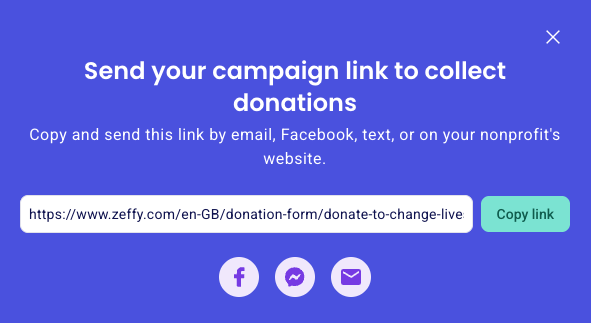
Every Zeffy campaign has a unique shareable link that you can paste into posts on Instagram, Facebook, X, and other social platforms. You can also use the social icons in your campaign's sharing pop-up for a quick share to Facebook.
Retrieve your campaign link
Log in to your Zeffy account.
Navigate to Campaigns.
Find the campaign you want to share.
Click the three dots (⋯) to the right of the campaign.
Select Share.
In the sharing pop-up, click Copy link. The campaign URL is now copied to your clipboard
Share on Facebook
In the sharing pop-up, click the Facebook icon to open a Facebook sharing window and post your campaign link directly to your timeline. Alternatively, click Copy link, open Facebook, create a new post, and paste the link into the post body.
Share on Instagram
Copy your campaign link from the sharing pop-up, then paste it into your Instagram bio, a story link sticker, or a direct message to supporters.
Share on X
Create a new post on X and paste your campaign link into the post text. Followers can click the link to open your campaign.
If your share button is greyed out on your campaign, this means your campaign is still in Draft mode and has not yet been published.
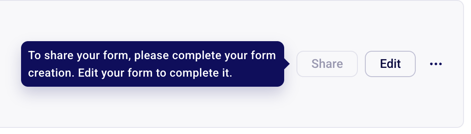
To share your campaign, you'll first need to publish it. To do so, click Edit and complete the campaign creation process until the very end, where you'll see a Congratulations! Your campaign has been created message.
Once your campaign has been published, the Share option will become available and you'll be able to retrieve and copy your campaign link.