
Share your form with a QR code
A QR code provides supporters with a quick and convenient way to access your campaign using their smartphone camera. When scanned, the QR code directs supporters straight to your campaign page, making it easy for them to donate, register, purchase tickets, become a member, or complete another transaction.
No special app is required - any smartphone with a camera can be used to scan the QR code and take your supporters directly to your campaign.
Keep reading for ideas on how to use your QR code and how to accept in-person payments
How to find your campaign's QR code
Log in to your Zeffy account.
Navigate to Campaigns.
Locate the campaign you'd like to share.
Click the three dots (⋯) to the right of the campaign.
Select Share.
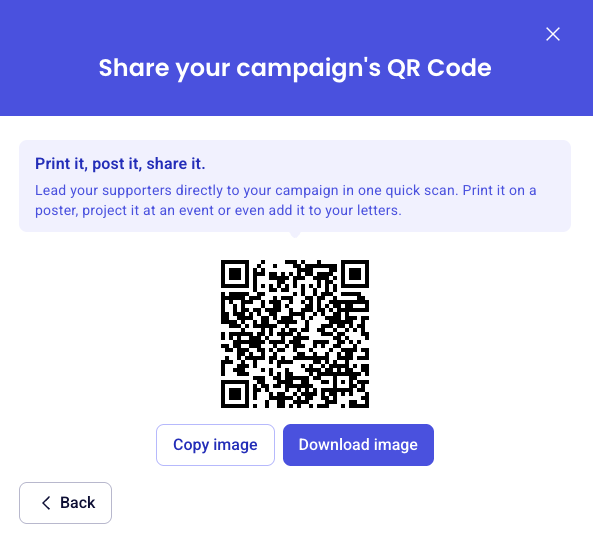
In the sharing pop-up, click More ways to share and then select the QR code tab.
Click Copy image to copy the QR code to your clipboard, or Download image to save it as a PNG file on your device.
You can now add the QR code to printed or digital materials to help supporters access your campaign instantly.
How can I use my campaign's QR code?
Using a QR code linked to your campaign is a great way to make giving and registration more accessible. Here are a few popular ways organizations use campaign QR codes:
Event registrations: Add the QR code to event posters, invitations, signage, or programs so attendees can quickly register using their phones.
Fundraising campaigns: Include the QR code on flyers, banners, mailers, or donation appeals to make supporting your cause as simple as scanning and giving.
Silent auctions and raffles: Display the QR code throughout your event venue so guests can easily access auction items, raffle entries, or donation forms.
Membership drives: Print the QR code on promotional materials, brochures, or community displays to allow prospective members to join on the spot.
In-person payments: Display the QR code at a table, booth, front desk, or checkout area to allow supporters to complete a donation or payment from their own device.
Live event displays: Open the live thermometer page on a screen at your event. It shows donations arriving in real time and includes a QR code supporters can scan to give on the spot. Display live donations with the live thermometer page
Looking for more ways to collect payments in person? Check out our article on accepting in-person payments with Zeffy. Accept in-person payments on Zeffy