
How do I delete a form?
❌ Delete a form
If you wish to delete a Zeffy form completely, log in to your dashboard.
Go to “Campaigns” in the left menu.
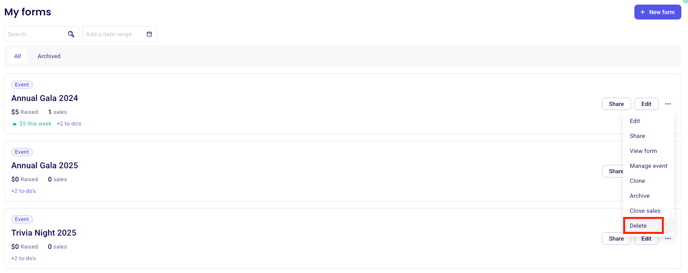
Click on the three small dots to the right of your form, then on “Delete campaign”, and confirm with “Yes, delete”.
Be sure to export all your payments first. ➡️ Export or download all payments or tickets associated with a specific form
⚠️ Please note:
Deleting a form means that you no longer have access to the form in the “Campaigns” Data for all donations will still be available in your dashboard, but you will no longer be able to filter for that form in the “My Payments” section.
Monthly and yearly donations to the form are cancelled 5 minutes after deletion, and they don't restart if you restore it. You can restore a deleted form yourself for 30 days from the “Deleted” tab of your “Campaigns” page.