
How to Recover a Deleted Form
When you delete a campaign or form on Zeffy, a confirmation warns you that the deletion is permanent.
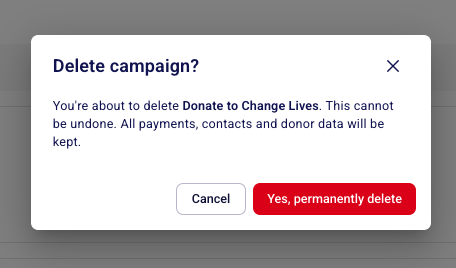
If you have already deleted a campaign and need it restored, the Zeffy support team can help recover it.
Deleted campaigns cannot be restored directly from your dashboard. If you'd like to recover a deleted campaign, you'll need to contact our Support team and request a restoration. Instructions on how to do so can be found later in this article.
What to do instead of deleting
If you want to stop receiving donations or close a campaign but do not want to permanently delete it, archive the campaign instead. Archiving keeps all your data and the form accessible, and you can unarchive it at any time.
To archive a campaign, go to Fundraising > Campaigns, click the three dots next to the campaign, and select End Campaign or Close Sales. To view or reopen an ended campaign, head to campaigns > click on the past tab at the top of the campaigns page.
How to recover a deleted campaign
Only the Zeffy support team can recover a deleted campaign. If you accidentally deleted a campaign and would like our support team to recover it for you, please fill out this form and we'll recover it for you.
To locate your deleted campaign, we need one of the following:
The exact name of the deleted campaign
The Zeffy URL of the campaign