Deleting your donor account
Below are instructions on how to cancel and delete your donor account in Zeffy.
⚠️ Important
Before we get started, please note that there are contexts in which it is not possible to delete a donor account. Please take not of the following to make sure the deletion will work.
1) The email address of your donor account is also associated with a non-profit account.
You can't delete your donor account while you are the owner of a non-profit account.
If you are the owner of the non-profit account, you will have to start by deleting your non-profit account before being able to delete your donor account.
If you are a user (not the owner) on a non-profit account, you can delete your donor account directly. You will be removed from the non-profit account automatically.
2) You still have active subscriptions such as monthly/annual donations or membership payments
Having active subscriptions will prevent you from deleting or canceling your donor account.
If you wish to delete your account because you no longer wish to donate to a specific organization, first cancel your donation or payment by following the instructions here.
➡️ Canceling the account
Navigate to to zeffy.com/login and login to your account. You will be asked to enter your email address and your password.
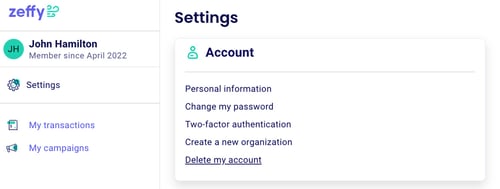
After logging in, click "Settings" in the left sidebar, then click "My account" in the menu that opens.
This is where you'll find the option to manage your account preferences, including the ability to delete your account.
Under "Account," you will see the option labeled "Delete my account".
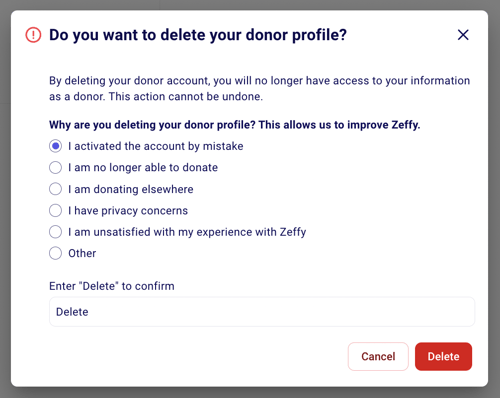
You will be asked to specify why you would like to delete the account in question. Once you have responded to the survey, enter "Delete" at the bottom and click on "Delete" to confirm.