
Delete or deactivate your Zeffy account
On Zeffy, your login email holds a personal donor account, and every nonprofit (organization) account you create or join sits under it as a separate profile. Deleting an organization removes only the organization you are logged into: your email, your donor account and your other organizations stay. To close your Zeffy account completely, delete your organization, then delete your donor account.
How organization and donor accounts work
To see all your profiles, click your name at the bottom left, then Switch profile: it lists your organizations and My donor profile. A deletion always applies to the profile you are in when you click delete.
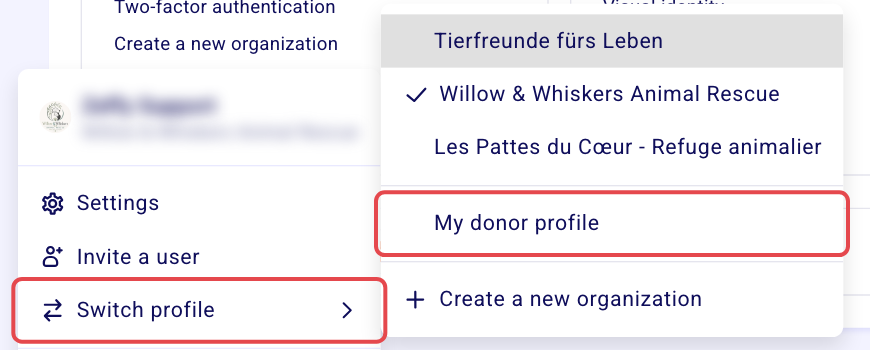
You have more than one organization: deleting organization A deletes only organization A. Organization B and your donor account stay, and you keep logging in with the same email.
You want to remove a duplicate organization: switch to the duplicate first, then follow the steps to delete an organization below.
You have only one organization: deleting it leaves your donor account. You can still log in with your email, and you can delete the donor account afterwards to close Zeffy completely.
Delete an organization
Only the organization's admin sees the option to delete it, and you need to be on a computer.
Log in to your Zeffy dashboard.
Click your name at the bottom left, then Switch profile, and choose the organization you want to delete.
Click your name at the bottom left again, then Settings.
Under Organization, click Delete the organization.

Tell us why you no longer want to use Zeffy. Your answer helps us improve the platform.
Enter Delete to confirm.

The organization you were in is deleted. Your other organizations and your donor account are not affected.
Check the organization name at the bottom left before you confirm: the deletion applies to that organization.
If you received a payment that hasn't been paid out yet
Don't delete the organization while a recent payment is still waiting to be deposited to your bank account: deleting it could affect your access to those funds. Choose one of these options first:
Wait until the funds are deposited to your organization's bank account, then delete the organization.
Refund the payment to the payer (see Managing Refunds and Ticket Cancellations in Zeffy), then delete the organization.
Delete your donor account to close Zeffy completely
Deleting your donor account closes your Zeffy account entirely, and it can't be undone. Delete my account is in your donor profile's settings, not in your organization's. Before you start:
Delete every organization you own first. You can't delete your donor account while you are the owner of an organization. If you are a user (not the owner) on an organization, you can delete your donor account directly and you are removed from that organization automatically.
Cancel your active monthly or annual donations and membership payments. Active recurring payments block the deletion. See how to edit or cancel a monthly donation.
Log in at zeffy.com/login with your email.
If you land on an organization dashboard, click your name at the bottom left, then Switch profile > My donor profile.
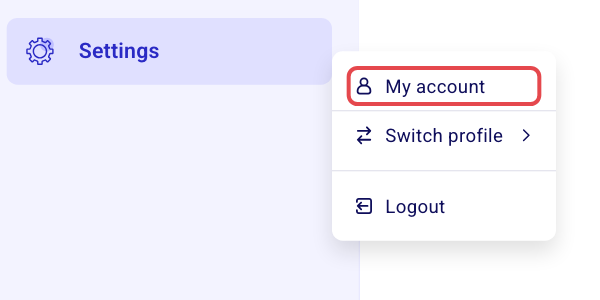
Click Settings in the left sidebar, then My account.
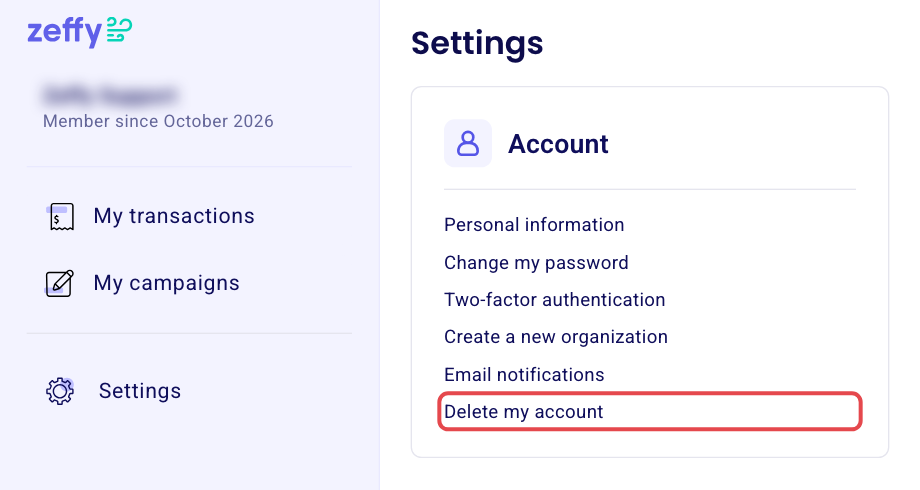
Under Account, click Delete my account.
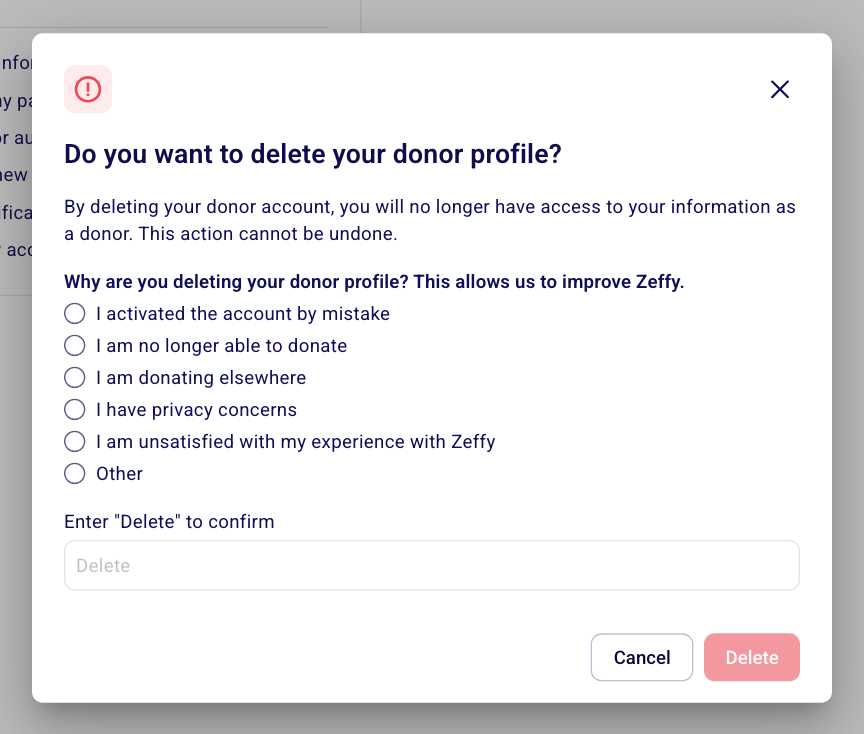
Choose why you are leaving, enter Delete, then click Delete.
Your donor account is deleted, which closes your Zeffy account.
Manage team access instead
If you want to manage permissions or remove a team member without deleting the organization, you can update user roles and remove users in Settings. See Users and roles: add users, set permissions, transfer ownership for instructions.