New Stripe Verification Requirements for UK and European Accounts
To comply with updated European financial regulations, Stripe is introducing new verification requirements for organizations based in the United Kingdom and Europe. As Zeffy uses Stripe to securely process payments, these changes will apply to all UK Zeffy accounts.
⚠️ Important: These requirements are not specific to Zeffy. All payment processors operating in Europe are required to comply with these updated Know Your Customer (KYC) regulations. The requirements are being introduced by financial regulators across Europe and apply to businesses using Stripe and any other payment providers.
Why am I being asked for information if my account was already verified?
Even if your account was successfully verified in the past, Stripe's requirements have changed. As part of these new regulations, Stripe must collect additional information that was not previously required. This means some organizations that have already completed verification may now be asked to provide more details.
This does not mean there is an issue with your account.
What information will I need to provide?
In addition to the information already provided during your original signup, the new requirements require Stripe to collect information about all of your organization's trustees and/or directors.
For each trustee or director, Stripe will request the following information:
Legal first and last name
Email address
Job title or role within the organization
Date of birth
Home address
This information must be provided for each trustee and/or director associated with your organization.
Please note that this information is used solely for verification and regulatory compliance purposes. However, providing it is mandatory in order to continue accepting payments through Stripe and Zeffy.
My organization is not a charity and does not have official directors or a board. What should I enter?
Stripe is looking to verify the individuals associated with the governance or management of your entity, regardless of your organization type. The fields labeled "board member names" are placeholders and should be replaced with your organization’s directors.
For example, in the case of a sports team, this can be a manager, coordinator, treasurer, or coach.
When do I need to complete this?
Any requested information must be submitted by September 15, 2026. Organizations that do not complete the required verification by this date may experience interruptions in their ability to accept payments through Zeffy until the verification is completed.
This article is for organizations that were already verified and are now being asked to provide additional information. If you're verifying your Zeffy account for the first time, please refer to our UK Stripe verification guide instead.
Step-by-step guide to complete the new verification requirements
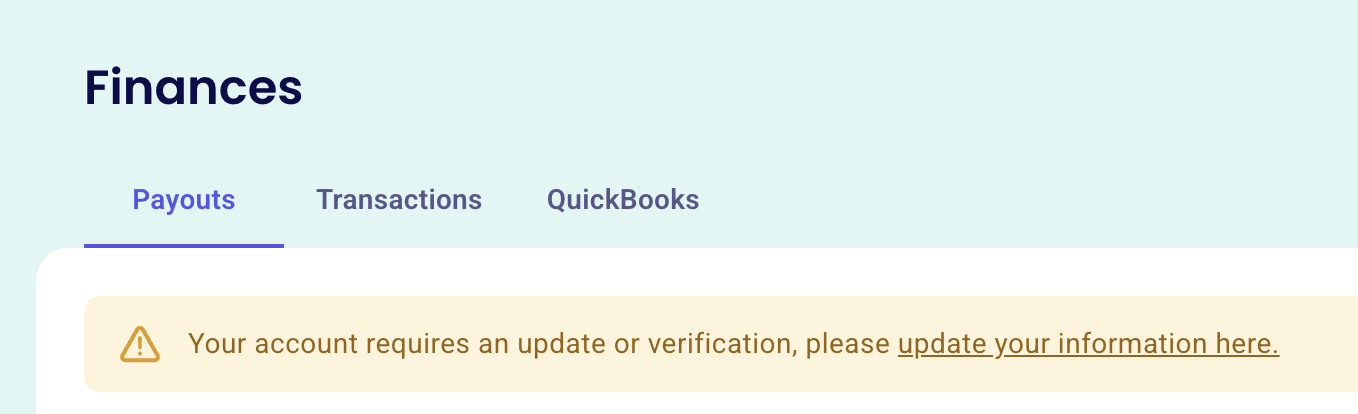
Navigate to Finances in your Zeffy account.
If additional information is required, you will see a yellow banner prompting you to continue verification. Click update your information here to open Stripe and resume the verification process.
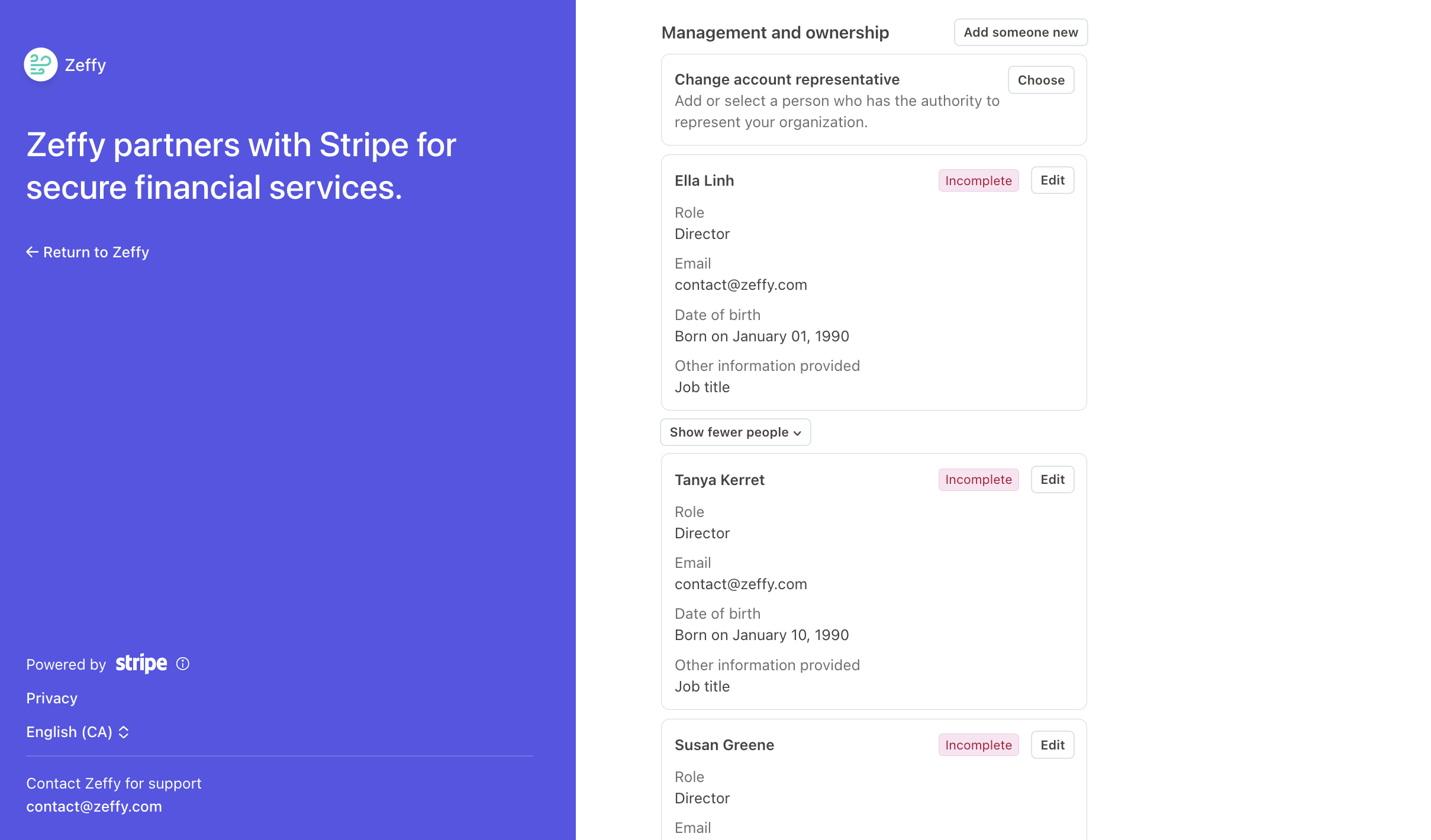
Once there, look for any sections highlighted in red and marked Incomplete. These indicate the information that still needs to be provided before verification can be completed.
The exact verification steps you see may vary depending on the information already provided on your account and what Stripe still needs to verify. Continue below with the scenario that best matches what you see on your screen.
1️⃣ Scenario 1:
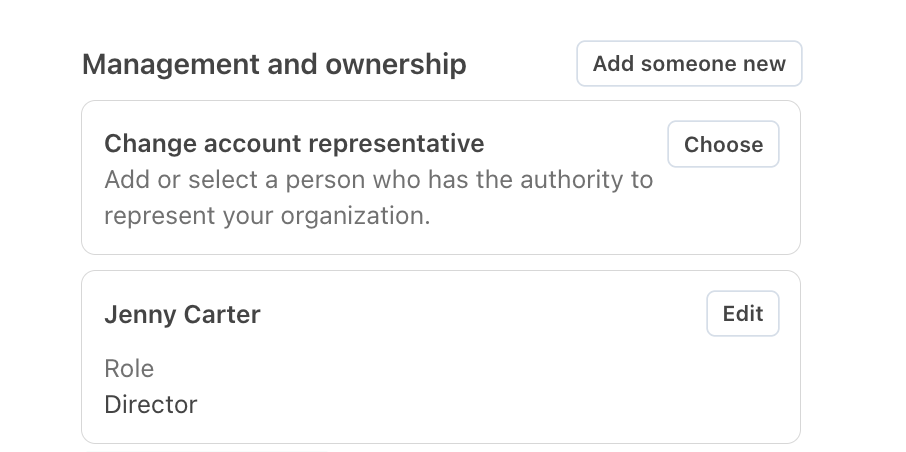
Your directors are listed, but each director shows "Incomplete"
If all directors are already listed but Stripe displays Incomplete next to each one, this means the directors themselves have been added, but some required information is missing.
As a reminder, Stripe requires the following information for each director:
Legal first and last name
Email address
Job title or role within the organization
Date of birth
Home address
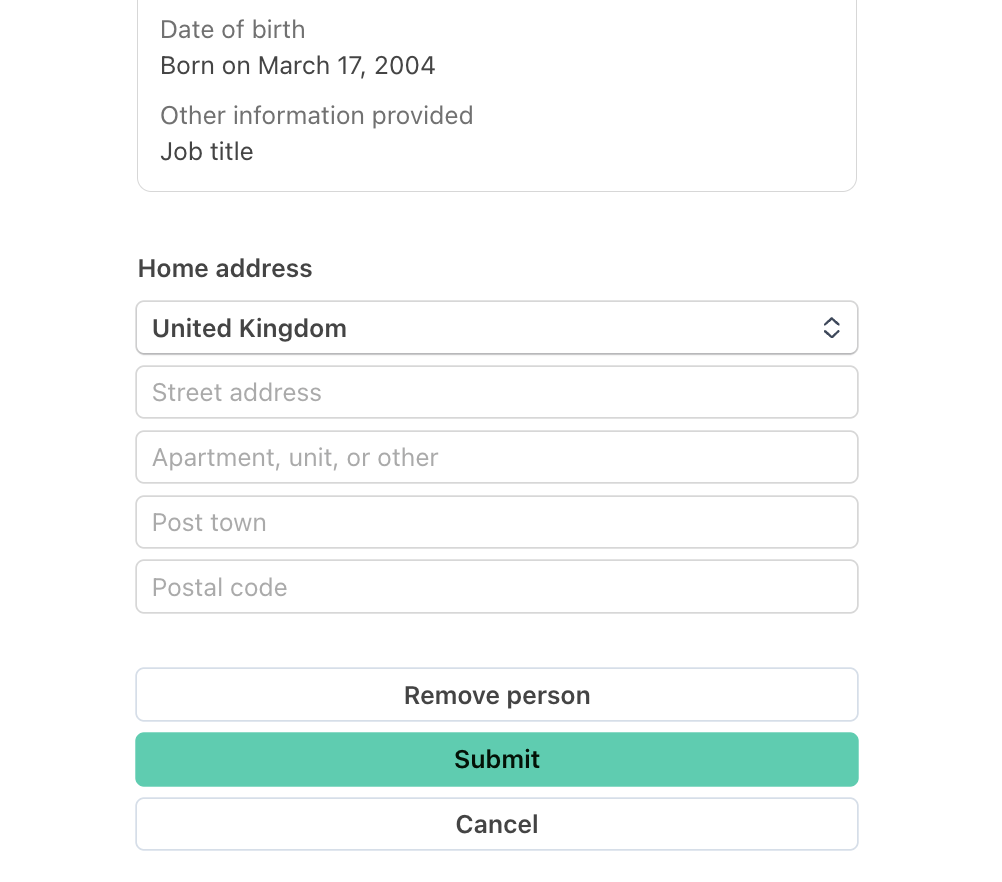
If any of this information is missing, Stripe will display Incomplete next to the director's name. To resolve this:
Click Edit next to the director's name.
Complete any missing information.
Click Submit.
Repeat these steps for each director marked as incomplete.
Once no directors are marked in red, click Confirm at the bottom of the page.
2️⃣ Scenario 2:
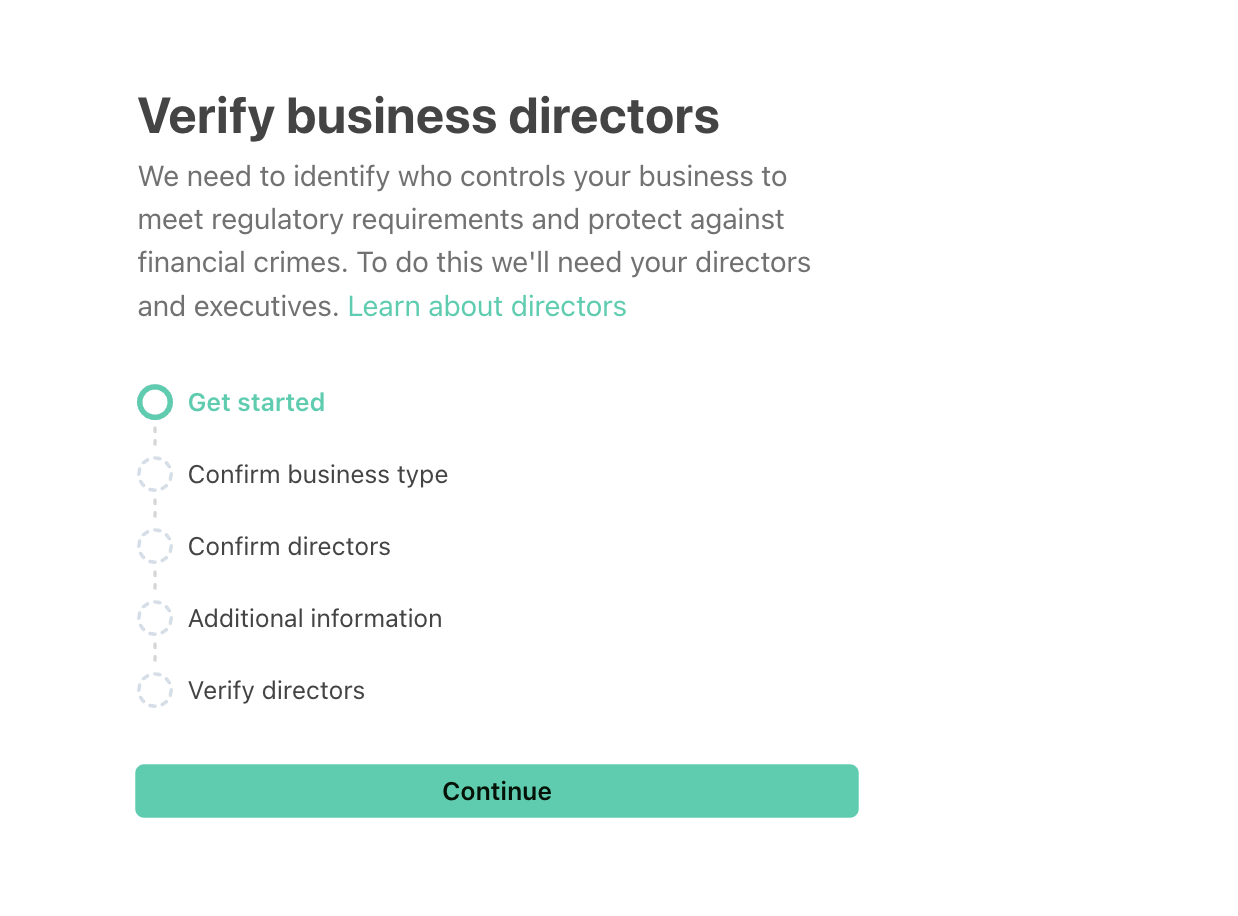
Stripe asks you to "Verify business directors"
If the yellow banner directs you to Verify business directors, click Continue to get started.
1
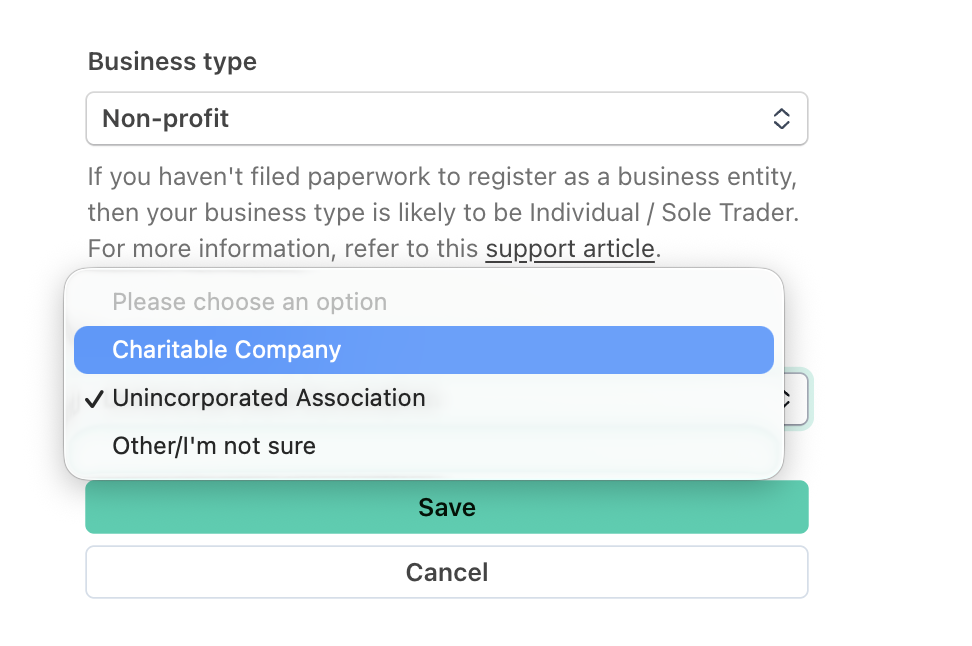
Review your organization type
Stripe will start by asking you to confirm your organization's structure.
Non-profit / Charity (registered charity with a CRN number)
Unincorporated organization (non-profit without a CRN number)
If anything is incorrect, click Edit and update the information.
2
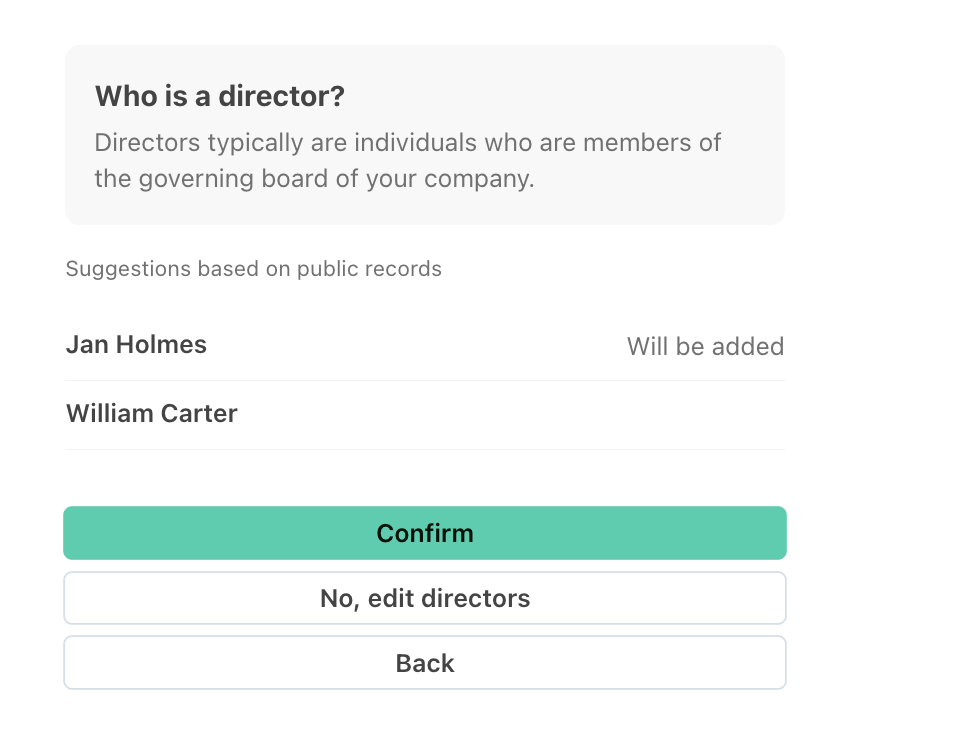
Review your directors
Stripe will attempt to identify your organization's directors using public records and information already available on your account.
If all listed directors are correct, click Confirm.
If any information is incorrect, click No, edit directors (continue
If editing directors
If you select to edit your directors, you will be able to:
Remove directors who are no longer associated with the organization. For this, click Remove next to their name.
Add missing directors or trustees. For this, click Add Director below the current list.
Note that if the individual who completed the identity verification is not already listed as a director, Stripe may display their name in the dropdown menu. You can select that individual if appropriate.
If you need to add someone else, select: Add Director → Add somebody new and enter their information manually. When adding a new director or trustee, Stripe will request:
Legal first and last name
Email address
Job title or role within the organization
Date of birth
Home address
This information must be provided for every director and/or trustee associated with your organization.
Why am I being asked for dates of birth and home addresses?
These requirements come directly from Stripe and cannot be bypassed by Zeffy. As a regulated financial services provider, Stripe is required to comply with Know Your Customer (KYC) and anti-money laundering regulations, including requirements that apply across the UK and Europe. As part of these regulations, Stripe must collect and verify information about the individuals who control or govern organizations that accept payments.
The information collected is used solely for verification and regulatory compliance purposes. However, providing it is mandatory in order to continue accepting payments through Stripe and Zeffy.
If you have questions about these requirements, particularly why Stripe requires dates of birth and home addresses for directors and trustees, you can learn more in Stripe's documentation here.
Once all directors and/or trustees have been added and confirmed, click Continue.
3
Confirm & Submit Director Information
Once you click Continue, the next step will depend on whether Stripe can verify your directors through public records. You may see one of the following screens.
1
Verification Summary
If you see a Verification Summary page, Stripe has successfully matched the information provided against public records and no additional verification is required.
Before submitting:
Confirm that each director has their role, email address, date of birth, and home address displayed.
If a director's name appears without any details underneath (like in the screenshot below), Stripe is still missing information for that individual.
In that case:
Click Edit next to the director's name.
Complete any missing information.
Save your changes.
Once all information is complete, click Submit.
2
We Need to Verify Your Directors
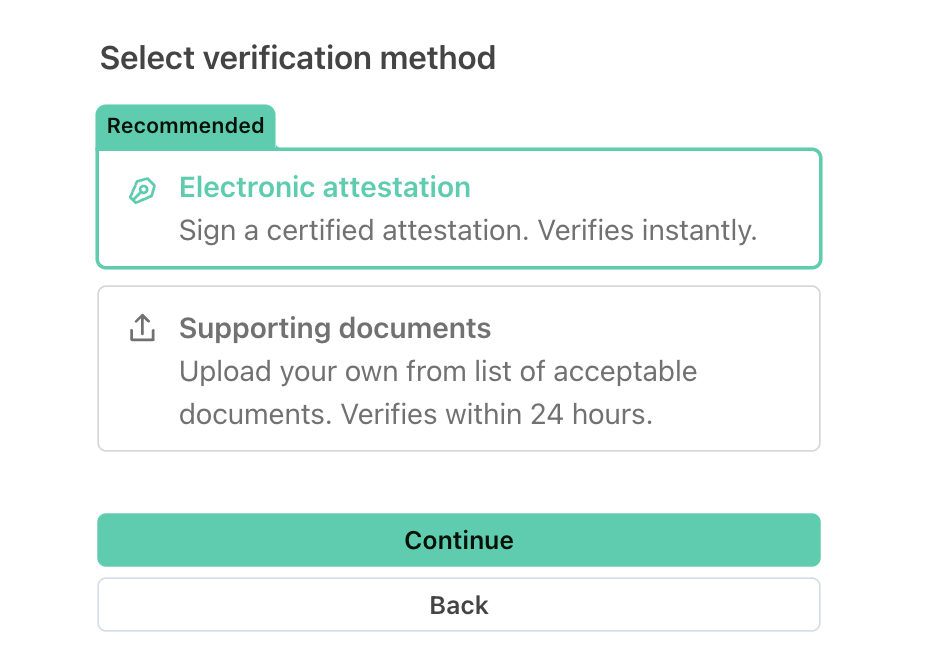
If Stripe cannot verify your directors using public records, you will see a page titled We Need to Verify Your Directors.
You will be given two verification options:
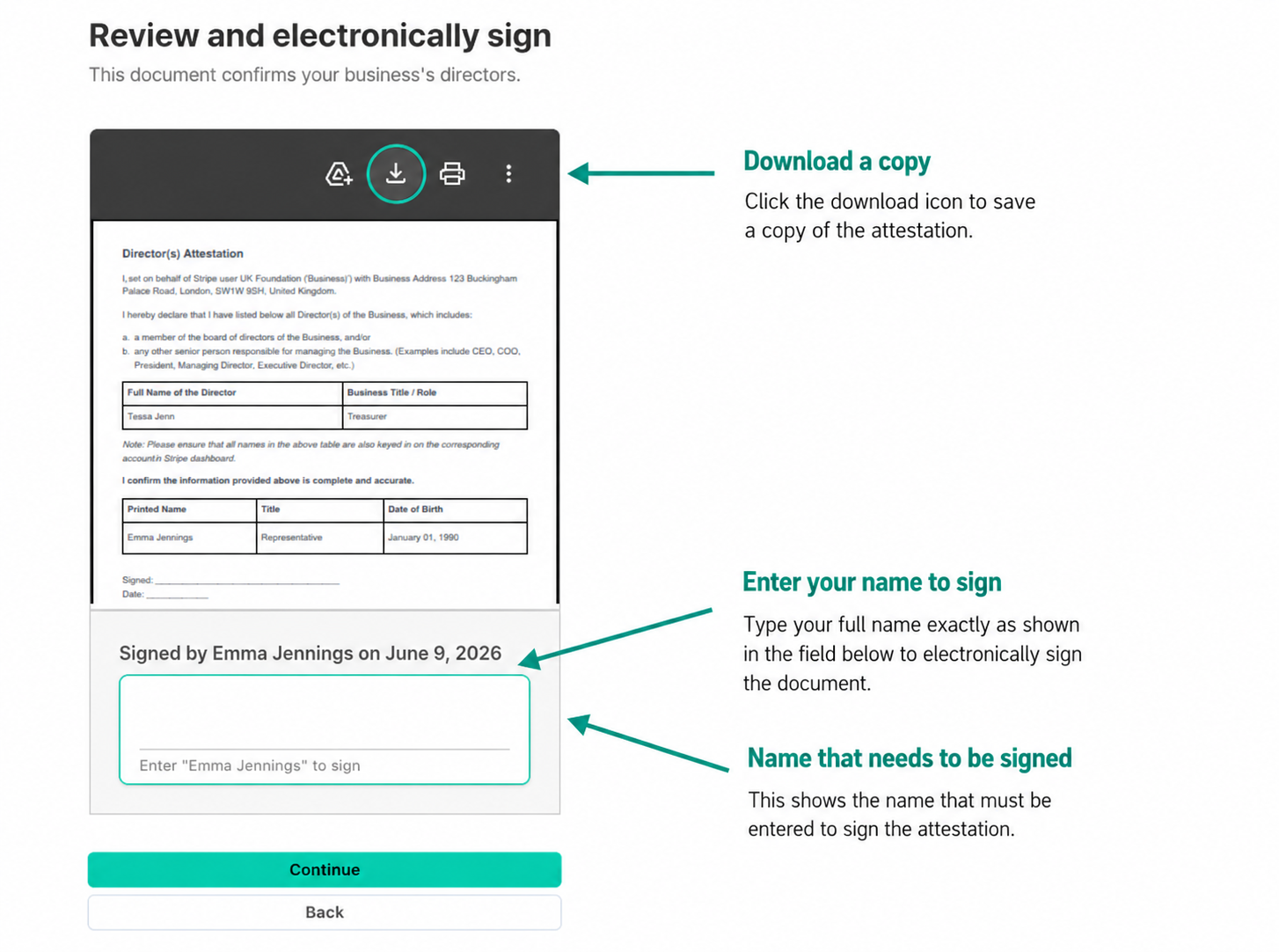
We strongly recommend selecting Electronic Attestation.
With this option, the legal representative who completed identity verification will review a Stripe-generated agreement confirming that the directors and/or trustees listed are accurate, then sign it electronically by typing their name.
Stripe will display the agreement before it is signed, and you can download a copy for your records. Once signed, click on Continue.
Alternatively, you can upload a document that verifies your organization's directors and/or trustees. The document must show:
Your organization's legal name
Your organization's address
The directors' and/or trustees' names exactly as entered in Stripe
If the information on the document does not match what was entered during verification, Stripe may reject the submission and request additional documentation.
If you choose to upload a document, please note that verification can take up to 24 hours to be completed. Until Stripe has finished reviewing the document, we won't be able to confirm whether the verification was successful. If any additional information or documentation is required, Stripe will contact you directly within that review period.
4
Review and submit
Once you have provided your directors' information and completed any required verification steps, the final step is to review your submission and confirm that all information is accurate.
Carefully review the details provided throughout the verification process, then click Agree and Submit to send your information to Stripe for review.
By submitting, you agree to Stripe's terms and conditions and consent to Zeffy and Stripe processing information required to verify your organization and facilitate future payment processing.
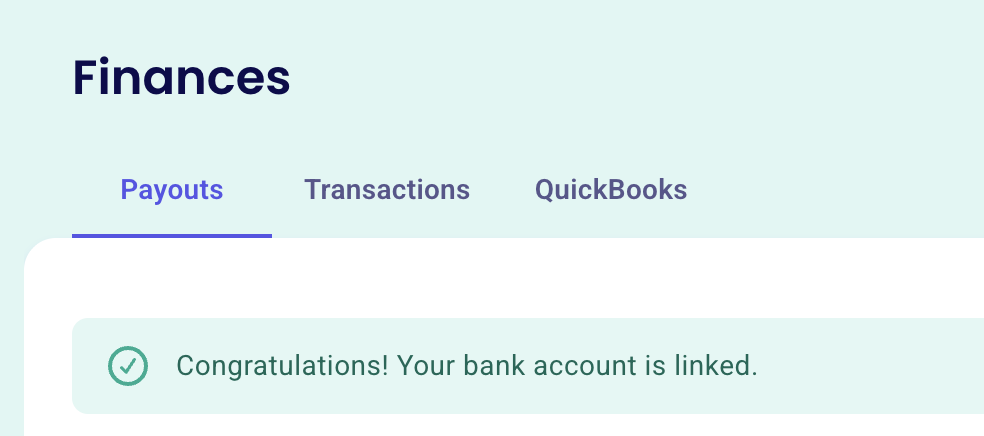
If your submission is successful, you will see a green confirmation message indicating that your verification has been completed successfully. At that point, all requested information has been provided and no further action is required.
If you continue to see a yellow banner requesting additional information, Stripe is still missing some required details. Click Update information and review any sections marked Incomplete to identify and complete the remaining requirements.
Need help?
If you run into any issues while completing the verification process, our team is here to help.
Simply click the chat icon in the bottom-right corner of your screen to contact Zeffy Support, and we'll be happy to assist you.