
Delete or edit a team or participant page from a peer-to-peer campaign
If a team or individual accidentally created an extra fundraising page, you can delete it as an administrator by either:
Head to "Campaigns" in the left-hand menu and click on the peer-to-peer campaign in question.
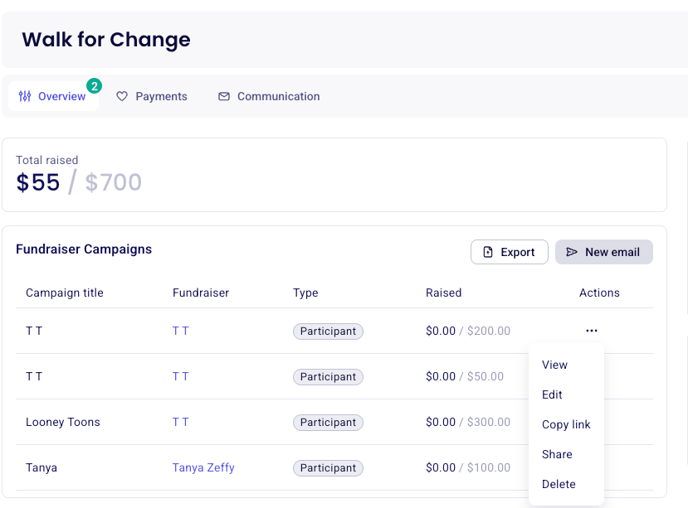
In the Overview tab, scroll to the section displaying your peer-to-peer participants and teams. There, you’ll be able to view the full list of all fundraisers.
Click on the three dots to the right of the participant or team page in question and select either "edit" or "delete"
Was this helpful?
Was this helpful?