
Resolve a Failed Payout and Recover Your Funds
The most common reason for a failed payout is an invalid bank account number. Other causes include missing information needed to verify your bank details, your bank rejecting the payment, or Stripe identity verification failing or still being reviewed.
No payout will be retried until your bank information is updated. Once you enter the correct banking information, the payout will retry automatically during your next scheduled transfer. You can review your schedule in Zeffy payouts: Schedules, amounts, and reports.
Verify your bank account meets requirements
Before updating your banking information in Zeffy, confirm with your bank that the account meets all of the following requirements:
In the name of your nonprofit — Payouts are made out in your organization's name. Personal accounts or accounts registered under a different name will cause the payout to fail.
A checking account — Savings accounts may not accept direct deposits in the same way.
Enabled for direct deposits — Your bank must allow ACH transfers into this account.
Update your bank account information
Log in to your Zeffy dashboard on a computer.
Click your name at the bottom left, then click Settings.
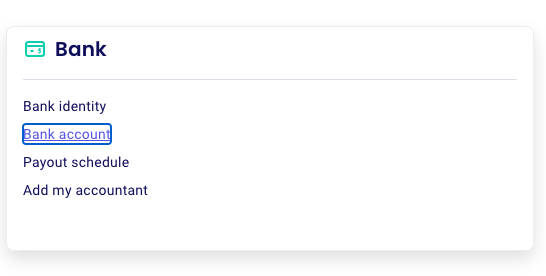
Click Bank, then Bank Account.
Update your bank account information.
Important: When entering a new account number, clear the field completely before typing. The first key you press will clear the existing number but will not enter the digit, so double-check the full number before saving.
What happens after you update
If the system accepts the new banking information
This confirms that the account number you entered is different from the previous one. Stripe does not allow the same bank account to be re-entered after a payout has failed, so the system accepting the update typically indicates there was a typo or error in the previous account number.
Once the update is accepted, the payout will retry automatically during your next scheduled transfer. For faster reattempts, you can change your payout schedule by going to Settings → Bank → Payout schedule.
If you see "bank account unusable" error
This means the numbers you entered match the bank account that previously caused the payout to fail. In that case, we recommend contacting your bank for more information. Your bank may have withheld the payout because it was made in the wrong name or was flagged for review.
Some additional things that are helpful to confirm with them:
you have the correct account number for direct deposits
it is enabled for direct deposits
it is active without any holds
If you are certain your banking information is correct but the system still rejects it, send a void cheque to our support team and we can enter the information on your behalf or open a ticket with Stripe to investigate. Make sure the following are clearly visible on the cheque:
Account name
Account number
Routing number
You can also include proof that your bank account is active, such as transaction history or a confirmation letter from your bank.