
Delete a manually entered payment
Delete a manual payment entry in your account
Head over to “Fundraising” > “Payments”
Find the payment you want to remove andclick anywhere on the row (just avoid clicking the donor’s name, that’ll take you to their contact page instead.)
Click on "more" in the top right-hand corner of the page.
Click 'delete' to delete the entry.
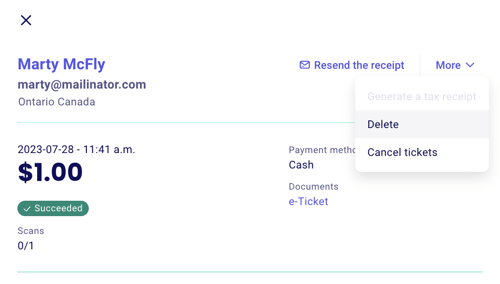
For entries that have an e-ticket associated with them, deleting the entry will automatically cancel the ticket as well.
❗Deleting non-manual entries: It is not currently possible to delete payments from your dashboard. For record-keeping purposes, even refunded or canceled payments will remain in your dashboard. It is also not possible to delete imported payments individually.
Was this helpful?