
How to Make an Anonymous Donation
What is an anonymous donation?
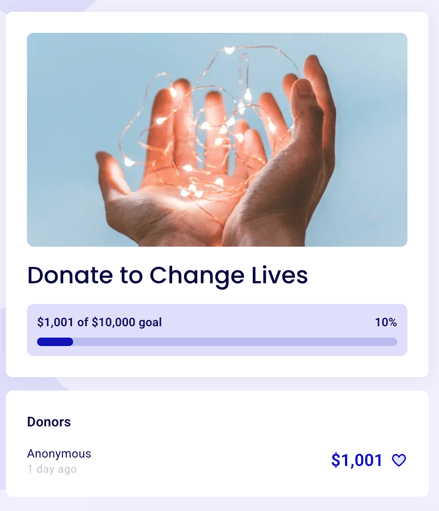
An anonymous donation is a contribution where the donor's name is not displayed publicly on the donation form or donor list. When a donor chooses to remain anonymous, only the words "Anonymous" will appear next to the donation amount on any public donor lists.
How donors can make an anonymous donation:
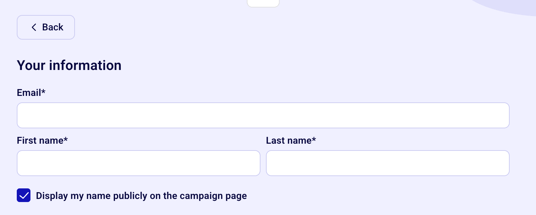
Your donors can make anonymous donations on a donation campaign or a peer-to-peer campaign. A public list of donors appears on a donation form when "Display donor list publicly on my campaign" is on in the form's Advanced settings. Adding a fundraising target does not turn it on by itself. Donors will have the option to uncheck "I wish for my name to publicly be displayed on the form" during payment and their name will not be on the list.
This is what the button looks like:
This is how an anonymous donation will appear on your campaign page:
My donor would like to anonymize/de-anonymize their donation:
You can hide or show a donor's name on the public donor list yourself. Open the donation in your Payments list and uncheck (or check) "Display name publicly on campaign". This applies to donation forms with the donor list shown and to peer-to-peer campaigns.
This only changes what appears on the public donor list. Fully anonymizing a donor's data in your organization's own records is not available yet. You can vote on this request here to help our team prioritize your suggestion, and be notified by email of any updates regarding its implementation.
I already donated and want to hide or show my name on the campaign
You can change whether your name appears on the public donor list after you pay. The organization you donated to can do it from their dashboard, or we can do it for you.
Ask the organization to update your donation, or contact us with the request type Anonymize / de-anonymize donation.
Include the link to the campaign you donated on and the email address you used to pay.
We can also change the name displayed publicly next to your donation. The anonymous setting applies to each payment separately, so if you donated more than once or with another email address, mention every donation you want changed.
If your name still shows after the change, refresh the campaign page without the cache (Command + Shift + R on a Mac, Ctrl + Shift + R on Windows).
I am a donor and I would like to be anonymous to the organization I am making a donation to:
We currently do not have a feature that allows donors to make anonymous donations to your organization. If they do not wish to disclose their real name at the time of payment, they can use a different name when completing their payment, but they will not see an option to remain anonymous to your organization.